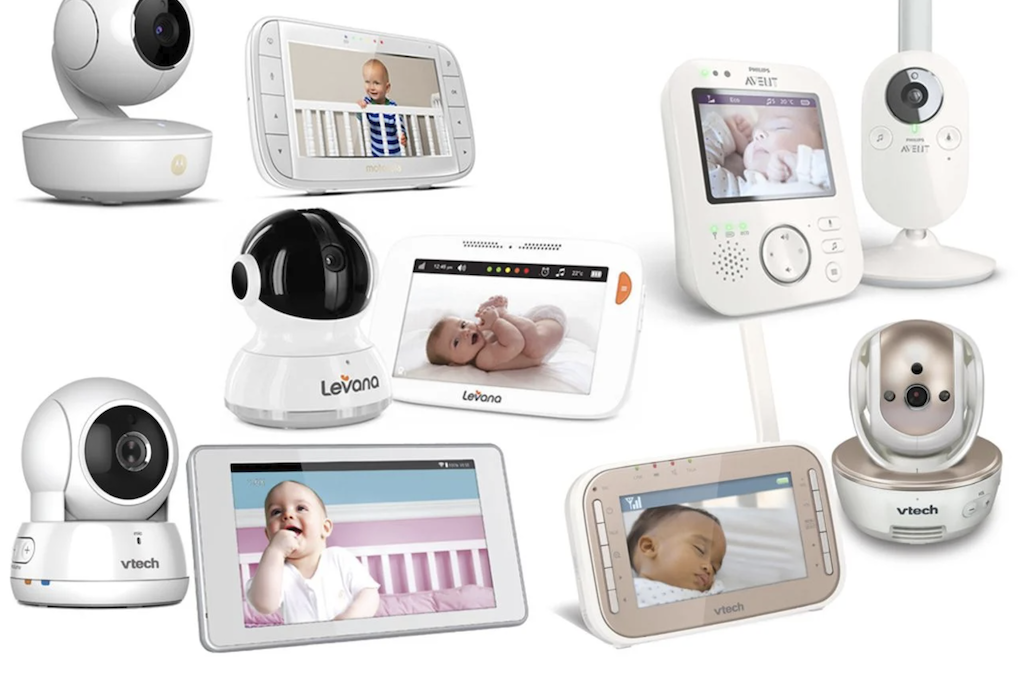
A baby monitor used to mean a simple radio that carried crying sounds from a nursery down the hall to a parent’s bedroom. Today’s monitors can stream high-definition video to a phone anywhere in the world, track room temperature, detect motion, and even watch breathing patterns through a sensor pad.
With so many options crowding store shelves and online listings alike, it helps to separate the features that matter for a new household from the ones that mostly drive up price without adding much real, lasting value night after night.
This guide breaks down video, audio, and connectivity choices, along with setup and placement tips that make a real difference in day-to-day use for tired parents trying to get a bit more sleep.
Video Quality Features That Matter
A clear picture at night matters more than almost any other video spec, since most monitor checks happen after the lights go out and a parent needs to make a quick judgment call about whether to step in or let a baby settle back to sleep on their own. Night vision on nearly every modern monitor uses infrared LEDs, which cast a soft glow invisible to the human eye but clearly visible to the camera’s own sensor.
- Resolution: 720p is adequate for most nurseries, while 1080p offers a sharper picture when zooming in on a crib from across the house.
- Zoom and pan: Digital zoom lets a parent check details without physically entering the room, while physical pan-and-tilt cameras cover a wider area from a single mounting point.
- Field of view: A wide-angle lens captures more of a room, which matters once a child moves from a stationary crib to a toddler bed where they roam more freely.
- Frame rate: Smooth video around 30 frames per second avoids the choppy look that can make it hard to tell whether a baby is still asleep or starting to stir.
Night Vision Range and Clarity
Most infrared cameras work well within about ten feet, which covers a typical crib placement, but larger rooms or cameras mounted farther away can produce a dimmer picture. Testing the camera in the nursery itself, in full darkness, before committing to a mounting spot avoids a frustrating discovery weeks later that the crib sits just outside a usable range.
Color accuracy under infrared light is another detail worth a quick check before settling on a model. Because infrared lighting is monochrome, most night footage appears in shades of gray rather than true color, which is normal and not a sign of a defective unit. A handful of premium cameras add a soft white night light option that provides low-level color footage instead, which some parents prefer for reading skin tone during a middle-of-the-night check for rashes or fever flush.
Audio Monitoring and Two-Way Talk
Sound quality on a baby monitor should pick up quiet fussing, not just loud crying, since early signs of a baby waking are often soft sounds rather than a full cry. Cheaper monitors sometimes have delayed or muffled audio, which defeats the purpose of a quick check before a baby fully wakes and starts crying in earnest.
- Sensitivity settings: Adjustable sensitivity lets parents filter out white noise machines or fans while still catching real sounds from the baby.
- Two-way talk: A built-in speaker on the camera lets a parent speak softly into the room, which can soothe a fussy baby without a trip down the hall.
- Lullaby playback: Some models store a handful of soothing sounds or songs that can be triggered remotely from the app.
- Sound level indicators: A visual meter on the receiver or app shows audio activity even with the volume turned down, useful for checking on a sleeping baby without making noise of your own.
Managing Background Noise
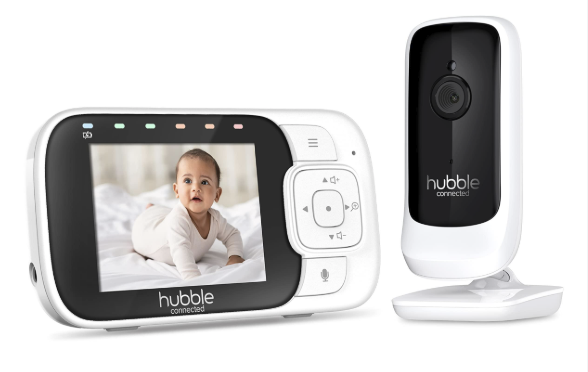
Homes with multiple sources of ambient sound, like a running dishwasher, street noise, or a sibling playing in another room, benefit from monitors with better background filtering. Reading reviews focused on audio clarity in noisy households, rather than just overall star ratings, can reveal which models perform well in real homes rather than quiet test labs.
Some monitors also let a parent set a decibel threshold that triggers an alert only once sound crosses a certain level, which cuts down on constant buzzing notifications from a monitor that reacts to every small creak or sigh. Fine-tuning this threshold over the first week of use, rather than accepting the factory default, usually produces a much better balance between catching real wake-ups and avoiding alert fatigue from a phone that buzzes every few minutes overnight.
Wi-Fi Versus Dedicated Signal Monitors
The biggest split in the baby monitor market is between Wi-Fi-connected cameras that stream through an app and dedicated monitors that use their own private radio frequency to a matching receiver.
- Wi-Fi monitors: Stream to a phone from anywhere with an internet connection, letting a parent check in while at work or running errands.
- Dedicated frequency monitors: Use a closed signal between the camera and a handheld receiver, which avoids relying on home internet or a phone app entirely.
- Hybrid models: Some monitors offer both a dedicated handheld screen and an optional app connection, giving flexibility depending on the situation.
- Signal range: Dedicated monitors often have a published range similar to a cordless phone, which can be limiting in larger homes with multiple floors.
Parents who travel for work or want to check on a baby while away from home almost always lean toward Wi-Fi models, while parents more concerned about network reliability or signal privacy often prefer the simplicity of a dedicated frequency device that never touches the internet.
Internet Outages and Backup Plans
A Wi-Fi monitor becomes less useful during a home internet outage, since the app may lose the live feed entirely until service returns, even though the camera and baby remain in the same room. Some models include a local viewing mode that works over a home network without needing outside internet access at all, which is worth asking about if outages are common in your area. Keeping a basic baby gate or door sensor as a low-tech backup is not a bad idea for households that experience frequent internet disruptions, since no camera system should be the only line of awareness for a sleeping child.
Setting Up a Secure Connection
Any camera connected to the internet carries some risk of unauthorized access if not configured properly, and baby monitor cameras have been a target for poorly secured devices in the past. Taking a few basic steps during setup closes most of the common gaps.
- Strong unique passwords: Avoid reusing a password from another account, and change any default password immediately after setup.
- Two-factor authentication: Enable this wherever the app offers it, adding a second barrier even if a password is ever compromised.
- Firmware updates: Keep the camera’s software current, since manufacturers regularly patch security issues discovered after a product ships.
- Separate guest network: Placing smart home devices, including a baby monitor, on a separate Wi-Fi network limits what an intruder could reach if one device were ever compromised.
Checking a manufacturer’s track record for security updates and past incidents before buying is a worthwhile step, since not every brand treats ongoing software support with the same seriousness.
Reviewing App Permissions
When installing the companion app, pay attention to what permissions it requests beyond camera access, such as contacts, location, or microphone use on the phone itself rather than just the camera. Legitimate baby monitor apps rarely need access to a phone’s contact list or photo library, and requests that seem unrelated to the monitor’s core function are worth questioning before granting them. Reading the privacy policy, at least the summary most apps now provide, gives a sense of whether footage is stored locally, in the cloud, or shared with any third parties for product improvement purposes.
Extra Sensors and Smart Alerts
Beyond basic video and audio, many modern monitors add sensors aimed at giving parents more context about a baby’s environment and well-being.
- Room temperature and humidity: A built-in sensor alerts parents if a nursery gets too warm or too dry, which matters for comfortable, safer sleep.
- Motion detection: Some cameras send a notification when movement is detected in the crib, useful for noticing a baby who has rolled or started crawling earlier than expected.
- Wearable sleep sensors: A clip or band worn by the baby can track movement and rough sleep patterns, syncing that data to a companion app each morning for a quick overnight summary.
- Cry detection and analysis: Advanced software can distinguish cry patterns and alert a parent before the sound even travels down the hall on its own.
Sensor Pads and Breathing Monitors
A newer category of under-mattress sensor pads claims to track breathing movement without any contact with the baby’s skin. These products can offer reassurance to anxious parents, but it helps to read the claims on the packaging carefully, since most are not medical devices and should not replace standard pediatric guidance on safe sleep practices.
Pediatricians generally recommend following established safe sleep guidelines, such as placing a baby on their back on a firm mattress with no loose bedding nearby, regardless of whether a sensor pad or wearable device is also in use that night. Treating these products as an additional layer of information rather than a substitute for those core practices keeps expectations realistic and avoids over-reliance on a device that, however well designed, has real technical limits.
False Alarms and Alert Fatigue
Sensor pads and wearables occasionally produce false alarms, often triggered by a baby shifting position or a sensor losing contact rather than any real change in breathing. A string of false alarms in the first few nights can be unsettling for new parents, and it helps to know this is a common adjustment period for most of these devices rather than a sign something is wrong with the baby. Manufacturers typically publish guidance on calibrating sensitivity during the first week, and following that guidance closely reduces false alerts far faster than leaving default settings untouched.
Placement Tips for Better Coverage
Where a monitor sits in a nursery affects both video clarity and safety. Cameras and any associated cables should always be mounted well out of a baby’s reach, since cords present a real strangulation risk if draped anywhere near a crib.
- Mount above and to the side: Positioning a camera slightly above the crib and off to one side gives a clear angle without hanging directly over the baby.
- Avoid window glare: Placing a camera facing a window can wash out the picture during the day and create reflections at night from the camera’s own infrared light.
- Secure all cables: Route power cords along walls and well away from the crib, securing them with clips rather than letting them dangle.
- Test at different times of day: Lighting changes throughout the day, so checking the picture quality in morning light, afternoon light, and full darkness avoids surprises.
Mounting Options Beyond a Shelf
Some monitors ship with a flexible mounting arm that clamps to a crib rail, letting parents aim the camera without drilling into a wall. This works well for renters or anyone who expects to rearrange a nursery as a baby grows. Wall mounts, by contrast, offer a more permanent and stable angle but require patching drywall if the setup ever moves to a different room. Whichever mount is chosen, double-checking that it holds the camera firmly enough to resist a light bump from an older sibling or a curious pet prevents an awkward mid-night repositioning.
Adjusting as a Baby Grows
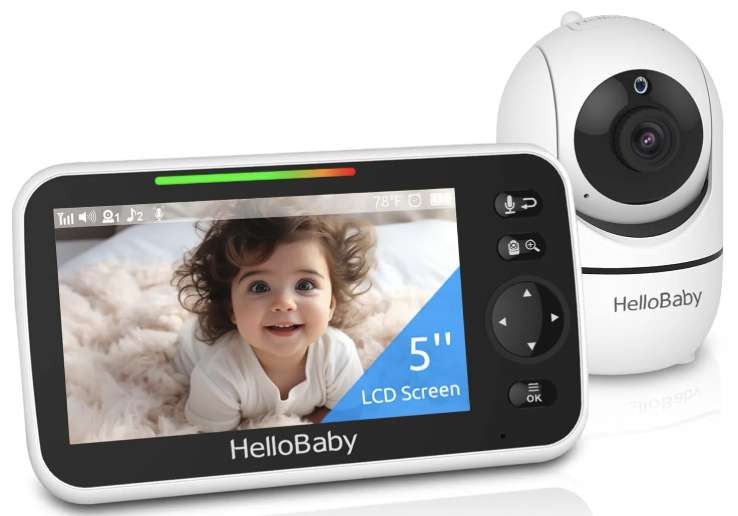
A camera angle that works perfectly for a newborn lying still in a bassinet often needs adjusting once a baby starts rolling, sitting, or pulling up to stand. Revisiting the camera’s position every few months, rather than setting it once and forgetting about it, keeps the picture useful through each new stage. Once a toddler moves to a floor bed or a room with more open space, a wider-angle camera or a second unit covering a play area can pick up where the original crib-focused setup leaves off.
Final Thoughts
Choosing a baby monitor comes down to matching features to a household’s real nightly routine rather than chasing the longest spec sheet. A sharp night-vision picture, audio sensitive enough to catch early fussing, and a secure connection cover the essentials that matter every single night, long before any extra sensor or smart feature enters the picture.
Extra sensors for temperature, motion, or sleep tracking can add reassurance for some parents, though they remain optional add-ons rather than essential gear for a functioning nursery setup.
Careful placement, with cords kept well away from the crib, protects both image quality and physical safety at the same time, and revisiting that placement as a baby grows keeps the whole setup useful for years rather than months.
Whichever combination of video, audio, and connectivity a family settles on, the goal stays the same: a quick, reliable way to check on a sleeping baby without walking down the hall every few minutes, freeing up a little more rest for exhausted parents during those early months.
Frequently Asked Questions
Can a Wi-Fi baby monitor be hacked?
Any internet-connected device carries some risk, but following basic security steps like using a strong unique password, enabling two-factor authentication, and keeping firmware updated greatly reduces that risk. Choosing a manufacturer with a solid history of security updates also matters more than people often assume when comparing monitor brands.
How far can a baby monitor transmit a signal?
Dedicated frequency monitors typically advertise a range between 500 and 1,000 feet, though walls, floors, and household interference shrink that in practice. Wi-Fi monitors are not limited by a fixed range in the same way, since they rely on the home network and, for remote viewing, an internet
connection instead. A mesh Wi-Fi system or a strong router placed near the nursery can noticeably improve a Wi-Fi monitor’s reliability in larger homes where the signal would otherwise weaken toward the edges.
Do baby monitors need to stay plugged in at all times?
Most cameras run on constant power rather than battery alone, since continuous video streaming draws more energy than a battery could sustain for long. Portable or handheld receivers for dedicated monitors often run on batteries for a few hours of mobility around the house between charges.
Is video monitoring necessary, or is audio enough?
Audio alone tells a parent that a baby is making noise, but video adds context, like confirming a baby has rolled onto their stomach or become tangled in a blanket. Many parents start with audio-only and upgrade to video once a baby becomes more mobile and visual confirmation becomes more useful than sound alone for a quick, reassuring glance.
Can multiple people view the same baby monitor feed?
Most Wi-Fi-connected monitors allow multiple accounts or devices to view the same feed simultaneously, which is convenient for co-parents or grandparents helping with care during a visit. Dedicated frequency monitors usually support only one or two handheld receivers paired to a single camera at a time, so a household expecting several caregivers to check in at once may prefer an app-based model instead.
What age should a baby monitor be retired?
There is no fixed age, and many families keep using a monitor well into toddler years for peace of mind during naps and bedtime. Once a child can reliably communicate needs and call out for a parent, many households simply stop relying on the monitor rather than retiring it on a fixed schedule.