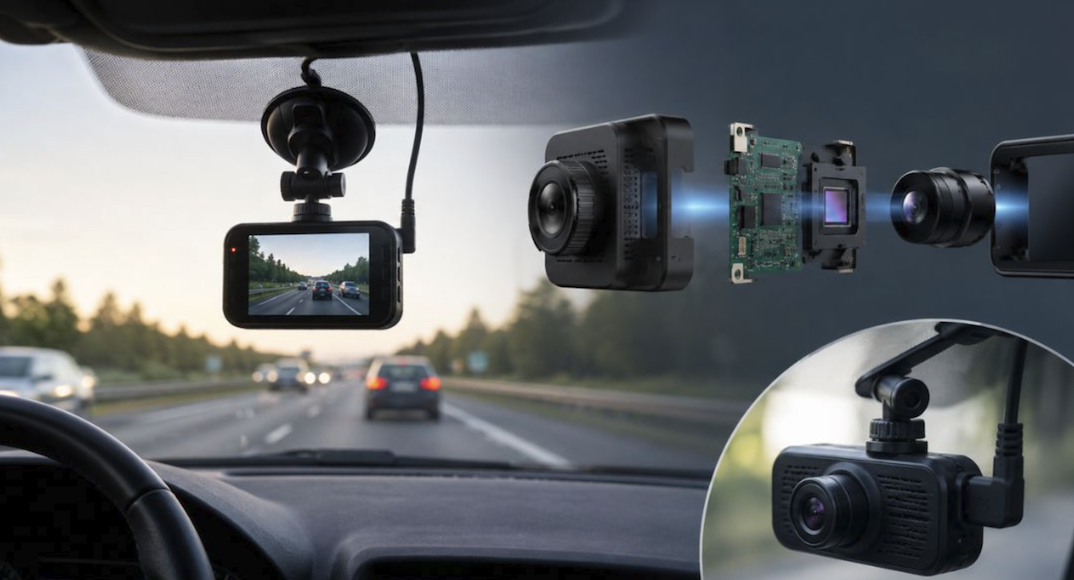
A dash cam sits quietly on the windshield or mirror, recording everything in front of the car and, with the right model, everything behind it too.
Most drivers never need the footage, but the ones who do are usually grateful they had it running during a fender bender, a parking lot scrape, or a dispute over who ran the light.
This guide covers the features that matter for ordinary daily driving, how to pick between single and dual camera setups, what to know about installation and power, and how to manage the footage a dash cam produces without drowning in video files.
Why a Dash Cam Is Worth Installing
Insurance claims can turn into a frustrating back-and-forth when two drivers describe a collision differently. Footage from a dash cam removes most of that ambiguity, showing exactly what happened in the seconds before and after an impact. Beyond collisions, dash cams routinely capture hit-and-run incidents in parking lots, reckless driving from other cars, and even scenic moments on a road trip that a driver would otherwise never think to photograph.
Many insurers also offer small discounts for drivers who install a dash cam, since the footage reduces disputed claims and speeds up processing. It is worth calling your own insurer directly to ask whether such a discount exists, since many drivers never find out simply because the option is not advertised clearly on a policy renewal notice. Even where no discount applies, the peace of mind of having a neutral witness mounted to the windshield is often worth the modest cost of the hardware on its own.
There is also a quieter benefit many drivers only notice after the fact: footage of close calls that never turn into a formal claim still has value. A near-miss with a distracted driver, a sudden lane change from a car that cannot be identified afterward, or a piece of debris that flies off a truck ahead can all be reviewed later, shared with family, or submitted to local authorities if the incident rises to that level.
Even without a collision, having a running record of a drive gives a driver something concrete to point to rather than relying on memory alone.
What a Dash Cam Cannot Do
A dash cam only records what happens in its field of view, so it will not help in situations like an incident that occurs entirely out of frame or a collision while the car is parked with the camera powered down. It also will not stop a bad driver from hitting your car, though some models with parking mode can at least capture footage after the fact so you are not left guessing what happened to a parked vehicle.
It is also worth remembering that a dash cam only protects the owner’s own record of events; it does nothing to shield the car itself from damage or theft. Pairing a dash cam with a visible deterrent, like a sticker noting the car is monitored, can discourage some opportunistic vandalism in parking lots, but it should be treated as a recording tool rather than a security system in the way an alarm or tracker would be.
Key Features to Compare Before Buying
Shopping for a dash cam involves weighing several specs against each other, and the right balance depends heavily on how and where you drive.
- Resolution: 1080p is the practical minimum for reading license plates, while 1440p or 4K models capture sharper detail, especially useful at night or on fast-moving highways.
- Field of view: A wider angle, often listed in degrees, captures more of the surrounding lanes but can introduce slight distortion at the edges of the frame.
- Low-light performance: Cameras with larger sensors or dedicated night modes produce clearer footage after dark, which matters for anyone who regularly drives evening shifts or late commutes.
- GPS logging: Built-in GPS stamps footage with speed and location data, which can strengthen an insurance claim or dispute over a traffic citation.
- App connectivity: Wi-Fi or Bluetooth lets you pull footage directly to a phone without removing an SD card, which saves time after a minor incident.
Frame Rate and Smoothness
A higher frame rate, typically 30 or 60 frames per second, produces smoother footage that is easier to review frame by frame when trying to read a license plate or confirm a turn signal was used. Most daily driving does not demand the highest frame rate available, but it becomes more valuable on faster roads where objects move through the frame quickly.
Dynamic Range and Glare Handling
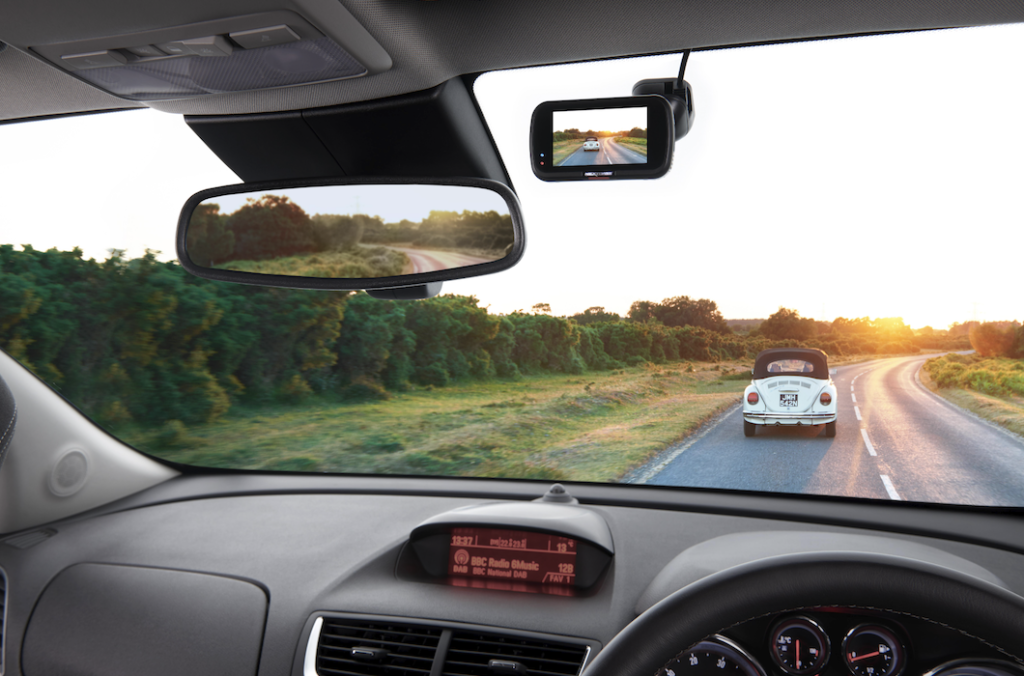
A feature often buried in spec sheets, wide dynamic range, helps a camera balance bright and dark areas within the same frame, such as a sunlit road with a shadowed underpass ahead. Cameras without this feature can produce footage where the license plate of a car driving into bright sunlight is completely washed out, which defeats the purpose of recording in the first place. Polarizing filters, sold separately for many models, cut down glare from the windshield itself and are a cheap upgrade worth considering for anyone who drives frequently at sunrise or sunset.
Front, Rear, and Dual-Channel Options
A single front-facing camera covers the most common scenario: a collision or near-miss happening ahead of the car. Many drivers find this sufficient for years of daily commuting.
- Single-channel cameras: Simpler to install and usually cheaper, these cover only the road ahead through the windshield.
- Dual-channel systems: A second camera, often mounted near the rear window or license plate, adds coverage of rear-end collisions and tailgating drivers.
- Three-channel setups: Some higher-end systems add a third camera inside the cabin, useful for rideshare drivers who want a record of passenger interactions.
- Mirror-style cams: These replace or clip over the rearview mirror, integrating a screen that can also display the rear camera feed in place of a traditional mirror view.
Rear-end collisions are common enough in stop-and-go traffic that a dual-channel system is worth the extra cost for most commuters, especially those who spend long stretches of each day in heavy city traffic where tailgating is routine.
Installation and Power Choices
Most dash cams mount with an adhesive pad or a suction cup near the top of the windshield, close to the rearview mirror to avoid blocking the driver’s view. Power typically comes from a cable run to a 12-volt outlet or, for a cleaner look, hardwired into the car’s fuse box by a professional installer or a confident do-it-yourselfer.
- Suction mounts: Easy to reposition or remove, but can lose grip over time in extreme heat.
- Adhesive mounts: More permanent and stable, though harder to relocate once applied.
- Cigarette lighter power: The simplest setup, leaving a visible cable running down the windshield to the dashboard.
- Hardwired kits: Tuck the cable behind trim panels for a cleaner finish and often allow the parking mode feature to draw power without draining the main car battery excessively.
A hardwired installation with a dedicated low-voltage cutoff module protects the car’s battery from being drained by a dash cam left recording in parking mode overnight, which is a common complaint among drivers who skip this step.
Routing Cables Cleanly
Running a power cable along the headliner and down the A-pillar keeps the wiring out of view and away from the airbag deployment zone, which most manufacturers warn against covering with any cable or mount. Plastic trim panels in most cars pop off with gentle, even pressure, revealing a channel wide enough to tuck a thin cable through without leaving it dangling across the dashboard. Drivers uncomfortable removing trim panels themselves can usually find a local installer who offers this as an inexpensive add-on service, often bundled with the price of the camera itself at retailers that sell dash cams.
Choosing Between DIY and Professional Installation
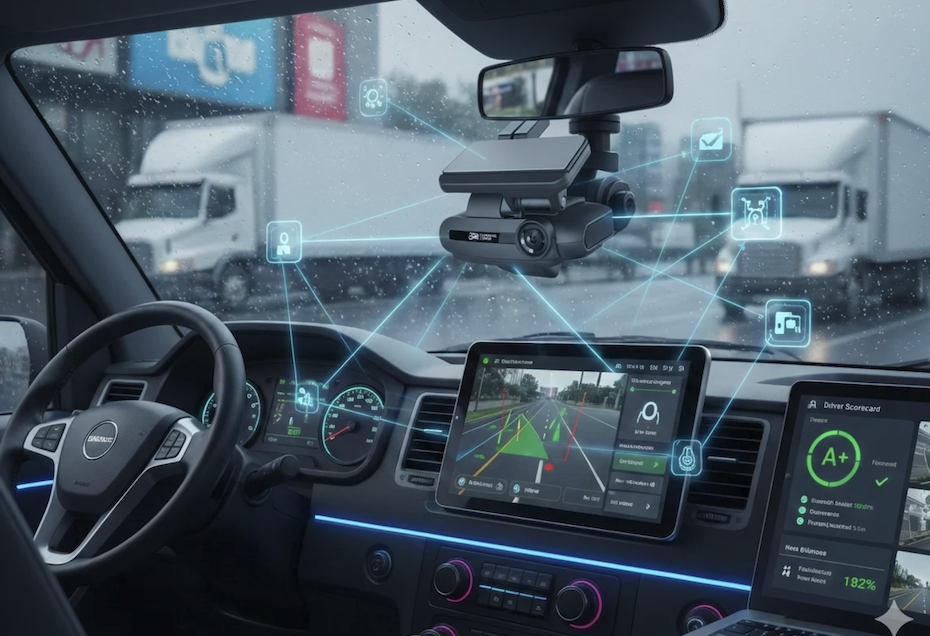
A suction-mounted single-channel camera plugged into a cigarette lighter outlet takes only a few minutes to install and requires no special tools. A hardwired dual-channel system with a rear camera, by contrast, often involves running a thin cable along the headliner, down a door pillar, and across the trunk to reach a rear window or license plate housing. Drivers comfortable with basic car trim removal can usually manage this in an afternoon, while those who would rather not touch interior panels can have a shop or a mobile installer handle it for a reasonable fee.
Storage, Loop Recording, and Footage Management
Dash cams record continuously, which means storage fills up fast without a system to manage it. Nearly every model uses loop recording, where the oldest footage is automatically overwritten once the memory card fills, unless that footage has been locked by an impact sensor.
- MicroSD cards: Most dash cams rely on a removable card rated for continuous video recording, since standard cards can wear out quickly under constant read and write cycles.
- Impact-triggered locking: An internal sensor detects sudden stops or collisions and automatically protects that clip from being overwritten by the loop.
- Manual event marking: A button on the camera or a tap in the companion app lets you save a specific clip on demand, useful for capturing reckless driving that was not a direct collision.
- Cloud backup options: Some newer models offer optional cloud upload for key clips, adding a safety net if the physical SD card is ever lost or damaged.
Buying a larger-capacity card than the camera’s minimum requirement gives more buffer before older footage gets overwritten, which matters if you do not review footage often and want a longer window to retrieve an older clip.
DxcDownloading and Organizing Clips
After an incident, most drivers want footage off the camera quickly, before the loop recording has a chance to overwrite it. Removing the SD card and plugging it into a laptop works reliably, though some camera housings make the card fiddly to access. Wi-Fi-enabled models let a phone pull footage directly through a companion app, which is faster for sharing a clip with an insurance adjuster or a family member the same day. Keeping a simple folder structure on a computer, organized by date, prevents important clips from getting buried among months of routine, uneventful driving footage that nobody will ever need to review.
Parking Mode and Extra Protections
Parking mode keeps the camera watching even after the car is turned off, usually triggered by motion detection or a slight jolt to the vehicle. This feature catches hit-and-run incidents, shopping cart dings, and vandalism that would otherwise go unrecorded and unexplained.
- Motion-triggered recording: The camera wakes briefly when it detects movement nearby, conserving power compared to continuous recording.
- Impact-triggered recording: A built-in sensor starts recording the moment the car is bumped, even lightly, which is especially useful in crowded parking garages.
- Time-lapse parking mode: Some cameras capture low-frame-rate footage over long parking periods, using far less storage while still providing a visual record.
- Battery packs and capacitors: Dedicated accessories let parking mode run for extended periods without relying on the car’s main battery at all.
Not every car owner needs parking mode running constantly, but anyone who parks on the street or in shared lots regularly will likely find it worth the modest additional hardware cost.
Choosing Where to Park With a Camera Running
Parking under a working streetlight or near a building’s own security camera adds a second layer of coverage beyond what a dash cam alone can offer, and it can discourage would-be vandals who notice a lit, visible spot. Shaded spots reduce heat buildup inside the cabin, which helps protect both the camera’s internal components and the battery pack if one is installed, especially during hot summer months when a parked car’s interior can reach temperatures far above the outside air.
Final Thoughts
A dash cam is one of the more affordable ways to protect yourself from disputed accidents, parking lot damage, and the occasional reckless driver caught on camera for good measure, and the cost of a solid model is often lower than a single deductible payment.
Matching resolution, field of view, and channel count to how and where you drive each day matters more than chasing the highest specs on the shelf. A dual-channel setup with a hardwired power kit and a generous memory card covers the needs of most daily commuters, while parking mode adds a layer of protection for anyone who parks in shared or street spaces.
Once installed, a dash cam mostly runs quietly in the background, only becoming valuable on the rare day something goes wrong on the road, and that single day is usually more than enough to justify the small investment.
Frequently Asked Questions
Does a dash cam record audio inside the car?
Many dash cams include a built-in microphone that records cabin audio alongside the video, though this feature can usually be disabled in the settings for privacy. Some states and provinces have rules about recording conversations without consent, so it is worth checking local regulations before leaving audio recording enabled, especially for rideshare or passenger vehicles, where a passenger may reasonably expect their conversation to stay private during the ride.
Will a dash cam drain my car’s battery if left plugged in?
A dash cam running only while the engine is on draws a negligible amount of power. The real risk comes from parking mode left active for long stretches without a low-voltage cutoff, which can drain a battery enough to cause a no-start situation, most often in cold weather or on older batteries already near the end of their life.
Is dash cam footage admissible in an insurance claim or court case?
Yes, footage is widely accepted by insurers and courts as supporting evidence, though it is typically weighed alongside other factors like police reports and witness statements. Clear timestamps and unedited footage carry more weight than a clip that has been cut or altered in any way, so it helps to hand over the original file straight from the memory card rather than a re-recorded or trimmed version whenever possible, and to keep a backup copy stored safely before sharing the original with any outside party.
How often should the memory card be replaced?
Most manufacturers recommend replacing a dash cam’s memory card every one to two years, since the constant write cycles from loop recording wear cards out faster than normal phone or camera use. A card that starts producing corrupted or unreadable clips, choppy playback, or recordings that stop earlier than expected is a clear sign it needs swapping sooner rather than waiting for a total failure right when footage is needed most.
Can a dash cam be used in multiple vehicles?
Yes, as long as the mount and power cable are compatible or duplicated for each car. Many drivers buy a second mount and cable kit so the camera itself can be moved between a daily driver and a second vehicle without reinstalling hardware each time. If the camera stores settings on the device rather than the memory card, switching cars is usually as simple as peeling the camera off one mount and clicking it onto the other.
Do dash cams work well in extreme temperatures?
Most consumer dash cams are rated for a working temperature range that covers typical weather, but prolonged exposure to extreme heat inside a parked car can shorten the lifespan of the internal battery or capacitor. Models built with capacitors instead of batteries tend to handle heat better, which is worth considering for drivers in consistently hot climates, and parking in shade or using a windshield sunshade when possible can extend the life of either component by a wide margin over the years a camera stays in service.