A single router sitting in a home office cabinet or utility closet was never designed to blanket a two-story house with a strong signal, and anyone who has stood in a bedroom watching a video call freeze knows the frustration of a dead zone firsthand.
Mesh Wi-Fi systems solve this by spreading coverage across several small nodes rather than relying on one central broadcaster, and the category has matured into a truly practical fix for the uneven coverage that plagues so many homes. Knowing how mesh systems really work, and what separates a good setup from a mediocre one, helps avoid buying more hardware than a home needs or, worse, still ending up with weak spots after installation.
Coverage Patterns and Node Placement
A mesh system’s core promise is consistent coverage throughout a home rather than a single strong signal near the router that fades to nothing in far rooms. This works by placing multiple nodes throughout a house, each acting as both an access point for nearby devices and a relay passing traffic back toward the main node connected to the internet modem. Coverage depends heavily on placement, and even an expensive three-node system can leave gaps if all three nodes end up clustered on one side of a house.
Walls, floors, and building materials all affect how far a signal travels before weakening. Older homes with plaster and lath walls, or homes with brick or concrete construction, tend to block signal more aggressively than newer stick-built homes with drywall, meaning the same mesh system might need closer node spacing in one house compared to another of similar square footage. Multi-story homes benefit from placing at least one node per floor rather than assuming a strong signal will travel efficiently through floor joists and subflooring.
- Central node placement: The main node connecting to the modem works best in a central, open location rather than a closet or corner.
- Line-of-sight considerations: Nodes placed with fewer walls between them maintain a stronger backhaul connection to each other.
- Overlap zones: Slight coverage overlap between nodes helps devices roam smoothly rather than dropping connection while moving through a home.
- Outdoor and garage extensions: Some households add a weatherproof node to extend coverage to a detached garage or backyard living space.
Testing coverage after initial setup, walking through every room with a phone checking signal strength, reveals gaps far more reliably than assuming three nodes evenly spaced on a floor plan will automatically produce even coverage in practice.
Elevation matters more than many buyers expect when positioning nodes. A node placed on the floor behind a couch performs noticeably worse than the same unit set on a shelf or table at roughly waist height, since signal radiates most efficiently outward from an elevated, unobstructed position rather than from ground level where furniture and flooring absorb more of the transmission. Basements present a specific challenge, often requiring their own dedicated node rather than relying on coverage bleeding down from a node on the main floor, since concrete foundation walls and floor joists both weaken signal substantially over that vertical distance.
Households with detached structures, such as a backyard studio or workshop, sometimes reach for a point-to-point wireless bridge or a dedicated outdoor-rated node rather than trying to stretch standard indoor coverage across open air and exterior walls, which tend to attenuate signal more aggressively than interior partitions.
Setting Up a Mesh Network for the First Time
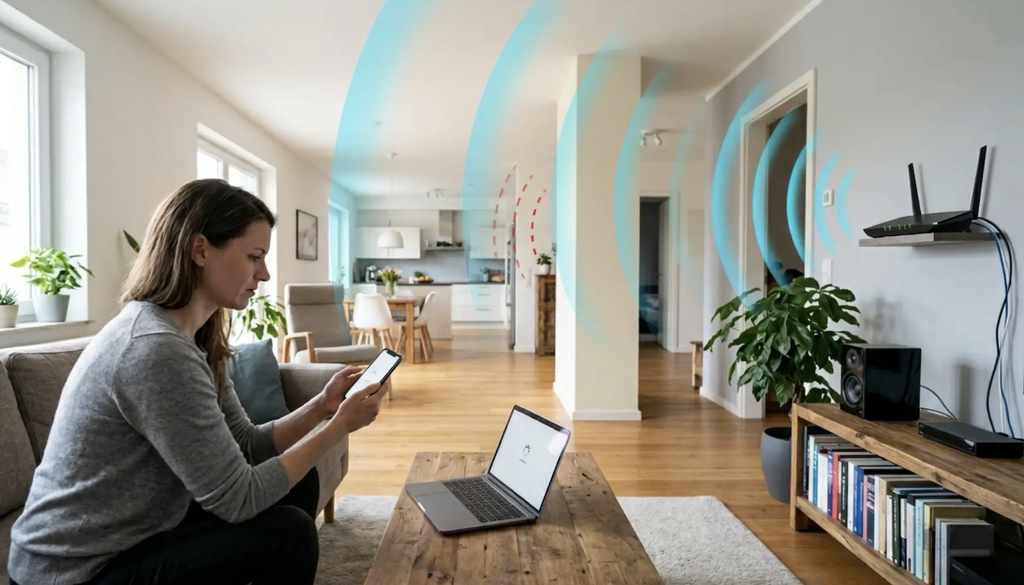
Modern mesh systems from eero, Google Nest Wifi, and TP-Link Deco have streamlined installation substantially compared to the router configuration process of a decade ago, relying on a smartphone app that walks through each step rather than a web-based admin panel full of unfamiliar settings. The typical process involves connecting the primary node to the existing modem, following app prompts to name the network and set a password, then physically placing and powering on each additional node in sequence.
App-guided setup also handles firmware updates automatically in most cases, ensuring nodes run current software without requiring a manual check for updates. This matters more than it might seem, since firmware updates frequently patch both performance issues and security vulnerabilities, and a system that nags a user to update tends to get updated in practice, compared to one requiring a manual login to check.
- App-guided pairing: Most systems use a phone app to walk through connecting each node step by step rather than manual configuration.
- Guest network creation: Nearly all mesh systems support a separate guest network, isolating visitor devices from a home’s main network.
- Automatic firmware updates: Reduces the burden of manually checking for and installing security patches on each node.
- Device naming and grouping: Newer apps let households label devices by room or family member, simplifying later troubleshooting.
A modem compatibility check before purchase avoids a common early frustration, since some older modems require a specific connection type or a firmware update of their own before a new mesh system can establish an internet connection through them.
Households replacing an internet provider’s combined modem-router unit should also confirm whether any provider-specific features, such as a landline phone connection tied to the equipment or a bundled security camera service, depend on the original hardware remaining active. In many cases the provider’s unit can be switched into a simple bridge mode, passing the internet connection straight through to the new mesh system’s primary node while disabling its own Wi-Fi broadcast, avoiding the interference and confusion of two separate networks operating in the same home at once.
Comparing eero, Google Nest Wifi, and TP-Link Deco
These three brands represent some of the most widely adopted consumer mesh systems, each with a distinct set of tradeoffs. Eero, owned by Amazon, integrates closely with Alexa and Amazon’s broader smart home ecosystem, and its tiered node lineup lets buyers mix a more powerful primary node with simpler, cheaper satellite nodes rather than buying identical units throughout a home. Its subscription tier adds features like advanced parental controls and threat detection, though the core mesh functionality works without a subscription.
Google Nest Wifi pairs mesh coverage with a built-in Google Assistant speaker in select node models, appealing to households already invested in Google’s smart home products. Its setup process integrates with the Google Home app already used for other smart devices, reducing the number of separate apps a household needs to manage.
TP-Link Deco spans a wide range of price points, from budget-friendly two-node kits to higher-end tri-band systems aimed at homes with many connected devices, and its lineup often undercuts competitors on price for comparable coverage. TP-Link’s longer history in traditional networking equipment shows up in more granular manual controls available for households that want to fine-tune settings beyond the simplified app defaults.
- Eero: Strong Alexa integration and a tiered node lineup, with optional subscription features like advanced security.
- Google Nest Wifi: Combines mesh coverage with built-in smart speaker functionality in certain node models.
- TP-Link Deco: Broad price range and more advanced manual settings for households wanting deeper customization.
- Cross-brand compatibility: Nodes generally cannot be mixed between different manufacturers, so a household commits to one ecosystem when choosing a brand.
Backhaul Types and Their Impact on Speed
Backhaul refers to the connection nodes use to communicate with each other and relay traffic back toward the internet, and it has an outsized effect on how much of a mesh system’s advertised speed reaches a device in a far room in practice. Wireless backhaul, used by most consumer mesh systems, dedicates a portion of the wireless spectrum to node-to-node communication, which works well but inherently shares bandwidth with the connections serving real devices.
Wired backhaul, where nodes connect to each other through an Ethernet cable rather than wirelessly, removes this shared bandwidth limitation entirely and generally produces the most reliable, highest-speed mesh performance possible. Running Ethernet cable between rooms requires more effort during installation, whether through walls or along baseboards, but the resulting performance improvement is substantial enough that professional installers frequently recommend it for larger homes or ones with especially demanding streaming and gaming needs.
Tri-band systems address the wireless backhaul bandwidth problem differently, dedicating an entire separate radio band exclusively to backhaul traffic rather than sharing the same band used for client devices. This approach costs more per node but delivers a speed improvement over dual-band wireless backhaul without the effort of running physical cable throughout a house.
The right backhaul choice depends heavily on how a household uses its network in practice. A household streaming a single video in the living room while checking email upstairs rarely notices the shared-bandwidth penalty of dual-band wireless backhaul, since typical daily usage falls well within what even a modest mesh system can handle. Households with several people simultaneously streaming high-resolution video, gaming online, and running video calls at the same time place far more demand on shared backhaul bandwidth, making the case for either wired backhaul or a tri-band system substantially stronger. Running a single Ethernet cable between just two key nodes, even if a third node remains wireless, can noticeably improve performance in the busiest part of a home without the cost and effort of wiring an entire house.
Security Features Built Into Modern Routers
Security has become a more prominent selling point for mesh systems as smart home devices multiply throughout a typical household, each representing a potential entry point for an attacker if left with weak default credentials. Built-in threat detection, offered as a subscription feature by several brands, monitors network traffic for patterns associated with malware or intrusion attempts and can automatically block suspicious activity before it reaches a connected device.
Automatic security updates, delivered silently in the background on most modern mesh systems, close known vulnerabilities faster than the manual firmware update process common on older standalone routers. WPA3 encryption, now standard on most current-generation mesh hardware, offers stronger protection for the wireless connection itself compared to the older WPA2 standard still found on older equipment.
- WPA3 encryption: The current wireless security standard, offering stronger protection than the older WPA2 standard on legacy equipment.
- Automatic threat detection: Subscription-based services on some systems flag and block suspicious traffic patterns in real time.
- Guest network isolation: Keeps visitor and smart home devices separated from primary computers and phones on the network.
- IoT device segmentation: Some systems let households group smart home gadgets onto a separate network segment from personal devices.
Regularly changing default admin passwords and reviewing connected device lists within the companion app remain worthwhile habits regardless of which security features a specific mesh system advertises, since many real-world breaches exploit weak or unchanged default credentials rather than sophisticated technical vulnerabilities.
Households with older smart home devices, especially ones that no longer receive manufacturer updates, benefit from isolating those devices onto a guest or IoT-specific network segment rather than the same segment as computers and phones handling sensitive tasks like banking. This limits the potential damage if an outdated device is ever compromised, since an attacker gaining access through a weak point would still be contained away from more sensitive devices on the primary network segment.
Troubleshooting Common Dead Zone Problems
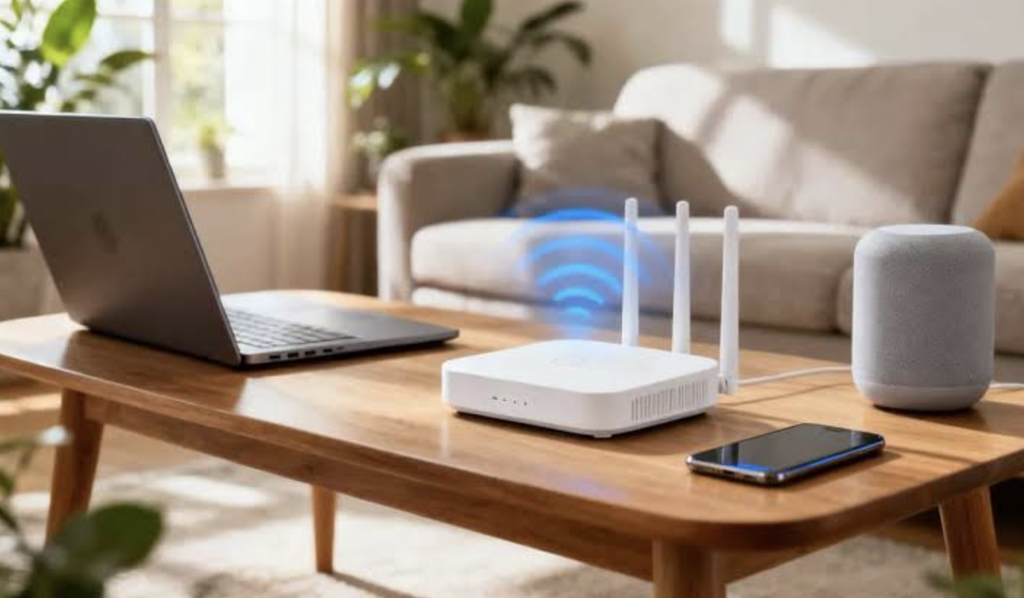
Even a properly installed mesh system occasionally develops trouble spots, and diagnosing the cause usually points toward one of a handful of common culprits. Interference from other wireless devices, including older cordless phones, baby monitors, and even microwave ovens, can degrade signal quality in specific rooms regardless of node placement. Physical obstructions like large mirrors, metal filing cabinets, or appliances positioned between a node and a device can block signal more than drywall or wood framing alone.
Overloaded networks, where too many devices compete for bandwidth on a single node, sometimes masquerade as a coverage problem when the real issue is congestion rather than signal strength. Modern mesh systems increasingly include app-based diagnostic tools that identify which node a device is connected to and how much bandwidth it’s consuming, helping pinpoint whether a slow connection stems from weak signal or from too much simultaneous demand.
- Node repositioning: Moving a node just a few feet, away from metal objects or thick walls, often resolves a persistent weak spot.
- Channel congestion checks: Neighboring Wi-Fi networks on the same channel can interfere, and most apps offer a channel optimization feature.
- Firmware reset: A factory reset and reconfiguration occasionally resolves persistent connectivity issues that simple restarts don’t fix.
- Bandwidth-heavy device isolation: Moving a bandwidth-intensive device like a smart TV closer to its own dedicated node can free up capacity elsewhere.
Persistent problems that resist troubleshooting sometimes point toward a need for an additional node rather than a configuration fix, especially in larger homes where even a well-placed three-node system occasionally leaves an isolated room too far from every existing node. Before adding hardware, it’s worth confirming the issue isn’t tied to the internet connection itself, since a slow or unstable connection from the provider can produce symptoms nearly identical to a local dead zone, and no amount of mesh node repositioning will fix a problem that originates upstream at the modem.
Final Thoughts
Mesh Wi-Fi systems have turned a once-frustrating home networking problem into a manageable, largely self-configuring setup, provided the node placement and backhaul choice match the home’s real layout and construction. Wireless backhaul suits most typical households, while wired backhaul or a tri-band system serves larger homes or heavier usage patterns better. Comparing eero, Google Nest Wifi, and TP-Link Deco comes down to which smart home ecosystem a household already uses and how much manual control matters to them.
Troubleshooting persistent dead zones usually starts with simple repositioning before assuming additional hardware is required. With thoughtful placement and a system matched to the home’s size, dead zones become a solvable problem rather than a permanent household annoyance.
Frequently Asked Questions
How many mesh nodes does a typical home need?
Most three-bedroom homes are well served by two to three nodes, though larger multi-story homes or those with dense wall construction may need additional nodes to eliminate every weak spot.
Can a mesh system replace an internet service provider’s router entirely?
In most cases yes, with the ISP’s equipment set to a simple bridge mode or replaced entirely, though checking with the provider first avoids losing access to any provider-specific features tied to their hardware.
Does wired backhaul really make a noticeable difference?
Yes, wired backhaul removes the bandwidth sharing inherent to wireless node communication, typically delivering faster and more consistent speeds than an equivalent wireless-only setup, especially in larger homes.
Are mesh systems harder to set up than a traditional router?
Generally no, most consumer mesh systems use guided app-based setup that simplifies the process compared to the manual configuration required by many traditional standalone routers.
Do mesh systems slow down over time as more devices connect?
Adding many devices can strain a network’s total capacity, though modern mesh systems handle a large number of simultaneous connections better than most older single-router setups.
Is a subscription required to use mesh Wi-Fi security features?
Basic security like WPA3 encryption comes standard without a subscription, though advanced threat detection and content filtering features are often gated behind an optional paid tier.