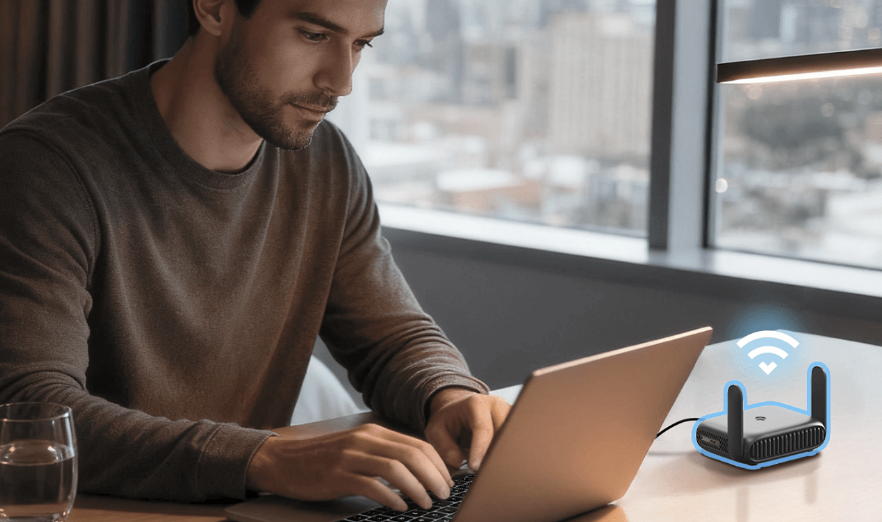
Hotel Wi-Fi that keeps dropping every few minutes, an Airbnb network with a password nobody can find, and a conference center charging a steep fee per connected device are familiar frustrations for anyone who travels often for work or leisure. A travel router solves these problems by creating one reliable personal network that every device connects to, while the router itself handles the messy, finicky job of connecting to whatever network happens to be available at a given location.
This guide covers how these small devices simplify travel connectivity, the common challenges of hotel and short-term rental Wi-Fi, picking the right router size, security features worth having, setup steps for international trips, and battery and charging considerations along the way.
How Travel Routers Simplify Connections
A travel router sits between a traveler’s devices and whatever internet source is available, whether that is hotel Wi-Fi, an Ethernet cable in a rental apartment, or a mobile hotspot from a local SIM card. Every device in a travel party connects to the router’s own network rather than directly to the venue’s Wi-Fi, which solves several problems at once.
- One login instead of many: Logging into hotel Wi-Fi once on the router means every other device connects automatically without ever repeating that login process again.
- Consistent network name and password: A phone, laptop, and tablet can all use the exact same familiar credentials regardless of which city or country the router happens to be connecting through at the time.
- Device limit workarounds: Some hotels and venues charge extra fees or restrict access beyond a certain number of connected devices, which a single router connection can easily sidestep.
- Shared access to other connection types: A travel router can combine a wired Ethernet connection, a hotel’s Wi-Fi, or a mobile hotspot into one single shared network for an entire travel group to use.
Who Gets the Most Value From a Travel Router
Frequent business travelers juggling a laptop, phone, and sometimes a tablet see the clearest benefit, since re-entering hotel Wi-Fi credentials on every device gets old quickly. Families traveling together also benefit, letting parents manage one connection point rather than troubleshooting Wi-Fi on several children’s devices separately throughout a trip.
Smart Home Devices and Travel Routers
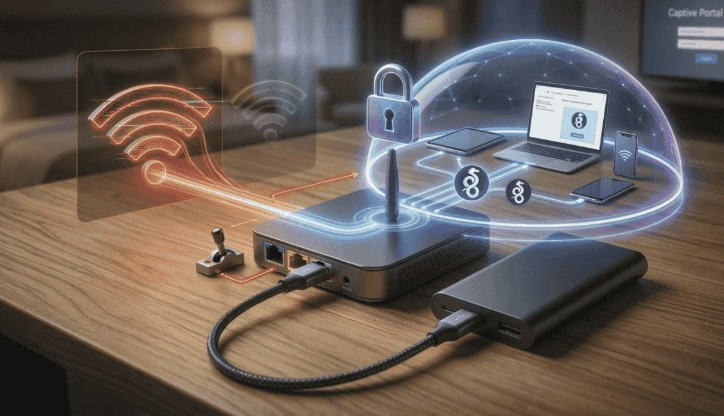
Travelers who bring along a smart speaker, a portable security camera, or another connected gadget often run into trouble on hotel networks that block device-to-device communication for security reasons. A travel router sidesteps this limitation by creating a private local network identical to the one at home, letting these devices talk to each other and to a phone app exactly as they would in a living room. This small detail matters more than it might seem for anyone who relies on a smart device while away, since a device that cannot reach its app over the hotel’s restricted network becomes effectively useless for the length of the stay.
Hotel and Airbnb Wi-Fi Challenges
Short-term lodging networks vary wildly in quality, and knowing the common failure points helps explain why a travel router solves so many recurring headaches.
- Overloaded hotel networks: Many hotel Wi-Fi systems were not built for an era of multiple devices per guest, leading to slow speeds during peak hours when many rooms are active at once.
- Captive portal logins: The login page many hotels require can be finicky, sometimes failing to load properly on certain devices or browsers.
- Weak signal in certain rooms: Hotel Wi-Fi access points do not always provide even coverage, leaving some rooms with a noticeably weaker signal than others on the same floor.
- Vacation rental router placement: Short-term rental hosts often tuck a router in an inconvenient spot, like a closet or basement, leading to weak signal in bedrooms or living spaces.
Why a Wired Connection Sometimes Beats Wi-Fi
Many hotels still offer a wired Ethernet port in each room, often faster and more stable than the shared wireless network, especially during busy conference weeks. Plugging a travel router into that Ethernet port and broadcasting its own Wi-Fi to all personal devices often produces noticeably better speeds than connecting directly to the hotel’s wireless network.
Spotting a Hidden Ethernet Port
Many hotel rooms hide an Ethernet port behind a television, inside a desk drawer, or tucked near a nightstand, often overlooked by guests who assume wireless is the only option available. A quick scan of the room upon arrival, checking behind furniture and around the desk area, can reveal a wired connection that bypasses a congested wireless network entirely. Front desk staff can usually confirm whether wired access is available in a given room type, which is worth asking about during check-in for anyone planning to rely heavily on a stable connection during the stay.
Picking the Right Travel Router Size
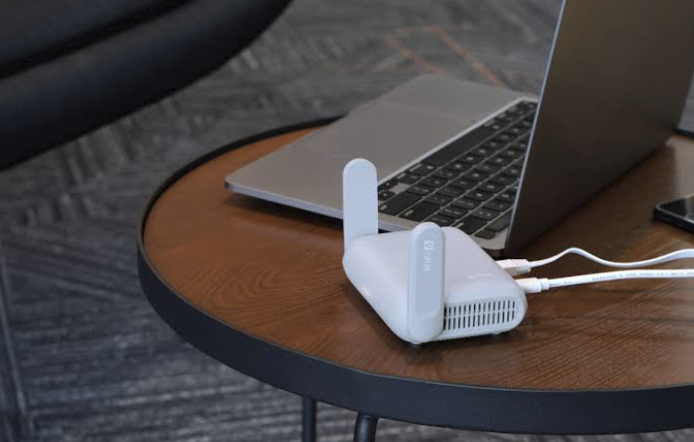
Travel routers range from devices barely larger than a deck of cards to slightly bigger units with more features, and the right choice depends on how much performance and flexibility a trip demands.
- Pocket-sized minimalist routers: These tiny devices handle basic Wi-Fi sharing for a couple of devices, ideal for travelers who prioritize minimal size above all else.
- Mid-size routers with more ports: Slightly larger units often add an Ethernet port or two along with faster wireless speeds, suited for small groups or families.
- Routers with built-in cellular modems: Some travel routers accept a SIM card directly, creating a mobile hotspot without needing a separate phone to share its connection.
- Multi-function travel routers: A few models double as a portable charger or a small network-attached storage device, adding versatility for travelers who want to minimize the total number of gadgets carried.
Weighing Size Against Features
A minimalist router that fits in a jacket pocket suits a solo traveler who just wants reliable Wi-Fi sharing without added bulk. A family or small group heading on an extended trip might prefer a slightly larger router with more ports and stronger wireless range, accepting a bit more bulk in exchange for better performance across several devices at once.
Processor Speed and Its Effect on Performance
Travel routers vary in processing power just as home routers do, and a weaker processor can become a bottleneck when several devices stream video or transfer files at the same time through the same device. Reading reviews that specifically mention performance under load, rather than focusing only on a router’s compact size or stated maximum speed, gives a clearer picture of how it will behave with multiple active users. A router that performs well with a single connected laptop might struggle noticeably once a family of four starts streaming shows on separate tablets simultaneously.
VPN and Security Features on the Road
Connecting to unfamiliar networks while traveling introduces security considerations that a travel router can help address directly at the network level rather than configuring each device separately.
- Built-in VPN clients: Many travel routers can run a VPN connection for the whole entire network, encrypting traffic from every connected device without installing separate VPN software on each one.
- Firewall protections: A dedicated router adds an extra layer of network-level protection between personal devices and an unfamiliar or potentially compromised public network nearby.
- Guest network isolation: Some routers let a traveler create a separate guest network for sharing internet access with others without ever exposing personal devices to that same local network.
- Automatic network switching safeguards: Quality travel routers avoid automatically trusting new networks without some form of user confirmation, reducing the risk of connecting to a malicious lookalike network nearby.
Why Public Wi-Fi Still Carries Risk Even With a Router

A travel router reduces certain risks but does not eliminate every danger of using an unfamiliar public network, since the router itself still connects through that same untrusted source. Running a VPN through the router adds real protection, encrypting data between the router and the VPN provider so that anyone monitoring the local network sees only scrambled traffic rather than readable information.
Choosing Between Router-Level and Device-Level VPN
Running a VPN directly on the travel router covers every connected device automatically, which is more convenient than installing and configuring separate VPN apps on a phone, laptop, and tablet individually. The tradeoff is that a router-level VPN typically offers fewer customization options than a dedicated app, such as switching server locations on the fly for a specific streaming service. Travelers who need that flexibility sometimes run a VPN app on individual devices in addition to the router’s own network-wide protection, layering both approaches for maximum coverage during sensitive browsing or financial transactions on the road.
Setup Steps for International Travel
International trips add extra considerations beyond simply packing a travel router, from power compatibility to local connectivity options worth researching before departure.
- Universal power adapter compatibility: Checking that a travel router’s power supply accepts a wide range of voltages avoids needing a separate adapter just for the router itself.
- Pre-configuring Wi-Fi networks: Saving known networks, like a home Wi-Fi password, before departure speeds up reconnecting upon return home without needing to dig up credentials again later.
- Local SIM card research: Looking into local prepaid SIM card options for a router with a built-in cellular modem well before arrival saves valuable time compared to researching options once already overseas.
- Firmware updates before departure: Updating a router’s firmware while still on a reliable home connection avoids running into frustrating update issues on unfamiliar networks abroad.
Handling Different Wi-Fi Standards Abroad
Some countries and venues still rely on older Wi-Fi standards or unusual network configurations, so confirming a travel router supports a wide range of wireless standards before departure prevents compatibility surprises. Checking user reviews from travelers to the specific destination can reveal whether a given router model handles that region’s typical network quirks smoothly or struggles with them.
Time Zone and Customer Support Considerations
A router malfunction while traveling abroad can be harder to resolve if the manufacturer’s customer support operates on a schedule far removed from the traveler’s current time zone. Researching how a manufacturer handles support requests, whether through email, chat, or phone, and checking typical response times before departure helps set realistic expectations if something goes wrong mid-trip.
Packing a basic backup plan, such as knowing how to connect devices directly to a venue’s Wi-Fi without the router, provides a fallback option if troubleshooting takes longer than hoped while away from home.
Battery Power and Charging Options
How a travel router gets its power shapes how and where it can be used, especially for travelers who want connectivity away from a hotel room or fixed location.
- Built-in battery models: Many travel routers include a rechargeable battery, letting them work away from an outlet for several hours during a day of sightseeing or a long train ride.
- USB-powered routers: Smaller devices often draw power through a USB cable, which can run from a wall adapter, a laptop, or a portable charger for added flexibility.
- Battery life expectations: Battery-equipped travel routers typically last anywhere from four to twelve hours on a single charge, depending heavily on how many devices are connected and how much data they transfer.
- Charging while in use: Many models support charging and operating simultaneously, useful for keeping a router running continuously during a long day of travel without a gap in coverage.
A router with a built-in battery adds versatility for travelers who want a mobile hotspot setup, such as sharing a cellular connection among several devices during a day trip away from a hotel, while a USB-powered model suits travelers who mainly need the router plugged in at a fixed location like a hotel room.
Keeping a Router Charged Alongside Other Devices
A travel router competes for outlet space and charging cables with phones, laptops, cameras, and other electronics during a busy trip, so planning charging logistics ahead of time avoids a scramble each evening. A small multi-port USB charger dedicated to smaller devices, including the router, frees up limited outlets for larger items like a laptop that need a dedicated plug.
Charging the router overnight alongside other devices, rather than waiting until its battery runs low during the day, keeps it ready for whenever connectivity is needed most during a packed day of sightseeing or meetings.
Final Thoughts
A travel router turns the daily hassle of hotel logins, inconsistent Airbnb networks, and per-device fees into a single, familiar connection that works the same way in every new location. Picking the right size for a trip, whether a minimalist pocket router for solo travel or a more capable model built for a full family, matters more than chasing every available feature on a spec sheet.
Built-in VPN support and careful attention to international setup details round out a complete setup that keeps a trip’s connectivity simple, reliable, and secure from start to finish.
For anyone who travels with any regularity, a small travel router quietly becomes one of the more valuable items packed in a bag, earning its spot trip after trip with little fuss or fanfare.
Frequently Asked Questions
Do I still need a travel router if my phone can create a hotspot?
A phone hotspot works for basic sharing among a couple of devices, but it drains phone battery quickly and typically supports fewer connected devices than a dedicated travel router built specifically for this purpose. A travel router also works independently of a phone, which matters when the phone itself needs to be used for other tasks like navigation or photos throughout a busy day of travel.
Can a travel router improve a weak hotel Wi-Fi signal?
A travel router cannot boost a weak signal beyond what is physically available at its location, but it can create a stronger, more consistent local network once connected, especially when plugged into a wired Ethernet port instead of relying on weak wireless reception in the room. Positioning the router near a window or closer to the hotel’s own access point can also help somewhat when relying purely on a wireless connection to the source network.
Are travel routers legal to use internationally?
Most travel routers are legal to use nearly everywhere, since they simply create a local Wi-Fi network rather than transmitting on restricted frequencies reserved for other uses. A few countries have specific regulations around personal hotspot devices or certain wireless frequencies, so a quick check of destination-specific electronics regulations before a trip is a reasonable precaution for the cautious traveler planning ahead.
How many devices can a typical travel router support?
Most travel routers comfortably support five to ten connected devices, though performance can degrade if everyone streams video or transfers large files simultaneously on a single shared connection. Checking a specific router’s published device limit against a travel party’s true device count, including smaller items like a smartwatch or a connected camera, avoids an unpleasant surprise mid-trip.
Is a travel router worth it for a single short trip?
For a one-time short trip, the convenience may not justify the cost compared to simply connecting each device individually to available Wi-Fi networks. Frequent travelers, families, or anyone visiting places with unreliable or restrictive Wi-Fi tend to see the clearest long-term value from owning one, since the cost amortizes quickly across repeated trips over the following months and years.
Can a travel router replace a home router?
Travel routers are generally underpowered for full-time home use, lacking the range and processing power of a dedicated home router designed for continuous, heavy daily use across an entire household. They work best as a lightweight, portable solution for trips rather than a permanent replacement for home networking equipment built to handle dozens of devices around the clock.