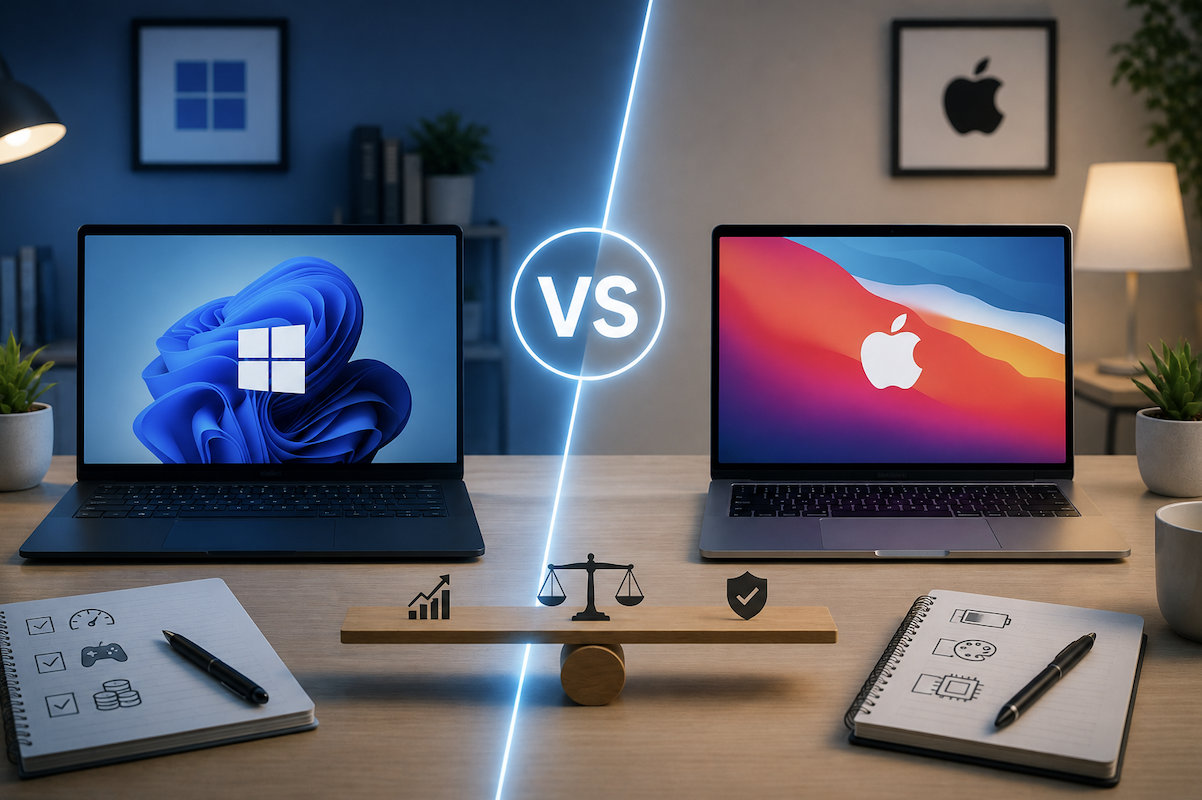
The Windows versus macOS debate often gets framed as a matter of loyalty rather than practical fit, but the right choice genuinely depends on your specific use case, budget, and existing ecosystem. Here’s a practical breakdown of the real differences that matter for most everyday users.
Learning Curve for New Computer Users
For someone with relatively little prior computer experience, macOS’s more streamlined, consistent interface can be somewhat easier to learn initially, given its more limited and standardized set of system settings. Windows’ greater flexibility can feel more overwhelming to a true beginner, though this gap has narrowed considerably as both operating systems have simplified their core interfaces over recent years.
Hardware Ecosystem Differences
Windows runs across an enormous range of hardware from many different manufacturers, offering options at nearly every price point and specification combination imaginable. macOS runs exclusively on Apple’s own hardware, offering a more limited but more tightly integrated and consistently tested set of configurations, since Apple controls both the hardware and software together.
Cost Considerations
Windows laptops and desktops span from budget-friendly options to high-end premium machines, giving more flexibility to match a purchase to a specific budget. Mac hardware generally starts at a higher price point with fewer budget-tier options, though this cost difference has narrowed somewhat with Apple’s more recent, efficient processor generations offering strong performance-per-dollar within Apple’s own product lineup, even if the absolute entry price remains higher than the cheapest available Windows options.
Total Cost of Ownership Beyond the Initial Purchase
Beyond upfront price, consider ongoing costs like software licensing (some professional software charges differently or requires separate licenses per platform), potential need for antivirus software (more commonly recommended on Windows given its larger malware targeting discussed later), and typical repair costs, which can run higher for Mac hardware given Apple’s more centralized repair network compared to the wider range of third-party repair options available for most Windows hardware.
Software Compatibility and Availability
The vast majority of mainstream software supports both platforms today, narrowing what was once a more significant gap. That said, certain specialized industries and legacy business software still lean
more heavily toward Windows-exclusive compatibility, which is worth checking specifically for any niche professional software you depend on before assuming full cross-platform availability.
Cloud and Cross-Platform Software as an Equalizer
The rise of cloud-based and browser-based software has reduced how much the underlying operating system matters for many everyday tasks, since services accessed through a web browser generally function identically regardless of platform. This has made the platform decision less consequential for users whose work centers primarily on web-based tools, shifting the more significant differences toward gaming, specialized professional software, and system-level customization discussed throughout this guide.
Customization vs Simplicity
Windows offers considerably more customization at the system level, from interface tweaks to deeper hardware and driver control, appealing to users who want granular control over their system’s behavior. macOS favors a more streamlined, opinionated design with less surface-level customization, which many users find simpler and more predictable, though at the cost of some flexibility that power users on Windows take for granted.
Considering a Dual-Boot or Virtual Machine Approach
For users who need access to software exclusive to both platforms, running one operating system as a virtual machine within the other, or dual-booting between both on the same Mac hardware (where still supported), offers a middle-ground solution rather than needing two entirely separate physical machines. This adds some complexity and requires adequate hardware resources, making it a more advanced option best suited to users with specific, ongoing cross-platform software needs.
Gaming Considerations
Windows remains the dominant platform for PC gaming, with the vast majority of new game releases supporting Windows first, and often exclusively, particularly for graphically demanding titles. macOS gaming has improved but still lags meaningfully behind Windows in overall game library size and day-one release support, making Windows the clearer choice for anyone prioritizing gaming as a primary use case.
Since Windows remains the dominant platform for PC gaming, ensuring your system is optimized with tools like DISM Online Cleanup Image and RestoreHealth can help maintain peak performance for gaming enthusiasts.
Enterprise and Business Environment Considerations
In managed corporate environments, IT departments often have established platform preferences and existing device management infrastructure that favor one platform over the other for practical administrative reasons, separate from the general consumer comparison covered in this guide. Anyone choosing a platform primarily for work-issued or work-adjacent use should factor in their organization’s existing standards rather than treating the decision purely as a personal preference.
Professional Creative Work
Both platforms support major professional creative software effectively, and the historical perception of Mac as strictly superior for creative work has narrowed considerably as Windows hardware and
software have matured in this space. That said, certain creative industries, particularly video and audio production, still show a strong existing preference for Mac in professional studio environments, which is worth considering if working within an existing industry-standard Mac-based workflow or team.
Security and Malware Considerations
macOS has historically experienced less malware targeting compared to Windows, partly due to Windows’ larger overall market share making it a more attractive target for malware developers, rather than an inherent security superiority of one operating system over the other. Both platforms benefit from responsible security habits regardless of this difference, and macOS is not immune to malware or phishing risks despite the lower historical targeting rate.
Long-Term Support and Upgrade Cycles
Apple generally provides software updates for a defined number of years per Mac model before officially ending support, while Windows, running across many different hardware manufacturers, has historically offered longer overall operating system support windows, though actual hardware longevity still depends significantly on the specific manufacturer and build quality of the individual machine purchased.
External vs Built-In Storage Philosophy
Windows systems, particularly desktops, more commonly embrace a mix of internal and easily expandable external storage as a normal part of the computing experience. Mac systems increasingly push users toward cloud storage integration by default, which works well for users comfortable relying on cloud services but can feel less intuitive for anyone who prefers managing files primarily through local, physical storage they directly control.
Repairability and Upgradability
Many Windows laptops and virtually all Windows desktop towers offer more accessible internal component upgrades — adding RAM, swapping storage, or in desktop cases upgrading the entire graphics card compared to modern Mac hardware, which has increasingly moved toward integrated, non-upgradable components. This matters more for anyone planning to extend a machine’s useful life through incremental hardware upgrades rather than full replacement.
Ecosystem Integration With Other Devices
For anyone already using an iPhone or iPad, macOS offers noticeably tighter integration, seamless file handoff, shared clipboard, and unified messaging than Windows can offer with those same Apple devices. Conversely, for anyone using an Android phone, Windows generally offers comparably smooth, if less deeply integrated, cross-device functionality, making the existing phone ecosystem a reasonable factor to weigh alongside the computer platform decision itself.
Switching Costs to Consider
Switching from a long-used platform involves a genuine learning curve, particularly for anyone deeply familiar with platform-specific keyboard shortcuts, file management habits, and software workflows built up over years. This adjustment period is real but generally temporary, typically resolving within a few weeks of regular use, and shouldn’t necessarily be the deciding factor if the new platform otherwise fits your needs meaningfully better.
Resale Value Considerations
Mac hardware has historically retained resale value better than most Windows laptops over a comparable ownership period, partly due to Apple’s more limited, consistently in-demand product lineup compared to the enormous variety of Windows hardware. This is worth factoring into a true cost-of-ownership comparison rather than looking at upfront purchase price alone, particularly for anyone who tends to upgrade their computer every few years.
Command Line and Developer Tooling Differences
For developers and technically inclined users, macOS’s Unix-based foundation offers a command-line environment that many developers find closer to server and deployment environments than Windows’ traditional command line, though Windows has significantly closed this gap in recent years through improved developer tooling options. This is a more niche consideration relevant mainly to software developers rather than typical general users.
Which Platform Fits Different User Types
Gamers and anyone needing maximum hardware customization and budget flexibility are generally better served by Windows. Users deeply embedded in the Apple ecosystem, or prioritizing a simpler, more streamlined experience with less system-level tinkering, tend to find macOS a better fit. Professional creative users should weigh their specific industry’s existing software and collaboration norms, since both platforms are technically capable but industry convention still varies by field.
Trying Before Committing
Where possible, spending time with both platforms before a major purchase, whether through a friend’s device, a work computer, or an in-store demo, gives a more accurate personal sense of which interface feels more intuitive than reading comparisons alone, since day-to-day comfort with an operating system is genuinely subjective and varies meaningfully between individuals.
Common Platform-Choice Mistakes
Choosing a platform based purely on brand perception rather than actual software and hardware needs is a common mistake that can lead to real workflow friction down the line. Underestimating the genuine learning curve of switching platforms, and expecting immediate full proficiency, is another common source of frustration during the adjustment period discussed earlier.
The Bottom Line
Neither platform is objectively superior across every use case the right choice depends on your specific priorities around gaming, budget flexibility, existing device ecosystem, and how much you value system-level customization versus a more streamlined, simplified experience. Evaluating your actual daily software and hardware needs, rather than platform loyalty or general reputation alone, leads to a more satisfying long-term choice either way.
- You May Want to know about Windows 11 KB5067036 Update: Its Features, Bugs, and Safe Install Guide!