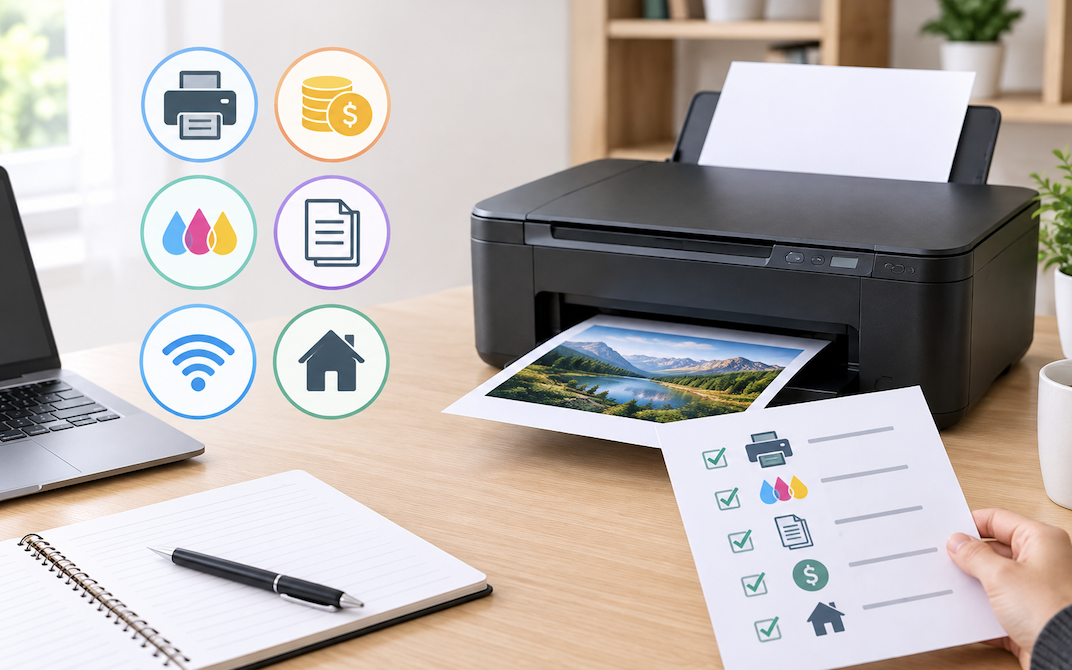
A printer’s upfront price tells only part of the story, since ongoing ink or toner costs, print volume needs, and specific household use cases affect which budget printer actually represents the best value far more than the initial sticker price alone.
Considering Total Cost Over the Printer’s Lifespan
Similar to the total cost of ownership principle discussed in the earlier fitness tracker and printer troubleshooting guides, projecting realistic ink or toner costs over a printer’s expected several-year lifespan, rather than evaluating only the upfront purchase price, reveals which budget option represents better value for your household’s specific printing habits.
Inkjet vs Laser for Home Use
Inkjet printers generally offer lower upfront cost and better photo printing quality, making them well-suited to households printing occasional photos alongside standard documents. Laser printers offer faster print speeds, lower per-page cost for text documents, and toner that doesn’t dry out during periods of infrequent use the way inkjet cartridges can, making them better suited to households printing primarily text documents regularly rather than photos occasionally.
Considering Color Laser vs Monochrome Laser
For households wanting laser printing’s speed and cost advantages while still occasionally needing color output, a color laser printer offers this combination, though typically at a higher upfront cost than a monochrome laser printer, making it worth honestly assessing how often color printing is needed before paying the premium for this specific capability.
Considering How Household Size Affects the Right Choice
A single-person household with occasional printing needs has very different requirements than a family with school-age children needing regular document and project printing, and being honest about your household’s actual size and printing frequency, rather than sizing a printer purchase around an idealized or occasional future need, leads to a more cost-effective decision matching day-to-day use.
Assessing Your Actual Print Volume
Households printing only occasionally, a few pages a week or less, are generally better served by an inkjet printer’s lower upfront cost, accepting the tradeoff of potentially drying cartridges during long unused periods, discussed further in the earlier printer troubleshooting guide. Households printing regularly and in higher volume benefit more from a laser printer’s lower per-page cost and toner’s greater tolerance for periods between print jobs.
Considering Individual vs Combined Ink Cartridges
Printers using individual cartridges for each color allow replacing only the specific depleted color rather than an entire combined color cartridge when just one color runs low, which can offer meaningful savings over time for households whose printing tends to deplete colors unevenly rather than uniformly across all colors simultaneously.
Real Ink Cost Realities
A printer’s low upfront price sometimes reflects a business model where replacement ink cartridges are priced disproportionately high relative to the printer itself, making the true long-term cost considerably higher than the initial purchase price suggests. Calculating an estimated cost per page, factoring in typical cartridge yield and price, gives a more accurate comparison between printer models than upfront price alone.
Considering Ink Tank Printers as an Alternative
Ink tank printers, which use large, refillable ink reservoirs rather than individual cartridges, carry a higher upfront cost than standard inkjet printers but offer dramatically lower long-term ink costs for households printing consistently in moderate to high volume, making them worth considering specifically for that usage pattern despite the higher initial investment discussed throughout this cost-focused guide.
Considering Ink Subscription Models
Some manufacturers offer subscription-based ink delivery services, automatically shipping replacement cartridges based on estimated usage for a monthly fee, which can offer meaningful savings for households with predictable, regular printing needs, though it’s worth calculating whether actual usage justifies the subscription cost compared to purchasing cartridges individually as needed for lower-volume printing.
Wireless and Mobile Printing Features
Most current budget printers support wireless printing over a home network, and checking specifically for direct mobile printing support from phones and tablets, rather than assuming all wireless printers handle mobile printing equally well, matters for households relying heavily on phone-based printing rather than printing primarily from a computer.
Considering a Printer’s Scanning Quality for All-in-One Models
For all-in-one printers used for scanning documents, checking the specific scanning resolution and whether the model includes an automatic document feeder for multi-page scanning jobs matters for anyone regularly digitizing paperwork, since scan quality and convenience can vary meaningfully between otherwise similar all-in-one models at a similar price point.
All-in-One vs Print-Only Printers
All-in-one printers, combining printing with scanning and copying, offer meaningful convenience for households needing these additional functions, at a modest price premium over print-only models. For households that only need printing, a simpler print-only model avoids paying for scanning and copying capability that would otherwise go unused.
Considering Photo Printing Needs Specifically
For households wanting to print photos at home regularly, checking a printer’s specific photo printing capability, including whether it supports photo paper sizes and offers a dedicated photo print mode with appropriate color accuracy, matters considerably more than for households printing primarily standard documents, where this capability would go largely unused.
Checking Device Compatibility
Confirming a printer supports your specific computer and phone operating systems before purchase, similar to the general compatibility-checking principle discussed throughout earlier technology guides, avoids the frustration of a printer that doesn’t fully support a household’s actual mix of devices.
Paper Handling Capacity
A printer’s paper tray capacity affects how often it needs refilling, which matters more for households printing larger volumes or multi-page documents regularly than for occasional, low-volume printing needs where tray capacity is a less significant practical consideration.
Considering Duplex Printing Support
Automatic duplex printing, which prints on both sides of a page without manual flipping, saves paper and is a convenient feature for anyone regularly printing multi-page documents, worth checking for specifically since not every budget printer includes this feature as standard.
Print Speed Considerations
For households printing larger documents regularly, checking a printer’s rated pages-per-minute speed, and being aware that real-world speed is often somewhat lower than advertised figures, avoids frustration with a printer that feels slower than expected for regular, higher-volume printing needs.
Considering Printer Size and Placement
Budget printers vary considerably in physical footprint, and for smaller home offices or shared spaces, checking dimensions against your available space before purchase avoids an inconveniently large printer that doesn’t fit comfortably in its intended location.
Third-Party Cartridge Compatibility
As discussed in the earlier printer troubleshooting guide, some printers work well with more affordable third-party ink cartridges, while others show compatibility issues or void warranty coverage with non-original cartridges. Checking a specific model’s compatibility and warranty policy regarding third-party ink before assuming it will meaningfully reduce ongoing costs avoids an unpleasant surprise later.
Considering Noise Level for Home Offices
For a printer located near a home office desk, discussed in earlier home office setup guides, checking noise level reviews specifically matters more than for a printer in a separate, less frequently occupied room, where operating noise during print jobs is less likely to be disruptive.
Considering Environmentally Friendly Printer Options
For anyone prioritizing sustainability, checking for printers with recyclable cartridge programs or those specifically designed for reduced energy consumption during standby periods adds an environmental consideration to the purchasing decision alongside the cost and functionality factors discussed throughout the rest of this guide.
Warranty and Long-Term Reliability
Checking a printer’s warranty length and reading reviews specifically focused on long-term reliability, rather than just initial print quality impressions, gives a more complete picture of whether a specific budget model will hold up well over several years of regular household use.
Considering a Printer’s Cloud Printing Support
Some printers support cloud-based printing, allowing print jobs to be sent remotely without being on the same local network, which is a useful feature for anyone who occasionally needs to print something while away from home, though it’s a secondary consideration worth checking for specifically rather than assuming every wireless printer supports it by default.
Considering Printer Setup and Initial Configuration
Budget printers vary in how straightforward their initial wireless setup process is, and checking reviews specifically mentioning setup difficulty helps avoid a frustrating out-of-box experience, particularly for anyone less comfortable troubleshooting the kind of connectivity issues covered in the earlier printer troubleshooting guide during a first-time setup specifically.
Considering a Printer for Occasional Label or Specialty Printing
For households with occasional specialty printing needs, like shipping labels or envelopes, checking a budget printer’s support for these specific paper types and sizes avoids purchasing a printer that handles standard paper well but struggles with these less common but still useful printing tasks.
Common Budget Printer Buying Mistakes
Focusing exclusively on upfront price while ignoring the real ongoing ink or toner cost, discussed extensively earlier, is the most common and often most expensive mistake in this category. Buying a photo-capable inkjet printer for a household that only prints documents, unnecessarily paying for photo capability that will go unused, is another common mismatch between actual needs and purchase decision.
Considering Refurbished Printer Options
Similar to the refurbished electronics guidance discussed in earlier phone and laptop guides, a certified refurbished printer from a reputable seller can offer meaningful savings over a new purchase, provided it comes with at least a basic warranty and clear information about its condition and remaining expected lifespan.
Considering Printer Placement Relative to Wi-Fi Signal
Similar to the router placement guidance covered in earlier networking guides, positioning a wireless printer within reasonably strong Wi-Fi range, rather than in a distant corner or separate room with weak signal, prevents the intermittent connectivity issues that a weak wireless connection specifically can cause, separate from any of the driver or software issues discussed in the earlier printer troubleshooting guide.
Considering How Return Windows Apply to Printers
Given how much of a printer’s true value only becomes apparent after weeks of actual use, checking a retailer’s specific return policy for opened printers before purchase provides a safety net if a model turns out to have connectivity issues, unexpectedly high ink consumption, or other problems not apparent from initial specifications and reviews alone.
A Final Word on Matching the Printer to Real Habits
The single most useful step in this entire process is honestly tracking actual printing habits for a few weeks before shopping, how often, what type of content, and in what volume, rather than guessing at needs in the moment of purchase, since this simple observation period resolves most of the decision points covered throughout this guide more reliably than specifications alone.
Considering a Printer’s Expected Lifespan Before Buying
Reading reviews specifically discussing how long a budget printer model tends to remain reliable before developing issues, rather than assuming all budget printers have similarly short expected lifespans, helps identify models that offer better long-term value despite a similar upfront price to less reliable competitors.
Considering Business Printers for Home-Based Work
For anyone running a business primarily from home with more substantial, consistent printing needs than typical household use, a business-tier printer, while costing more upfront than the budget consumer models otherwise discussed throughout this guide, often provides better reliability and lower per-page costs suited to that higher, more consistent volume, similar to the business-tier internet plan consideration discussed in the earlier home office network guide.
A Final Word on Avoiding Analysis Paralysis
With so many factors to weigh throughout this guide, it’s worth remembering that most reputable budget printers from established manufacturers perform reasonably well for typical household use, and spending excessive time optimizing every specification discussed here often matters less than simply choosing a reasonably well-reviewed option matching your basic print volume and feature needs and moving forward with the purchase.
Conclusion
Choosing between inkjet and laser, and between all-in-one and print-only, should be driven by actual household print volume and specific needs like photo printing, rather than upfront price alone. Calculating a realistic cost-per-page based on actual usage patterns gives a far more accurate sense of true long-term value than comparing sticker prices between models.