Anyone shopping for a new way to read digital books eventually faces the same fork in the road: a dedicated e-reader with its paper-like screen, or a general-purpose tablet that handles reading alongside video, apps, and everything else a modern device can do.
The two categories overlap just enough to create real confusion, since both can display the same ebook file, yet they deliver a noticeably different experience shaped by screen technology, battery habits, and how much a device tries to do beyond turning pages.
Display Technology and Eye Comfort
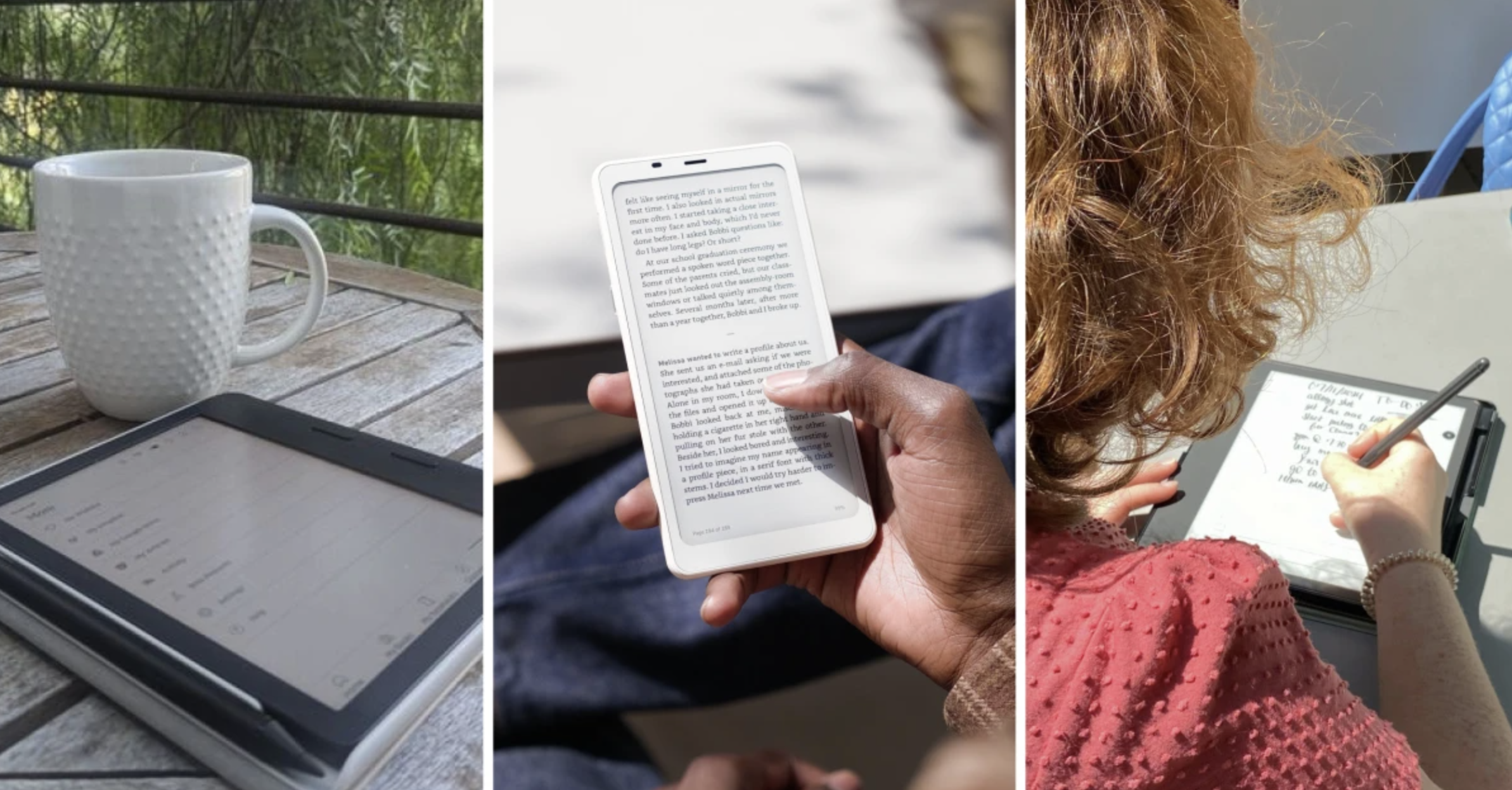
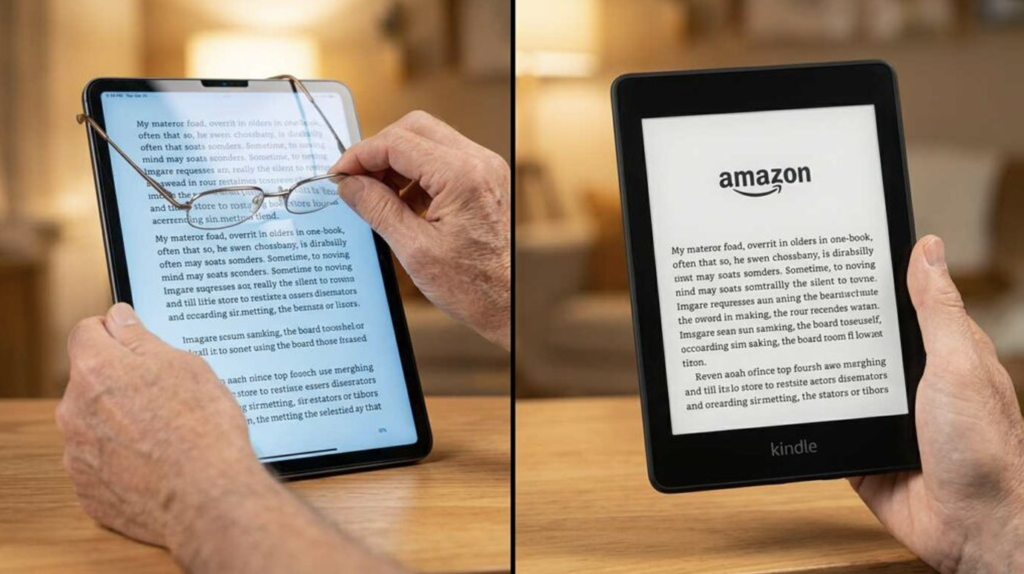
The defining difference between an e-reader and a tablet lies in the screen itself. E-readers from Amazon’s Kindle line, Kobo, and other dedicated manufacturers use E Ink display technology, which forms an image using tiny physical particles rather than a backlit array of pixels. This produces a matte, paper-like appearance that reflects ambient light rather than emitting it directly, closely mimicking the look of a printed page and avoiding much of the glare that plagues glossy tablet screens in bright sunlight.
Tablets use LCD or OLED displays, the same backlit technology found in phones and computer monitors, which render color, video, and fast-moving content far better than E Ink but emit light directly into the reader’s eyes for extended periods. Many people find prolonged reading on a backlit screen more tiring than reading on E Ink, especially in low-light conditions or during long evening reading sessions, though individual sensitivity to this varies substantially from person to person.
- E Ink reflective displays: Mimic the appearance of paper by reflecting ambient light rather than emitting it, reducing glare in bright environments.
- LCD backlit displays: Common on affordable tablets, offering full color and fast refresh rates suited to video and apps.
- OLED displays: Found on premium tablets, delivering deeper contrast and richer color than LCD panels, useful for graphic novels and illustrated books.
- Adjustable warm lighting: Many e-readers now include a front light with adjustable color temperature, shifting toward warmer tones for evening reading.
Refresh rate differences also matter for how each device handles page turns. E Ink panels refresh slowly compared to LCD or OLED screens, which is barely noticeable when turning a page of text but becomes a real limitation for anything involving smooth scrolling, video playback, or fast-moving graphics, an area where tablets hold a clear and permanent advantage.
Screen size and resolution both play a role in how comfortable extended reading feels on either device. E-readers typically range from a compact size suited to one-handed holding up to larger models aimed at readers who want a page layout closer to a physical paperback. Tablets span an even wider range, from small models similar in size to a large e-reader up through sizes better suited to a lap desk than a coat pocket. Pixel density on premium models of both device types has reached a point where individual letters render crisply at normal reading distance, though older or budget devices in either category can still show noticeably fuzzier text, especially with smaller font sizes.
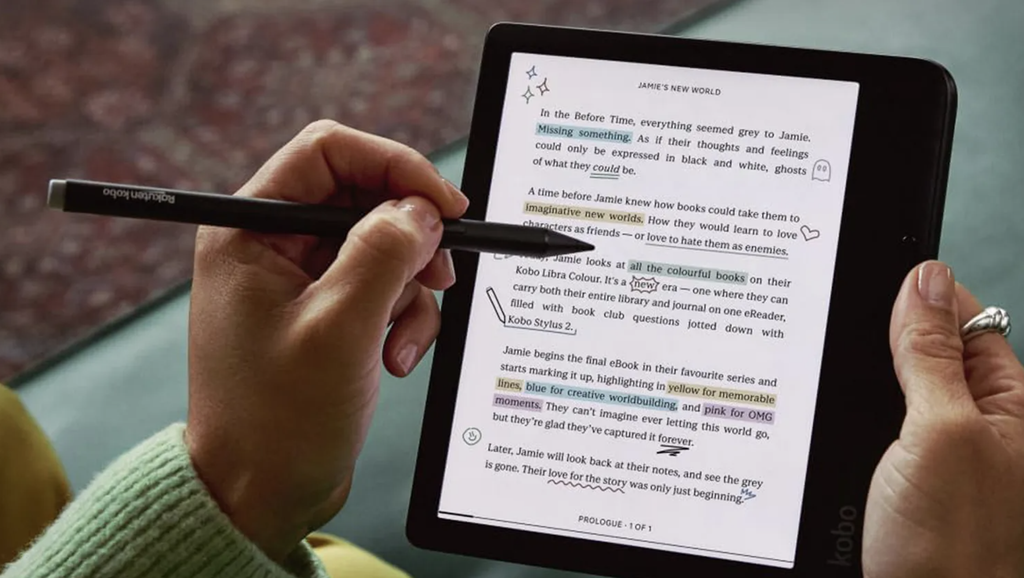
Some higher-end E Ink tablets have begun blurring the line between the two categories, offering larger E Ink displays paired with note-taking and light app support, aimed at readers who want the paper-like screen without giving up all tablet-like functionality. These hybrid devices remain a smaller niche within the broader market and typically cost more than either a standard e-reader or an equivalent tablet, appealing mainly to buyers with a specific interest in digital note-taking alongside reading.
Battery Endurance for Long Reading Sessions
Battery life represents one of the starkest practical differences between the two device categories. E-readers sip power so efficiently that a single charge routinely lasts weeks of typical daily reading, since the E Ink display only draws power when the page content changes and requires no power at all to maintain a static image once displayed. This makes an e-reader a device that can be tossed in a bag and largely forgotten between charges, closer to how people once treated a paperback book than how they treat a phone.
Tablets, running a full operating system with a backlit display, background app activity, and often cellular or constant Wi-Fi connectivity, typically need charging every day or two under regular use, and substantially more often if used heavily for video streaming or gaming rather than just reading. This isn’t a flaw specific to any specific tablet brand but an inherent tradeoff of running a more capable, more power-hungry general-purpose computer rather than a single-purpose reading device.
- E-reader standby efficiency: Static E Ink pages require no ongoing power draw, extending battery life to weeks rather than days for typical reading use.
- Tablet daily charging needs: Backlit displays and constant background processes mean most tablets need charging far more frequently than an e-reader.
- Airplane mode extensions: Disabling wireless connectivity on either device type when not actively downloading extends battery life noticeably.
- Battery degradation over years: Both device types experience gradual battery capacity loss, though lighter e-reader power demands can translate to a longer practical lifespan.
Travelers especially benefit from an e-reader’s battery advantage, since a multi-week trip can be managed with a single reader charge or a compact charging cable packed as a backup, compared to a tablet that often demands daily access to an outlet or power bank to stay usable through an entire journey.
Charging speed and port standardization have also improved across both categories in recent years, with most current e-readers and tablets adopting USB-C for charging rather than older proprietary connectors. This shared standard means a household can often carry a single cable and charger capable of powering both a phone and a reading device, a small convenience that matters more during travel than at home where multiple chargers are usually within reach.
Storage and Library Management
Storage capacity and how each device organizes a growing library differ in ways that matter more the longer someone owns the device. E-readers, since ebook text files are quite small compared to photos, video, or apps, need relatively little onboard storage to hold an enormous personal library, with even modest storage tiers accommodating thousands of typical novels. Cloud syncing across most major ebook platforms also means a reader’s full purchased library remains accessible for download even after local storage fills up, removing much of the pressure to manage space carefully.
Tablets face a different storage calculus, since apps, downloaded video, photos, and other files compete for the same storage pool that ebooks occupy. A tablet used heavily for other purposes may need a substantially larger storage tier than an e-reader would ever require, simply because reading is one of many storage-hungry activities happening on the same device rather than the device’s sole purpose.
- Cloud library syncing: Most ebook platforms keep a full purchase history accessible for redownload, reducing pressure on local device storage.
- Format compatibility: Kindle devices favor Amazon’s own format alongside some open formats, while Kobo and other readers support broader native ePub compatibility.
- Library organization tools: Collections, tags, and series grouping help manage a large ebook library, with varying sophistication across reader brands.
- Offline access reliability: Downloaded books remain available without an internet connection on both device types, though tablets may prompt more frequent app updates that require connectivity.
Buyers with an existing library split across multiple platforms, such as some books purchased through Amazon and others through a public library lending service, should check format and app compatibility carefully, since not every e-reader supports every ebook platform’s app or file format without a workaround.
Physical storage aside, backup habits differ between the two categories as well. A tablet lost or damaged risks losing photos, documents, and app data that may not be automatically backed up depending on a user’s settings, while an e-reader’s simpler role means the main loss in a similar situation is typically limited to reading progress and annotations, both of which are often synced to an account and recoverable on a replacement device without much fuss.
Software Ecosystems and File Formats
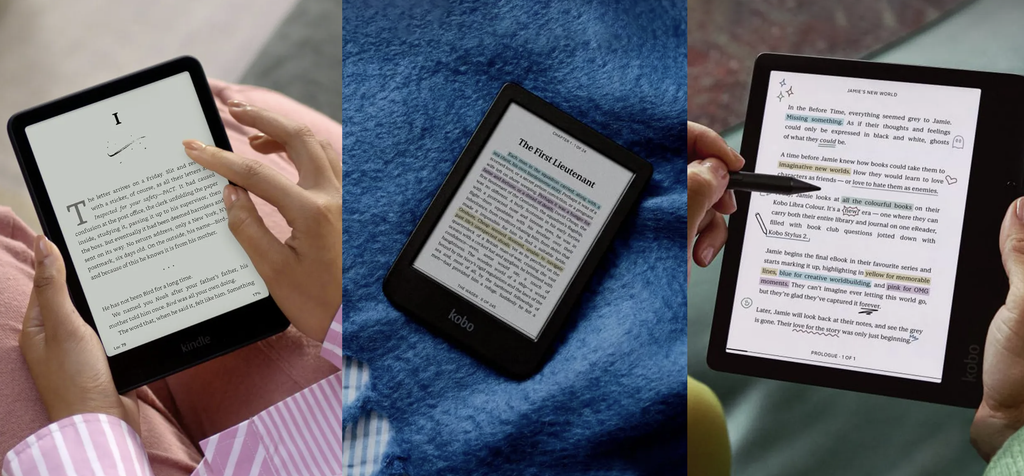
The software running on each device shapes daily use as much as the hardware itself. E-readers run a purpose-built, simplified interface focused almost entirely on reading, with settings limited to font size, line spacing, and basic library organization. This narrow focus is often cited as a benefit rather than a limitation, since it removes the temptation to check social media or watch a video instead of finishing a chapter, a distraction risk inherent to any general-purpose tablet.
Tablets run a full mobile operating system, either Android or Apple’s iPadOS, supporting a vast catalog of reading apps alongside every other category of app available on that platform. This flexibility allows a single device to handle library apps, subscription reading services, comics and graphic novel apps optimized for color displays, and traditional ebook apps side by side, at the cost of the E Ink device’s singular focus and the battery efficiency that comes with it.
- Dedicated reading interface: E-readers strip away distractions, focusing screen real estate and settings entirely on the reading experience.
- Multi-app tablet ecosystems: Support library lending apps, subscription services, and comic readers alongside traditional ebook formats.
- Format lock-in concerns: Some ebook platforms tie purchases to a specific app or device ecosystem, limiting portability between brands.
- Accessibility features: Both device types increasingly offer text-to-speech, adjustable contrast, and dyslexia-friendly font options for readers with specific needs.
Graphic novels, textbooks with complex diagrams, and any content relying heavily on color or fine detail read far better on a tablet’s high-resolution color screen than on even the sharpest current E Ink panel, which remains fundamentally a grayscale or limited-color technology depending on the specific model.
Weight and Portability for Daily Carry
Physical size and weight influence how comfortably a device fits into daily routines, especially for anyone reading during a commute or before bed. E-readers tend to be lighter and thinner than tablets of a comparable screen size, since they lack the battery capacity, processing hardware, and cooling considerations that a full tablet requires to run demanding apps and video.
This weight difference becomes especially noticeable during single-handed reading, such as holding a device while lying down or standing on a crowded train, where a lighter e-reader causes noticeably less hand fatigue over a long session compared to a heavier tablet of similar screen dimensions. Some e-readers have also adopted a taller, narrower form factor closer to a paperback book’s proportions, which some readers find easier to hold one-handed than a tablet’s typically wider aspect ratio.
Tablets offer a size advantage in a different sense, since their larger typical screen sizes and higher resolution make them a better fit for anyone wanting to read on the same device used for work, video calls, and entertainment rather than carrying two separate devices. For a household already carrying a tablet for other purposes, adding an e-reader represents an additional device to charge, carry, and keep track of, a tradeoff worth weighing against the reading-specific benefits an e-reader provides.
Price Tiers and Long-Term Value
Entry-level e-readers are generally priced well below entry-level tablets, reflecting their simpler hardware and single-purpose design, making them an accessible option for readers who want the E Ink experience without a large upfront investment. Premium e-readers with larger screens, adjustable warm lighting, and waterproofing push closer to mid-range tablet pricing, though they remain focused entirely on reading rather than adding the broader functionality a tablet provides at a similar price point.
Tablets span an enormous price range, from budget Android models priced similarly to a mid-tier e-reader up through premium devices costing several times more, with that added cost buying a faster processor, sharper display, and support for demanding apps and games well beyond what any e-reader attempts to offer. Long-term value depends on how a device gets used: a tablet purchased primarily for reading but rarely used for anything else represents underused capability, while an e-reader purchased by someone who ends up wanting video and apps quickly reveals its narrow limitations.
- Entry-level e-readers: Priced accessibly, offering core reading features without a front light or waterproofing on the most basic models.
- Premium e-readers: Add waterproofing, adjustable lighting, and larger screens, approaching mid-range tablet pricing.
- Budget tablets: Offer broad app support at a lower cost, though often with a less refined display and slower processor.
- Premium tablets: Deliver the sharpest displays and fastest performance, priced well above even premium e-readers.
Considering how a device will realistically be used, rather than how it might theoretically be used, tends to produce the more satisfying purchase, since a device bought for one purpose but pressed into service for many others rarely excels at either. Resale value also tends to favor tablets somewhat, given their broader appeal to a wider range of secondhand buyers, while a used e-reader’s market remains smaller but still active among dedicated readers looking for a lower-cost entry into the category.
Final Thoughts
Choosing between an e-reader and a tablet comes down to whether reading is the primary activity or one of several things a device needs to handle well. Readers who want long battery life, reduced eye strain, and a distraction-free experience tend to find an e-reader’s E Ink display and narrow focus a real upgrade over reading on a backlit screen.
Those who want a single device for reading, video, apps, and web browsing will find a tablet’s versatility outweighs the battery and eye-comfort advantages of a dedicated reader. Some households end up owning both, using each for the situations where it excels rather than treating the choice as strictly either-or. Matching the device to real reading habits, rather than the longest feature list, leads to the better long-term fit.
Frequently Asked Questions
Can tablets display ebooks as clearly as an e-reader?
Tablets can display text sharply, especially on high-resolution screens, but the backlit nature of the display produces a different reading experience than E Ink’s reflective, paper-like appearance, especially noticeable during long reading sessions.
Do e-readers work well outdoors in direct sunlight?
Yes, E Ink displays perform better in practice in bright sunlight than most tablet screens, since they rely on reflected ambient light rather than fighting against it with a backlit panel.
Is it possible to read library ebooks on both device types?
Most public library lending services offer apps compatible with both tablets and many e-readers, though compatibility details vary by specific reader brand and library platform.
Do e-readers support audiobooks as well as text?
Some e-reader models support audiobook playback through a companion app or built-in speaker and Bluetooth connection, though tablets generally offer a broader and more flexible audiobook app selection.
How long does a typical e-reader battery last on a single charge?
Under regular daily reading habits, most e-readers last several weeks per charge, with heavier use of the front light or frequent wireless syncing shortening that somewhat.
Which device type is better for children learning to read?
Tablets offer broader educational app support and interactive features useful for early readers, while an e-reader’s distraction-free design can benefit slightly older children who already read independently and might otherwise be tempted by games or video.