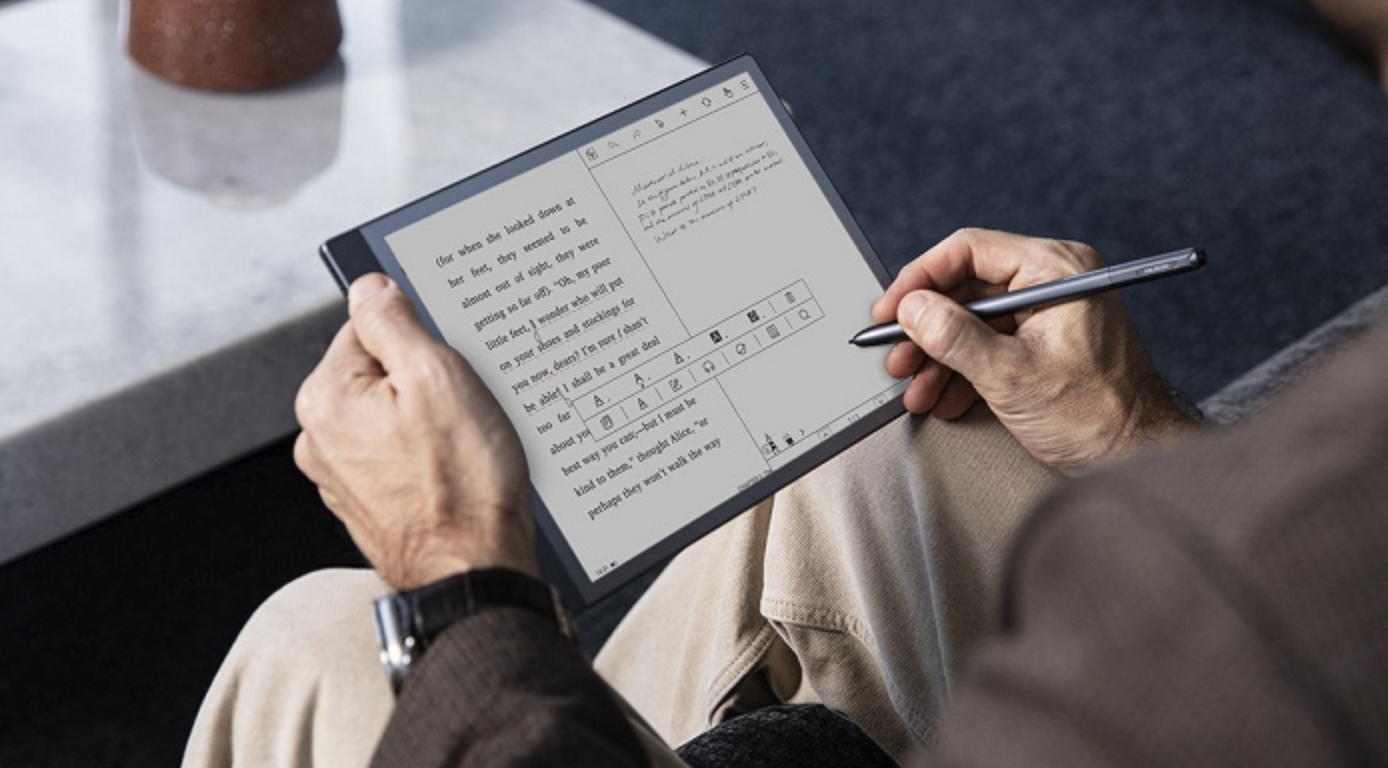
Elena’s eyes used to ache after an hour of reading on her phone before bed, the backlit screen leaving her wired long after she wanted to be winding down. A coworker suggested trying an e-ink tablet, something she’d dismissed as an oversized e-reader for people who didn’t already own a phone and a tablet. Three months later, she reads for hours without eye strain, takes handwritten notes that sync automatically, and hasn’t touched her old e-reader once a combination of features she hadn’t realized modern e-ink devices had grown to offer.
What Makes E-Ink Technology Fundamentally Different
E-ink, short for electronic ink, uses tiny microcapsules containing charged black and white particles that physically rearrange to form text and images, rather than emitting light the way a traditional LCD or OLED screen does. This fundamental difference means e-ink displays only consume power when the image changes, not continuously to maintain what’s on screen, and the resulting visual experience closely resembles reading actual ink on paper rather than staring at a backlit digital display.
Why E-Ink Reduces Eye Strain Compared to Standard Screens
The physical mechanism behind e-ink directly explains why many users report less eye strain during extended reading sessions compared to conventional tablets or phones.
- E-ink reflects ambient light rather than emitting its own light directly into the eyes, similar to how printed paper works
- The lack of screen flicker and backlight strain reduces the fatigue associated with extended reading on conventional displays
- Many e-ink devices include a warm-toned front light for nighttime use, avoiding the harsher blue light common on standard screens
- The static, paper-like appearance when not actively changing pages eliminates the subtle strain of a continuously refreshing backlit display
This eye strain reduction is the single most commonly cited reason people switch to e-ink devices for reading, heavy readers who previously experienced discomfort during long sessions on phones, tablets, or computer screens.
The Trade-off Between Refresh Rate and Reading Comfort
E-ink’s defining strength its paper-like, non-flickering display comes with an inherent trade-off in how quickly the screen can update, which matters for certain use cases more than others.
- Standard e-ink refresh rates are slower than LCD or OLED screens, creating a brief visible flash when changing pages or screens
- Newer e-ink technology has improved refresh speeds, making scrolling and note-taking feel much smoother than earlier generations
- Video playback and fast-motion content remain poorly suited to e-ink, even on the newest available hardware
- Manufacturers offer different refresh rate modes, trading off visual quality for speed depending on the specific task
This trade-off helps set realistic expectations. An e-ink tablet excels at text-heavy, static content but will never match a conventional tablet for video, gaming, or other fast-motion visual content, and buyers expecting otherwise are likely to be disappointed regardless of how much the underlying technology has improved.
Beyond Reading: What Modern E-Ink Tablets Can Do
Contemporary e-ink tablets have expanded well beyond simple e-book reading, incorporating features that make them versatile productivity devices for certain workflows.
- Handwritten note-taking with a stylus, often including handwriting-to-text conversion for searchable notes
- PDF annotation tools allowing direct markup of documents, useful for students and professionals reviewing lengthy documents
- Cloud syncing that automatically backs up notes and documents across devices and platforms
- Limited app support on higher-end models, sometimes including email and simplified web browsing in e-ink-optimized formats
This expanded functionality has shifted e-ink tablets from a single-purpose reading device into a broader category sometimes described as digital paper, appealing to users who want to reduce screen time and distraction while still handling reading, note-taking, and document review digitally.
Screen Size Considerations for Different Use Cases
E-ink tablets span a considerable range of screen sizes, and the right choice depends heavily on intended use rather than simply choosing the largest available option.
- Smaller screens, in the six to seven inch range, prioritize portability and one-handed reading comfort for standard e-book consumption
- Mid-size screens, around ten to eight inches, balance portability with more comfortable PDF and document viewing
- Larger screens, exceeding ten inches, suit note-taking, technical document review, and side-by-side reference material viewing
- Larger screens generally cost more and sacrifice some portability compared to smaller, more pocket-friendly options
Buyers primarily interested in novel reading are often better served by a smaller, more portable screen, while those focused on technical documents, textbooks, or extensive note-taking typically find the added real estate of a larger screen worth the additional cost and reduced portability.
Battery Life Expectations for E-Ink Devices
One of e-ink’s most significant practical advantages over conventional tablets is dramatically longer battery life, a direct consequence of the technology’s minimal power consumption when displaying static content.
- Basic e-readers can often last several weeks on a single charge with moderate daily reading
- More feature-rich e-ink tablets with note-taking and connectivity features have shorter battery life, but still typically last days rather than hours
- Battery life varies based on front light usage, connectivity features enabled, and how frequently the screen refreshes
- This extended battery life makes e-ink devices appealing for travel, reducing the need for frequent charging during extended trips
This battery life advantage remains one of e-ink’s most compelling practical benefits even as the category has expanded into more feature-rich territory, since even heavily used note-taking models still dramatically outlast comparable conventional tablets running similar workloads.
Comparing E-Ink Tablets to Traditional Tablets for Reading
For readers specifically deciding between a dedicated e-ink device and using an existing conventional tablet or phone for reading, several factors distinguish the two experiences.
- E-ink offers superior reading comfort for extended sessions, with less eye strain and a more paper-like visual experience
- Conventional tablets offer far greater versatility, supporting video, full web browsing, and a complete app ecosystem
- E-ink devices offer dramatically better battery life and lighter physical weight, improving portability for dedicated reading
- Conventional tablets provide color displays, essential for graphic novels, textbooks with images, or other visually rich content
The right choice ultimately depends on whether reading comfort or device versatility matters more for a specific person’s habits, and many dedicated readers find that owning both a conventional tablet and an e-ink device, each used for its particular strength, serves them better than trying to find one device that does everything reasonably well.
Comparing E-Ink Front Light Technology Across Devices
Front lighting has become a standard feature on most modern e-ink devices, allowing comfortable reading in dim or dark environments, but the specific implementation varies between manufacturers and price tiers.
- Warm-toned adjustable lighting reduces blue light exposure during nighttime reading compared to a fixed, cooler-toned light
- Even, uniform light distribution across the screen avoids distracting bright spots or shadowed corners some cheaper implementations exhibit
- Automatic brightness adjustment based on ambient lighting conditions adds convenience on higher-end models
- Lower-priced devices sometimes use less sophisticated lighting systems that can appear noticeably uneven upon close inspection
Testing a device’s front light in person, or carefully reviewing detailed user reviews that specifically address lighting quality, is worth the extra research time, since this feature affects the day-to-day reading experience, for anyone who reads primarily in the evening or at night.
The Ecosystem Question: Open Versus Closed Platforms
E-ink tablets vary in how open or restricted their software ecosystem is, which affects both flexibility and long-term usability of the device.
- Closed ecosystems tie content purchases and library access tightly to a single manufacturer’s own storefront
- More open platforms support a wider range of third-party reading apps, formats, and library lending services
- Closed ecosystems often provide a more polished, integrated experience at the cost of reduced flexibility
- Open platforms appeal more to users who want to consolidate content from multiple sources onto a single device
This ecosystem choice has lasting implications beyond the initial purchase, since a closed ecosystem can make switching manufacturers later more disruptive if a meaningful content library has already been purchased through that specific platform’s storefront.
How Manufacturers Are Addressing the Refresh Rate Limitation
E-ink manufacturers have invested in narrowing the responsiveness gap between e-ink and conventional displays, and recent progress helps clarify how much of the original refresh rate limitation still applies to current-generation devices.
- Partial refresh technology updates only the changed portion of a screen, speeding up common interactions like scrolling
- Dedicated fast-refresh modes, while sacrificing some visual quality, have made note-taking and light interaction feel more responsive
- Processing hardware improvements have reduced the lag between an input and the corresponding screen update independent of the display technology itself
- These improvements have been most noticeable in higher-end, more recently released devices compared to older or budget-tier models
Buyers specifically prioritizing responsiveness for note-taking or PDF navigation should pay close attention to a specific model’s refresh technology generation, since the gap between older and current e-ink devices in this particular area has narrowed faster than overall category awareness has caught up with.
Comparing Manufacturer Support and Long-Term Software Updates
Software support duration varies across e-ink tablet manufacturers, and this factor deserves more attention than it typically receives during the purchasing decision.
- Established manufacturers with a longer track record generally provide more consistent, longer-term software updates
- Newer or smaller manufacturers may offer compelling hardware at a lower price but with less certain long-term software support
- Reading about a manufacturer’s update history for previous device generations offers useful insight into likely future support
- Devices that stop receiving updates can gradually lose compatibility with newer file formats, cloud services, or security patches
Treating software support longevity as seriously as the initial hardware specifications helps avoid the disappointment of an otherwise excellent device becoming increasingly limited in capability as its software support winds down earlier than expected.
The Accessibility Benefits of E-Ink Technology
Beyond general eye strain reduction, e-ink technology offers specific accessibility benefits for users with certain visual sensitivities or conditions, a dimension of the technology that receives comparatively little mainstream attention.
- Users with light sensitivity or certain migraine triggers often report better tolerance of e-ink displays compared to backlit screens
- Adjustable font sizing on e-ink devices, combined with the paper-like display, benefits users with low vision needs
- The absence of screen flicker benefits users sensitive to flicker-related discomfort that some backlit displays can trigger
- Text-to-speech features on some e-ink devices add further accessibility value for users with different reading needs
These accessibility benefits are worth highlighting specifically for anyone who has struggled with conventional screens for reasons beyond general reading comfort, since the underlying display technology addresses several distinct visual sensitivity concerns simultaneously rather than just one general comfort improvement.
Handling Multiple Simultaneous Documents and Reference Material
Certain e-ink tablets have begun supporting split-screen or multi-document views, addressing a limitation that once restricted their usefulness for research or study-heavy workflows.
- Split-screen support allows viewing two documents or a document alongside handwritten notes simultaneously
- This functionality varies in polish and usability across different manufacturers and price tiers
- Students and researchers working with reference material alongside note-taking benefit most from this specific capability
- Testing this feature specifically, rather than assuming all higher-end devices implement it equally well, is worth doing before purchase
The Growing Role of Community-Curated Content Libraries
Beyond individual device features, community-curated content recommendation lists, format conversion tools, and shared organizational systems has grown into a valuable, if less official, part of the broader e-ink reading ecosystem. Active user communities around popular e-ink platforms often share practical tips for organizing large libraries, converting unsupported formats, and getting the most out of note-taking features that official documentation sometimes covers only briefly, making this community layer worth exploring for anyone settling into a new device.
Final Thoughts
E-ink tablets have evolved beyond their original single-purpose reading niche, now offering note-taking and document review capabilities alongside their core reading strengths. For anyone who reads extensively and has struggled with eye strain on conventional screens, the combination of paper-like comfort, exceptional battery life, and increasingly capable productivity features makes a strong case for adding one to a broader device lineup, even alongside an existing phone and tablet.
Frequently Asked Questions
Can e-ink tablets display color content?
Color e-ink technology exists and has improved in recent years, though color reproduction still doesn’t match the vibrancy of a standard LCD or OLED screen. Most dedicated e-ink readers remain black and white, while newer color models suit users who specifically need some color functionality alongside e-ink’s core reading benefits.
How durable are e-ink tablets compared to conventional tablets?
E-ink screens are generally considered fairly durable for normal use, though the display technology itself can be more susceptible to certain types of physical damage than standard glass tablet screens. Using a protective case and being mindful of pressure on the screen extends the lifespan of most e-ink devices.
Are e-ink tablets good for students taking handwritten notes?
Many students find e-ink tablets useful for note-taking, models with responsive stylus support and handwriting-to-text conversion. The paper-like writing feel and lack of distracting notifications or apps make them appealing specifically for focused, distraction-free note-taking compared to a conventional tablet.
Do e-ink tablets support popular e-book formats and reading apps?
Most e-ink tablets support common e-book formats directly and many also support popular reading and library apps, though app availability varies by manufacturer and device, with some offering more open app ecosystems than others that are more tightly restricted to their own proprietary reading software.
Is the initial cost of an e-ink tablet worth it for casual readers?
For casual readers who read occasionally, the cost may be harder to justify compared to simply reading on a device already owned. For frequent or heavy readers who read for extended periods regularly, the reduced eye strain and dramatically improved battery life often justify the investment fairly quickly.
How does an e-ink tablet handle glare in bright sunlight?
This is one of e-ink’s advantages over conventional screens. Because e-ink reflects ambient light rather than emitting its own, it becomes easier to read in bright sunlight, closely resembling how a printed page behaves outdoors, unlike conventional backlit screens which typically become harder to read in direct sunlight.