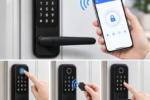
Fumbling for keys in the dark, worrying whether a door got properly locked after a rushed morning, or handing a spare key to a dog walker who might lose it are small daily frustrations a smart lock can erase. These devices replace or augment a traditional deadbolt with a keypad, a phone app, or both, letting a household unlock a door with a code, a tap, or an automatic trigger as someone approaches.
This guide walks through the main keyless entry methods, installation basics, network connectivity, backup access for dead batteries, sharing access with family and guests, and the security factors worth weighing before buying.
Keyless Entry Methods Compared
Smart locks offer several ways to get through a door without a traditional key, and most models support more than one method at once.
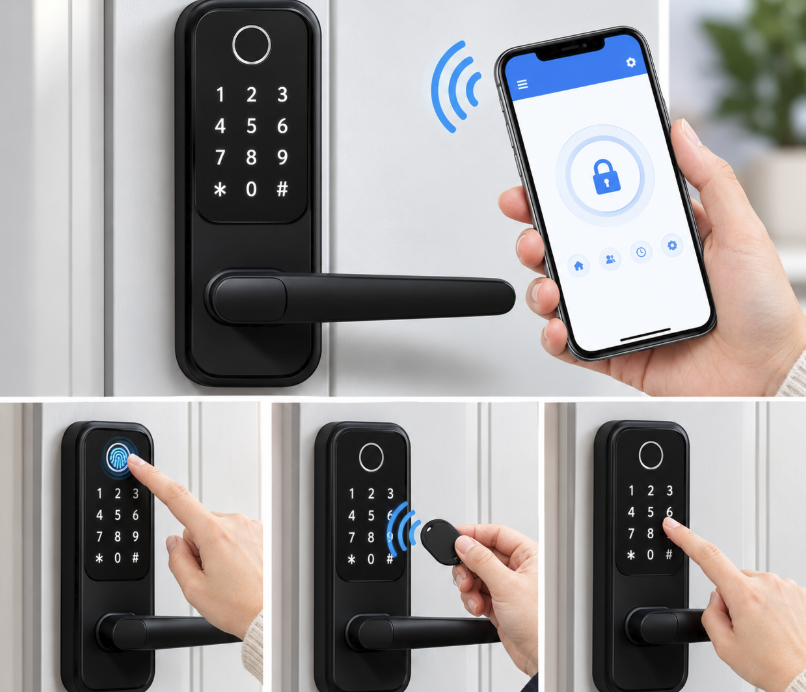
- Keypad codes: A numeric code typed on the lock’s exterior, which can be set uniquely for each family member or temporarily for a guest.
- Phone app unlocking: Bluetooth or Wi-Fi connects the lock to a smartphone app, letting a user tap to unlock from a short distance or remotely.
- Fingerprint scanning: Some locks add a biometric sensor built into the exterior housing, unlocking instantly without a code or phone needed at all.
- Key fobs: A small physical fob, similar to a car’s remote, provides quick access for household members who prefer not to use a phone or memorize a numeric code.
- Auto-unlock on approach: Using a phone’s location, the lock can detect a household member nearing the door and unlock automatically before they even reach for the handle, saving a few fumbling seconds every time.
Choosing the Right Mix of Methods
A household with young children might lean on keypad codes since kids do not always carry a phone, while a single adult living alone might prefer the convenience of auto-unlock paired with a backup physical key. Thinking through who will use the lock day to day in real life, rather than just picking the model with the most features listed on the box, leads to a setup that gets used consistently rather than one that frustrates people into propping the door open.
Installing a Smart Lock on Your Door
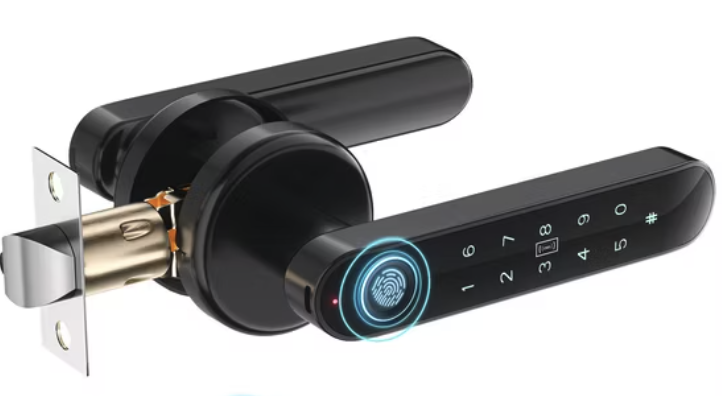
Most smart locks are designed as a direct replacement for a standard deadbolt, fitting into the same hole pattern already cut into a door. This makes installation more approachable than it might sound, often completed in under thirty minutes with a screwdriver.
- Measure the door thickness: Most locks accommodate a standard range, but unusually thick or thin doors should always be checked against the manufacturer’s specifications before buying any single model.
- Check the backset distance: This measurement, from the edge of the door to the center of the existing hole, needs to closely match what the new lock supports.
- Confirm deadbolt type: Some locks only work with specific deadbolt styles, so verifying compatibility with an existing door avoids a returned product and wasted time at the hardware store.
- Gather basic tools: A screwdriver is often all that is needed, though a tape measure and a small level help confirm fit and alignment before starting the installation itself.
Retrofitting Versus Full Replacement
Some smart locks keep the exterior keyhole and traditional look of a deadbolt while adding smart functionality to the interior mechanism, which appeals to renters or anyone wanting to preserve a door’s appearance. Full-replacement locks swap the entire assembly, often with a sleeker design but a more noticeable change to the door’s exterior that some homeowners associations or landlords may have opinions about.
Weatherproofing for Exterior Doors
A front door faces rain, direct sun, and temperature swings that an interior lock never has to handle, so checking a smart lock’s weather rating before installation matters for anyone without a covered porch or overhang. Locks rated for outdoor use typically seal their electronics against moisture and include keypads designed to resist fading or cracking under prolonged sun exposure. A lock without a clear weather rating installed on an exposed door may show signs of wear, sticking buttons, or connectivity issues well before a properly rated model would, so it is worth checking this spec even when it is not prominently advertised on the box.
Connecting a Lock to Your Home Network
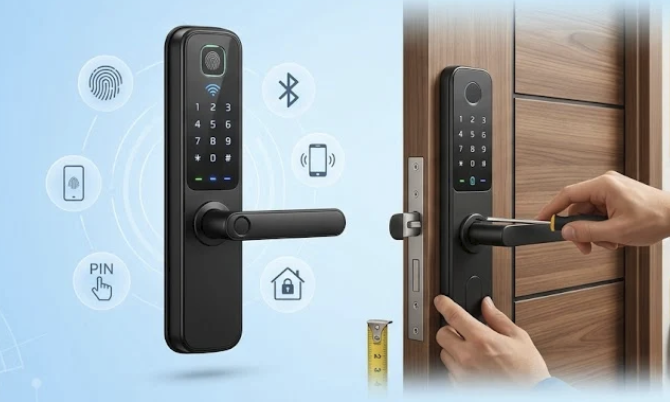
Many smart locks rely on Wi-Fi or Bluetooth to communicate with a phone app, and some add a hub that bridges the lock to the broader smart home network for remote access from anywhere.
- Bluetooth-only locks: Work directly with a nearby phone without needing a home Wi-Fi connection, though remote access away from home typically is not possible without an added bridge.
- Wi-Fi-connected locks: Communicate directly with the home network, enabling remote locking and unlocking from anywhere with an internet connection.
- Hub-based systems: A separate bridge device connects a Bluetooth-only lock to the home network, adding remote access without requiring the lock itself to handle Wi-Fi directly on its own.
- Smart home platform integration: Many locks connect with existing smart home systems, allowing a lock to trigger routines like turning on lights or adjusting a thermostat when someone arrives home.
A stable home Wi-Fi connection matters more for a smart lock than for many other smart home devices, since a dropped connection could mean a delay in receiving a lock status update right when it matters most, such as confirming a door locked after leaving for a trip.
Signal Strength at the Front Door
Front doors sit at the edge of a home, often far from a router placed in a living room or office, which can leave a smart lock with a weaker signal than other devices closer to the center of the house. A mesh Wi-Fi extender placed near an entryway, or a lock that includes its own signal booster, resolves most connectivity complaints that otherwise show up as a lock app reporting a delayed or stale status. Testing signal strength at the exact spot a lock will be mounted, rather than assuming whole-home coverage reaches every corner equally, prevents a frustrating surprise after installation is already complete.
Backup Access When Batteries Die
Every smart lock runs on battery power, and planning for the day those batteries run low is one of the most overlooked parts of ownership.
- Physical key backup: Nearly all smart locks include a traditional keyhole as a fallback, which should be tested right after installation and a spare key kept somewhere accessible but secure for emergencies.
- Low battery alerts: Apps typically warn well ahead of a full battery failure, giving several weeks of advance notice in most cases before a lock stops responding at the door entirely.
- External power ports: Some locks include a port on the exterior where a 9-volt battery can provide temporary emergency power to unlock the door if the internal batteries die unexpectedly at the worst possible time.
- Battery type and lifespan: Most locks use standard AA batteries lasting six months to a year, though heavy daily use across a large household shortens that window somewhat compared to a single-person home.
What Happens During a Power or Internet Outage
Battery-powered smart locks generally keep working during a home power outage, since they do not rely on household electricity, though Wi-Fi-connected features like remote access may stop working if the home router also loses power. Keeping a working flashlight and the physical backup key within reach for exactly this scenario avoids a frustrating night locked out during a storm.
Choosing Battery Types Wisely
Not all batteries perform the same inside a smart lock, and the difference matters more than many buyers expect. Standard alkaline batteries work fine in moderate climates but can lose capacity faster in very cold or very hot weather, since battery chemistry is sensitive to extreme temperature swings. Lithium batteries, while pricier upfront, tend to hold a more stable charge across a wider temperature range and often last longer overall in a lock mounted on an exterior door exposed to seasonal extremes. Keeping a spare set of whichever battery type a lock uses stored inside the house, rather than realizing only at the moment of failure that none are on hand, avoids an inconvenient trip to the store at an inopportune time.
Sharing Access With Family and Guests
One of the most practical benefits of a smart lock is the ability to grant and revoke access without ever changing a physical lock or cutting new keys.
- Temporary guest codes: Create a code valid only for a specific date range, perfect for a house sitter, cleaner, or contractor who needs access for just a limited window.
- Scheduled access: Some locks let codes work only during set hours, such as limiting a dog walker’s code to weekday afternoons between visits.
- Remote revocation: Removing a person’s access takes only seconds through the app, no need to track down a physical key or worry about an unreturned copy lingering out there somewhere.
- Activity logs: Many apps keep a record of who unlocked the door and when, useful for confirming a delivery, a cleaner’s visit, or a child’s arrival home from school each afternoon.
This kind of flexible access control is difficult to replicate with a traditional lock and key, where losing track of who has a copy of the key is a common and often permanent problem.
Setting Up Codes for Children and Teens
Giving each child their own unique code, rather than one shared family code, makes it easier to track who came and went and to disable a single code without affecting anyone else, such as after a phone is lost or a code is accidentally shared with a friend.
Some families set a code that works only until a certain evening hour for younger kids, which doubles as a gentle enforcement tool for a curfew without requiring a parent to wait up by the door. As children grow older and take on more independence, adjusting or removing time restrictions on their individual code is a quick change through the app rather than a conversation about cutting a new key.
Security Considerations Before You Buy
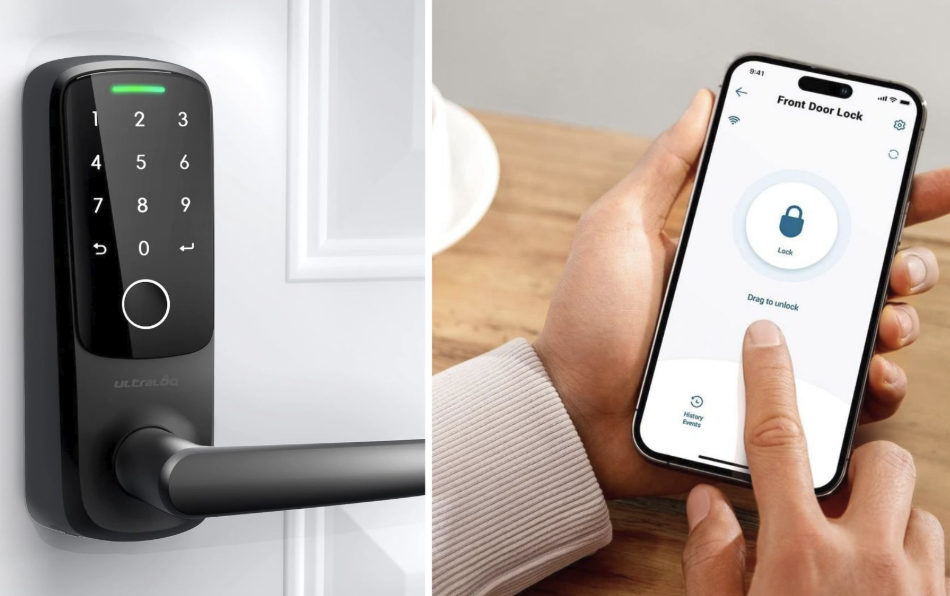
A smart lock introduces digital security concerns alongside the physical security a traditional lock already addresses, and it is worth weighing both before installing one on a front door.
- Encryption standards: Look for locks that encrypt communication between the lock, any hub, and the app, protecting against interception of codes or unlock commands sent over the network.
- Manufacturer update history: A brand with a consistent record of patching security issues is a safer long-term bet than one with no visible update history or a long gap since its last release.
- Physical lock grade: Underlying hardware matters just as much as digital features, so checking a lock’s physical security rating alongside its smart features avoids a weak point hiding behind flashy software and a sleek app interface.
- Tamper alerts: Some locks notify an owner immediately if someone attempts to force, pick, or otherwise tamper with the lock, adding another layer of awareness beyond the digital access controls alone.
Balancing convenience against these security factors, rather than choosing based on price or app design alone, leads to a smart lock that improves daily life for real without introducing a new vulnerability at the front door.
A Short Setup Checklist Before Relying on a New Lock
Before trusting a new smart lock for daily use, it helps to run through a short checklist: confirm the backup physical key works in the included keyhole, test every household member’s code or fingerprint at the front door itself rather than just in the app, verify the low-battery alert reaches the right phone, and walk through what happens if the home Wi-Fi goes down for a day.
A short trial period with the old lock still available as a fallback, rather than removing it entirely on day one, gives a household time to catch any setup issues before fully committing to the new system for daily entry.
Final Thoughts
A smart lock trades the small daily friction of physical keys for a flexible system of codes, phone access, and shared permissions that adapts to how a household really lives.
Matching the mix of keypad, app, and biometric access to the people who will use the door most often matters more than chasing every available feature.
Planning ahead for battery life and power outages keeps the system reliable when it counts, while thoughtful attention to encryption and update history protects against the newer risks a connected lock introduces alongside its conveniences.
Installed and maintained with a bit of care, a smart lock turns one of the most repeated daily tasks in a home into something close to effortless.
Frequently Asked Questions
Can a smart lock be hacked remotely?
Like any connected device, a smart lock carries some digital risk, though reputable manufacturers use encryption and regular security updates to cut that risk down to a small fraction of what it would otherwise be. Choosing a well-reviewed brand, keeping firmware updated, and using strong unique codes rather than easily guessed numbers like a birthday reduces the practical risk by a wide margin, and it is worth remembering that a physical lock picked with force remains a far more common break-in method than any digital attack on a well-built lock.
Do smart locks work during a power outage?
Yes, since nearly all smart locks run on internal batteries rather than household electricity, they continue to function during a power outage. Features relying on home Wi-Fi, like remote unlocking from outside the house, may be unavailable if the outage also takes down the home router or internet service, though basic keypad and Bluetooth unlocking at the door itself should keep working throughout.
How long do smart lock batteries typically last?
Most smart locks run on standard AA batteries lasting six months to a year under normal household use, though frequent unlocking throughout a busy day, or a household with many members entering and exiting often, can shorten that window. Apps generally provide advance warning well before batteries fully die, giving plenty of time to pick up a fresh set and swap them out before the old ones give up entirely.
Can a smart lock be installed on any front door?
Most smart locks fit standard residential doors with a typical deadbolt hole pattern, but unusually thick, thin, or custom doors should be checked against a specific model’s installation specifications before purchase. Measuring backset distance and door thickness ahead of buying avoids a frustrating return process, and taking a photo of the existing hardware before removal can help if questions come up during the swap.
Is a smart lock a good option for renters?
Many renters choose retrofit-style smart locks that keep the existing deadbolt mechanism and exterior keyhole intact, making it easy to remove the smart components and restore the original lock before moving out. Checking with a landlord before installation is still a wise step, since lease terms vary on what modifications are allowed, and some landlords welcome an upgrade that improves the property’s overall security for future tenants as well.
What happens if the smart lock’s app server goes down?
A well-designed smart lock should still function using a physical key, keypad code, or Bluetooth connection even if the manufacturer’s cloud servers experience an outage, since most core unlocking functions do not require constant server access. Remote features like unlocking from outside the home network, however, typically do depend on that server connection working properly, which is worth keeping in mind for anyone who relies heavily on remote access for a vacation rental or an out-of-town family member checking on a house.