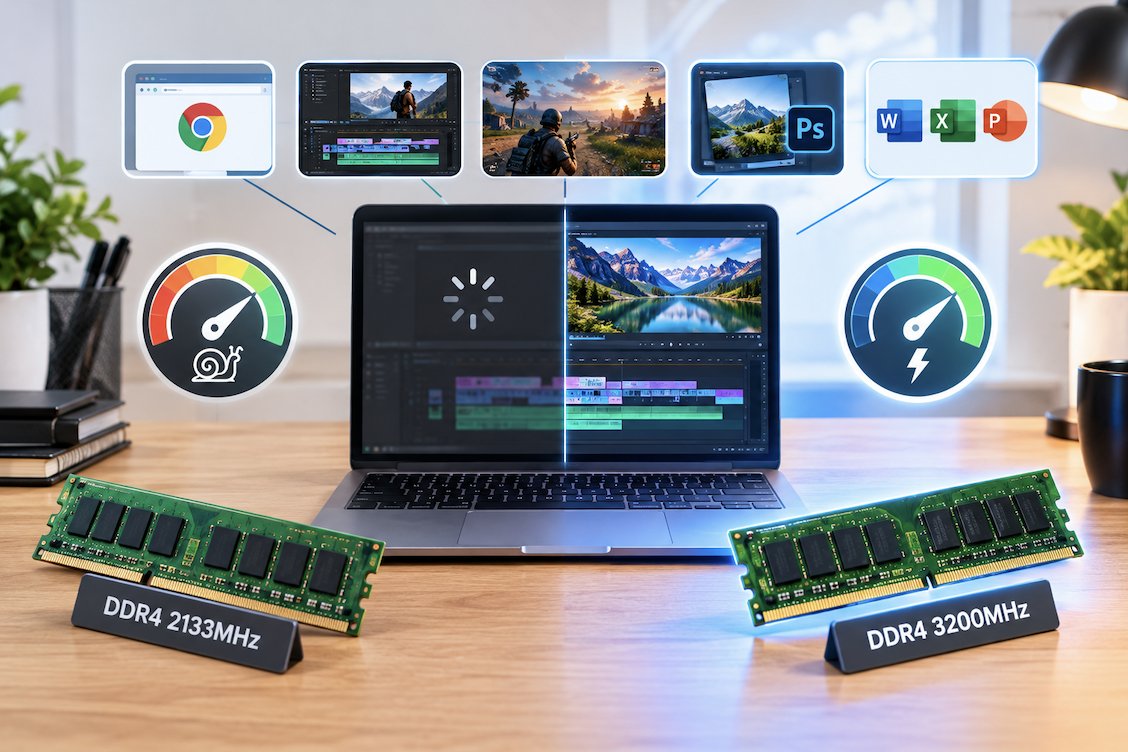
RAM speed gets marketed heavily, with higher numbers implying better performance, but the actual, measurable real-world impact varies considerably depending on what you’re actually doing with a computer. This guide breaks down where RAM speed matters and where it’s a smaller factor than marketing suggests.
How RAM Speed Is Marketed vs. What It Delivers
RAM manufacturers often market speed prominently on packaging since it’s an easy, single number for comparison, similar to how megapixels were once heavily marketed for cameras despite not being the sole determinant of image quality. That speed is one factor among several, alongside capacity, timings, and dual-channel configuration discussed later, which helps avoid over-weighting this one prominently marketed specification relative to its actual practical impact.
What RAM Speed Actually Measures
RAM speed, typically listed in megatransfers per second, indicates how quickly data can move between RAM and the rest of the system, theoretically allowing faster data access for the processor. This is distinct from RAM capacity, which determines how much data can be stored in memory at once, and the two specifications affect performance in different ways that shouldn’t be conflated when evaluating a system’s overall memory configuration.
RAM Speed vs Capacity: Which Matters More
For most users, RAM capacity has a considerably larger practical impact on everyday performance than RAM speed, since insufficient capacity forces a system to rely on slower storage-based virtual memory, causing noticeable slowdowns, while a speed difference within a reasonable range produces a much smaller, often barely perceptible difference in daily use. This is why the general guidance in earlier PC building guides prioritizes adequate capacity first, treating speed as a secondary consideration.
How Integrated Graphics Specifically Benefit From RAM Speed
Systems relying on integrated graphics rather than a dedicated graphics card show a more noticeable RAM speed benefit than systems with a dedicated GPU, since integrated graphics share system RAM directly for graphics processing, making memory bandwidth more directly relevant to graphics performance in this specific configuration than in a system with dedicated video memory on a separate graphics card.
Gaming Performance Impact
For gaming specifically, RAM speed can produce a measurable, though generally modest, frame rate difference in certain games, particularly those more sensitive to memory bandwidth, though this difference is typically smaller than the impact of upgrading the graphics card or ensuring adequate RAM capacity in the first place. Independent benchmark comparisons testing the same system with different RAM speeds give a more reliable sense of actual gaming impact than general marketing claims.
Considering RAM Speed for Multitasking Specifically
For heavy multitaskers running many applications and browser tabs simultaneously, adequate capacity, discussed earlier as the more important factor, matters considerably more than speed for preventing the slowdown associated with insufficient memory, though once capacity is adequate, a faster speed tier can provide a modest additional smoothness benefit when switching rapidly between many open applications.
General Productivity and Everyday Use Impact
For typical productivity tasks like web browsing, document editing, and general multitasking, RAM speed differences within a normal range are largely imperceptible in daily use, since these tasks aren’t particularly memory-bandwidth intensive. Adequate capacity to avoid the storage-based virtual memory slowdown discussed earlier matters considerably more for smooth everyday performance than chasing a higher speed rating.
RAM Speed for Music Production and Audio Work
Digital audio workstations handling many simultaneous audio tracks and real-time effects processing benefit from both adequate capacity and reasonably fast memory access, similar to the video editing and rendering workloads discussed above, making this another content creation category where RAM speed’s impact, while still secondary to capacity, is more noticeable than in general everyday computing use.
Content Creation and Professional Workload Impact
For memory-bandwidth-intensive tasks like video editing, 3D rendering, or working with very large files, faster RAM can provide a more noticeable performance benefit than in general productivity use, though this benefit still typically remains secondary to having adequate RAM capacity and a capable processor and storage configuration for these demanding workloads.
RAM Timings and Latency
Beyond raw speed, RAM timings, sometimes listed alongside the speed rating, measure the delay between a request and the RAM’s response, with lower timing numbers generally indicating better responsiveness. Faster RAM with worse timings can sometimes perform similarly to slower RAM with better timings, meaning the speed number alone doesn’t fully capture a memory kit’s actual real-world responsiveness.
Matching RAM Speed to Motherboard and CPU Support
Every motherboard and processor combination has a maximum officially supported RAM speed, and installing RAM rated faster than this supported maximum won’t provide the full advertised speed benefit unless the system supports running it at that higher speed, sometimes requiring manually enabling a specific setting in the BIOS. Checking your specific motherboard and processor’s supported RAM speed before purchasing faster, more expensive RAM avoids paying for speed capability your system can’t actually fully utilize.
Considering RAM Speed for Virtual Machines and Emulation
For anyone running virtual machines or emulation software, which effectively divides system resources including memory across multiple simultaneous operating environments, both adequate capacity and reasonably fast memory access meaningfully support smoother performance across these concurrently running environments, making this another use case where RAM speed’s impact is more noticeable than in typical single-task everyday computing.
Diminishing Returns at Higher Speeds
The performance difference between a moderate and a high RAM speed tier is generally smaller than the difference between insufficient and adequate RAM capacity, and the performance gains from progressively higher speed tiers tend to diminish, meaning the jump from a baseline to a mid-range speed often matters more than the jump from mid-range to the highest available speed tier.
Dual-Channel vs Single-Channel Configuration
Beyond speed and capacity ratings, installing RAM in a matched pair to enable dual-channel operation, discussed briefly in the earlier PC building guide, provides a more consistently noticeable performance improvement than a speed upgrade alone, since dual-channel configuration roughly doubles the effective memory bandwidth compared to a single stick of the same total capacity.
How Much RAM Speed Actually Costs
The price premium for higher-speed RAM kits has narrowed considerably over recent years, meaning choosing a moderately faster kit within a similar price range as a baseline option is often reasonable, though paying a significant premium specifically for the highest available speed tier rarely represents good value given the diminishing returns discussed above.
Considering RAM Speed When Buying a Pre-Built System
For anyone purchasing a pre-built desktop or laptop rather than building their own, checking the listed RAM speed specification, though worth noting, matters less than confirming adequate total capacity for your intended use, given everything discussed throughout this guide about the relative importance of these two specifications.
A Practical Budget Allocation Approach
For a limited budget, prioritizing adequate RAM capacity first, then a mid-range speed option within your motherboard’s supported range, generally produces better overall system performance than allocating a larger portion of the budget toward the highest available RAM speed at the expense of adequate capacity or other components like the graphics card or storage.
How RAM Speed Interacts With CPU Generation
Newer processor generations are sometimes specifically designed to take better advantage of faster RAM than older generations, meaning the practical benefit of a faster RAM kit can vary depending on which specific processor generation it’s paired with, making it worth checking generation-specific benchmark comparisons rather than assuming RAM speed benefits apply uniformly across every processor generation equally.
Considering Future Upgrade Paths
For anyone planning to add more RAM later, checking that newly purchased RAM matches the speed and timing specifications of any existing RAM you intend to keep avoids compatibility issues or reduced performance from mismatched RAM modules running at a lower, common speed than either module’s individual rating.
Common RAM Speed Misconceptions
Assuming a higher speed number always produces meaningfully better real-world performance, without considering capacity, timings, and how memory-bandwidth-intensive your actual use case is, is one of the most common misconceptions this guide addresses. Believing that RAM speed can compensate for inadequate capacity is another common and mistaken belief, since these two specifications solve different performance problems that don’t substitute for each other.
Reading Benchmark Reviews Critically
When reading RAM speed benchmark comparisons, checking whether the reviewer controlled for other variables, like keeping capacity and timings constant while only changing speed, gives more reliable, isolated results than a comparison that changes multiple specifications simultaneously, which makes it harder to attribute any observed performance difference specifically to speed alone.
Testing RAM Speed Claims Independently
Rather than relying on manufacturer marketing claims about performance improvements, checking independent benchmark comparisons that specifically isolate RAM speed as the only variable, testing identical systems at different speeds, gives the most reliable sense of actual, measurable performance impact for your specific use case.
Considering RAM Speed for Everyday Web Browsing With Many Tabs
Modern web browsers can consume substantial memory with many open tabs, and while this scenario benefits primarily from adequate total capacity as discussed throughout this guide, a system already at its capacity limit and relying on virtual memory will see negligible benefit from faster RAM speed alone, reinforcing once again that capacity adequacy should be resolved before speed becomes a meaningful consideration for this specific common use case.
A Quick Decision Framework
If choosing between two otherwise similar RAM kits at a similar price, one with more capacity at a moderate speed and one with less capacity at a higher speed, the extra capacity option generally serves most users better given everything discussed throughout this guide about capacity’s larger overall impact on everyday and even most gaming and content creation performance.
Common RAM Buying Mistakes
Purchasing RAM rated faster than a system’s motherboard and processor can actually support, without checking compatibility first, wastes money on speed capability that won’t be realized. Prioritizing RAM speed over adequate total capacity, particularly on a limited budget, is another common mistake that results in worse overall performance than a more balanced allocation would have provided.
Considering RAM Overclocking as an Advanced Option
For enthusiasts comfortable with more advanced BIOS configuration, manually overclocking RAM beyond its rated speed, using the RAM’s supported overclocking profile where available, can extract additional performance from an existing kit, though this is a more advanced, optional pursuit rather than something most users need to consider for the practical, everyday use cases discussed throughout the bulk of this guide.
How to Actually Check Your Current RAM Speed
Most operating systems include a built-in system information tool showing currently installed RAM speed and capacity, and checking this before considering an upgrade confirms exactly what’s currently installed rather than relying on memory of an original purchase specification that may not reflect the system’s actual current configuration, particularly for a system that’s changed hands or been upgraded previously.
Considering RAM Speed in Laptop vs Desktop Systems
Laptops, particularly thinner models with soldered, non-upgradable memory discussed in the earlier laptop lifespan guide, often ship with a fixed RAM speed and capacity that can’t be changed later, making the initial purchase decision considerably more consequential than for a desktop where RAM can typically be upgraded or replaced more easily down the line.
A Final Word on Where to Focus Attention
Of everything discussed throughout this guide, the single most useful takeaway is that RAM capacity adequacy should always be resolved first, with speed treated as a secondary refinement relevant mainly to specific memory-bandwidth-intensive use cases rather than a universal priority for every system and every user.
Considering How Console Gaming Differs From PC Gaming Here
Gaming consoles use fixed, non-upgradable memory configurations chosen by the manufacturer, making the RAM speed discussion throughout this guide primarily relevant to PC builders and upgraders rather than console gamers, who don’t have the option to independently adjust this specification regardless of its potential performance impact.
Final Thoughts
RAM speed matters more for memory-bandwidth-intensive tasks like certain games and content creation workloads than for general everyday productivity use, and its impact is generally smaller than having adequate RAM capacity in the first place. For most budget-conscious builds, prioritizing sufficient capacity and a reasonable, motherboard-supported speed tier produces better overall performance than chasing the highest available speed rating at the expense of other components.