Wi-Fi 6 and 6E get marketed heavily as major upgrades, but the practical benefit depends significantly on your specific household’s device count and usage patterns. This guide breaks down what actually changed, and gives a realistic framework for deciding whether upgrading makes sense for your situation right now.
What Wi-Fi Generations Actually Represent
Each Wi-Fi generation represents an updated technical standard that routers and devices must both support to take advantage of its improvements. Unlike a simple software update, benefiting from a newer Wi-Fi generation requires both a compatible router and compatible connected devices, which is an important distinction that affects whether upgrading actually changes anything for your specific setup.
How This Compares to Previous Wi-Fi Generations
Wi-Fi 5, the widely adopted predecessor, already offered strong single-device speeds for most households, which is exactly why Wi-Fi 6’s improvements center more on efficiency and multi-device handling rather than a dramatic leap in raw top speed for any individual device. Understanding this distinction helps set realistic expectations a household upgrading primarily for a single device’s speed alone may notice less difference than a household upgrading specifically to handle many devices better.
What Wi-Fi 6 Actually Improves
Wi-Fi 6’s headline improvement isn’t primarily raw top speed, which was already quite high in the previous generation, but rather efficiency in crowded environments with many connected devices simultaneously. This makes Wi-Fi 6 particularly beneficial for households with many smart home devices, phones, laptops, and streaming devices all connected at once, rather than for a household with just a couple of connected devices where the previous generation was already performing well.
Battery Efficiency Improvements for Connected Devices
A less commonly discussed feature of Wi-Fi 6, called Target Wake Time, allows connected devices to schedule when they check in with the router more efficiently, which can meaningfully improve battery life for battery-powered smart home devices and other connected gadgets that don’t need constant, continuous communication with the network. This is a genuine practical benefit for households with many battery-powered smart devices, separate from the speed and congestion improvements discussed elsewhere.
Understanding OFDMA and Multi-Device Efficiency
A key underlying technology in Wi-Fi 6, called OFDMA, allows a router to communicate with multiple devices in a single transmission window rather than handling each device’s data request sequentially. In practice, this means a Wi-Fi 6 network handles many simultaneously connected devices more efficiently, reducing the kind of slowdown that occurs on older networks when many devices compete for bandwidth at once.
Security Improvements Worth Knowing About
Wi-Fi 6 and 6E devices generally support WPA3, a stronger encryption standard than the older WPA2 still common on many networks. While WPA3 support isn’t exclusive to Wi-Fi 6 hardware, upgrading often coincides with gaining access to this improved security standard, offering a meaningful security benefit alongside the performance improvements discussed throughout this guide.
Wi-Fi 6E and the New 6GHz Band
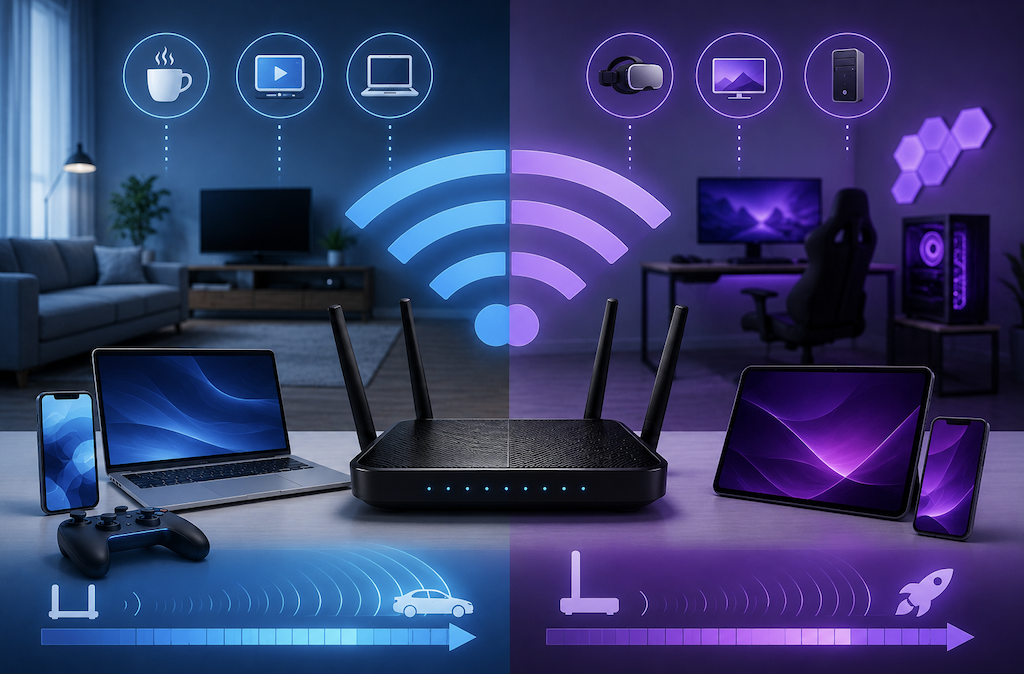
Wi-Fi 6E extends the Wi-Fi 6 standard into an entirely new 6GHz frequency band, in addition to the existing 2.4GHz and 5GHz bands used by previous generations. This new band is significantly less crowded, since it’s exclusively available to Wi-Fi 6E devices, avoiding interference from older devices and neighboring networks that still commonly congest the 2.4GHz and 5GHz bands in dense areas like apartment buildings.
Interference From Neighboring Networks
In densely populated areas, particularly apartment buildings, the 2.4GHz and 5GHz bands often become crowded with signals from many neighboring networks competing for the same limited channels. This congestion is a large part of why Wi-Fi 6E’s dedicated 6GHz band offers such a noticeable improvement specifically in these environments, since it currently remains far less congested than the older, more heavily used bands most neighboring networks still rely on.
The Range Tradeoff With 6GHz
Higher frequency bands generally offer faster potential speeds but shorter effective range and reduced ability to penetrate walls compared to lower frequency bands. This means the 6GHz band’s practical benefit is often strongest for devices located relatively close to the router, while devices in more distant rooms may still rely primarily on the 5GHz band even on a Wi-Fi 6E network.
How to Check What Standard Your Current Devices Support
Most phones, laptops, and tablets list their Wi-Fi standard support in the device’s technical specifications, typically found in official product pages or settings menus. Checking your most frequently used devices before purchasing a new router gives a realistic sense of how many of your existing devices will actually take advantage of a new standard immediately, versus how many would continue operating at their current older standard regardless of the router upgrade.
Do You Need New Devices to Benefit?
Yes, meaningfully, a Wi-Fi 6 or 6E router provides some baseline improvements to any connected device through better overall network management, but the most significant individual-device benefits, including access to the 6GHz band, require the connected device itself to also support the newer standard. Checking your most-used devices’ specifications is worth doing before assuming an upgraded router alone will produce dramatic day-to-day improvements.
Understanding Backhaul in Mesh Systems
For mesh systems specifically, some models use a dedicated wireless band, sometimes utilizing the new 6GHz spectrum, exclusively for communication between mesh nodes rather than for connecting your actual devices. This dedicated backhaul channel, where available, meaningfully improves overall mesh network performance compared to older mesh systems that share the same bands for both node communication and device connections, since it avoids that internal traffic competing with your own devices for bandwidth.
Mesh Systems and Wi-Fi 6/6E
For larger homes already considering a mesh Wi-Fi system, choosing a mesh system that supports Wi-Fi 6 or 6E combines the coverage benefits of mesh technology with the efficiency benefits discussed throughout this guide. This combination is particularly effective for larger households with many devices spread across multiple rooms, addressing both the coverage and the multi-device efficiency challenges simultaneously rather than solving just one of the two.
When Upgrading Genuinely Makes Sense
Households with a high number of connected devices typically 15 or more between phones, laptops, smart home devices, and streaming equipment tend to see the most noticeable real-world improvement from Wi-Fi 6, given its specific strength in handling many simultaneous connections efficiently. Households in dense living situations, like apartment buildings with many overlapping neighboring networks, also tend to benefit more from Wi-Fi 6E’s less congested 6GHz band specifically.
When Upgrading Is Less Urgent
A household with a modest number of connected devices and a Wi-Fi 5 router that’s currently performing without complaints is less likely to notice a dramatic practical difference from upgrading immediately. In this situation, waiting until your current router naturally needs replacement, or until you notice specific performance issues, is a reasonable approach rather than upgrading purely because a newer standard exists.
Comparing Speed Test Results Wired vs Wireless
Running a speed test on a device connected directly via Ethernet, compared to the same test over Wi-Fi, isolates whether a perceived slowdown comes from your internet plan itself or from your wireless network specifically. If wired speeds are strong but wireless speeds lag noticeably behind, that gap is a clearer signal that a Wi-Fi standard or placement upgrade would help, rather than needing to upgrade your internet service plan instead.
Common Misconceptions About Speed
A common misconception is that Wi-Fi 6 or 6E automatically means dramatically faster internet speeds overall. In reality, your actual internet speed is capped by your internet service plan, not by your Wi-Fi standard. Upgrading your router won’t make your internet plan itself faster, though it can reduce the internal network bottlenecks that sometimes prevent your full internet speed from reaching every connected device efficiently.
Real-World Benefits for Gaming and Streaming
For gaming specifically, Wi-Fi 6’s improved handling of multiple simultaneous connections can reduce the kind of lag spikes that occur when other household devices are simultaneously streaming or downloading. For 4K streaming across multiple devices at once, the improved efficiency similarly reduces the buffering and quality drops that can occur on an older, more congested network handling several simultaneous high-bandwidth streams.
Checking Router Placement Alongside a Standard Upgrade
Upgrading to a new Wi-Fi standard doesn’t eliminate the importance of good router placement, covered in earlier home network guides. A Wi-Fi 6E router placed in a poor location still suffers the same coverage issues as any other router. Pairing a standard upgrade with a review of your router’s placement ensures you’re getting the full benefit of the new technology rather than one improvement masking an unrelated, unaddressed placement problem.
Cost Considerations
Wi-Fi 6 routers have become widely available at reasonable, mainstream prices, making this generation a practical standard choice for most new router purchases regardless of whether you’re specifically prioritizing the upgrade. Wi-Fi 6E routers, and particularly mesh systems supporting the standard, generally carry a higher price premium, which is worth weighing against how much your household would specifically benefit from the additional 6GHz band discussed earlier.
Future-Proofing vs Current Need
Since most new devices are increasingly shipping with Wi-Fi 6 or 6E support as a standard feature, choosing a compatible router when it’s time for a natural replacement provides reasonable future-proofing even if your current devices don’t fully utilize every feature immediately. This differs from an urgent upgrade purely for current performance reasons, and it’s worth distinguishing between the two motivations when deciding on timing and budget for a router purchase.
Conclusion
Wi-Fi 6 and 6E offer genuine, meaningful improvements, particularly for households with many connected devices or those living in dense, congested wireless environments, but the benefit is less dramatic for smaller households with a currently well-performing older router. If you’re already due for a router replacement, choosing Wi-Fi 6 or 6E makes sense as a reasonable standard choice; if your current setup works well, the upgrade is worth prioritizing based on your specific device count and living situation rather than urgency alone.