Smart home gadgets have long been split into camps, with each brand tied to its own app, hub and rules. Matter and Thread are two industry efforts meant to reduce that frustration, and they are often mentioned together even though they do different jobs.
In this article we will explore what each one does, how they fit together, how setup works, what limits remain, and how to plan a home that mixes new and older devices without wasting money.
Matter defines a shared language for devices
Matter is an interoperability standard published by the Connectivity Standards Alliance, an industry group that includes many well-known technology and home-device companies. It grew out of an effort that was first called Connected Home over IP. Its goal is simple to state: a certified device should work with any certified controller, whichever brand made each one. It sits at the application layer, which means it describes what devices are and what they can do, such as a light that can switch on, dim or change color.
Think of it as a common vocabulary. Without one, a bulb from one maker and a speaker from another each speak a private dialect, and a translator is needed for every pair. With a shared vocabulary, the bulb announces that it is a dimmable light, and any controller that knows the vocabulary can operate it. This is why Matter is described as a standard about meaning and behavior, not about radio waves.
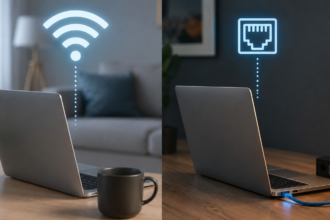
Matter is built on internet protocol, the same family of rules that carries traffic across home networks and the wider internet. That choice lets it reuse proven networking tools, and it lets devices on different links be reached in a consistent way. It also means Matter does not need its own transmitter. It rides on top of existing links, which is where Wi-Fi, Ethernet and Thread come in.
Certification is an important part of the picture. Devices that carry the Matter mark have passed testing for the features they claim, and they hold digital credentials that prove they are the real product from the stated maker. This gives the controller a way to check that a device is what it says it is before allowing it onto the network. The system does not promise perfection, but it gives a common baseline to build on.
It helps to be clear about what Matter does not do. It is not a new wireless radio, it is not an app, and it is not a service that you subscribe to. It does not make every smart device in your home suddenly work together, because only products built and certified for it take part. Treat it as a growing common layer, whose usefulness increases as more makers adopt it and as controllers add support for more device types.
Thread provides the low-power mesh underneath
Thread is a networking protocol designed for small, low-power devices such as door sensors, temperature sensors, smart locks and buttons. It uses a low-power radio technology that operates in the same 2.4 GHz band as some Wi-Fi gear, but it is designed to send tiny messages while drawing very little energy. That lets a sensor run for a long time on a small battery. Thread is also based on internet protocol, so its devices can be addressed in the same way as other network devices.
The defining feature of Thread is its mesh design. Instead of every device talking directly to a central point, mains-powered Thread devices can act as routers that relay messages for their neighbors. If one router drops out, the mesh finds another path, which is often called self-healing. Battery-powered devices usually act as end devices that sleep most of the time and wake only to send or receive a message, which saves energy.
This design suits a home well. A plug-in device in the hallway can pass along messages from a sensor in the garage that could not reach the hub directly. Adding more mains-powered Thread devices tends to make the mesh stronger, not weaker, because each one offers more routes. That is the opposite of Wi-Fi, where each extra device adds to the crowding of shared airtime.
Thread is a transport and networking layer, not a smart home standard on its own. It does not decide what a light or a lock can do, and it does not provide an app. It simply moves messages efficiently, and Matter is one of the languages that can be carried over it. Keeping this split in mind clears up a lot of the confusion around the two names.
Because battery life matters so much for Thread devices, the roles inside the mesh are worth knowing. A sleepy end device talks only to its parent router and spends most of its time resting. Routers stay awake to relay messages, so they need steady power from a wall outlet. A leader role is also chosen automatically, and if the leader disappears, another router takes over without any action from you. This is why a Thread network needs no central manager that you must look after.
Border routers connect the mesh to the rest of the home

A Thread network is separate from your Wi-Fi network, so something must connect the two. That something is the Thread border router, a device that has both a Thread radio and a link to your home network. It passes messages in both directions, letting your phone or a controller reach a Thread sensor and letting the sensor report back. Without a border router, a Thread mesh is an island with no way to reach the rest of your home.
Many everyday products can act as border routers. Some smart speakers, smart displays, streaming boxes, hubs and even certain routers include this function, and a home may have several. Having more than one is useful, because the network can keep working if one is unplugged or fails. Modern designs let multiple border routers from different brands share the same Thread network, which avoids creating a separate island for each ecosystem.
Placement matters. A border router should sit where it has a good link to your home network, ideally by cable or a strong Wi-Fi signal, and it should be central enough that mesh devices can reach it through a few hops. Putting it inside a cabinet or beside a large metal object can weaken its radio range. If a Thread device refuses to join or goes offline often, relocating the border router or adding a mains-powered Thread device nearby is a good first fix.
You can usually find out whether a product contains a border router from its documentation or its listing in the app. Do not assume that every smart speaker or hub has one, since the feature varies by product and brand. Check before buying a Thread device, because a lack of any border router is among the most common reasons for a failed setup.
When you set up more than one ecosystem, it is wise to check how their border routers cooperate. Newer products are built to join an existing Thread network rather than start a competing one, which keeps the mesh unified. If you see two separate Thread networks in your home, devices on one may not reach controllers on the other. The app for your main controller usually shows its Thread network details, and a quick look can confirm that everything shares one mesh.
Setup follows a similar pattern across ecosystems
Adding a Matter device is meant to feel the same whichever brand’s app you use. Each device carries a setup code, often as a printed number and a square code you can scan with your phone. You open your chosen app, start the add-device flow, scan the code and follow the prompts. Many devices use Bluetooth Low Energy briefly during this stage so that your phone can talk to them before they have joined your network.
Behind the scenes, the controller verifies that the device is certified, then hands it the details it needs to join your Wi-Fi network or your Thread mesh. This stage is known as commissioning. After it completes, the device communicates over its normal link and the phone is no longer in the middle. The controller keeps the keys that allow it to manage the device.
Here is a practical routine that avoids most problems. First, make sure your phone has Bluetooth switched on and permission for the app to use nearby devices. Second, if the device is a Thread product, confirm that a border router is active on your network. Third, bring the new device close to the phone and the router during setup, and move it to its final spot afterward. Fourth, give the device a clear name and a room, since this makes voice control and automations far easier later.
If setup fails, do not keep retrying blindly. Reset the device using the maker’s instructions, restart the controller or hub, and try again with everything close together. Check that the setup code was entered correctly and that the device has not already been added to a different ecosystem, since a device that is still paired elsewhere may refuse a new connection until it is released or shared from the first controller.
Keep the setup code somewhere safe. Many devices print it on the body or the box, and the sticker can wear off or be lost after installation inside a ceiling or a wall. Take a clear photo of the code before you mount the device, and store it in a private place instead of a shared folder. If a code is ever exposed, remember that it only helps someone who is close to the device and who also reaches it before it is set up, but treating it as a private detail is still sensible.
Multi-admin lets one device serve several apps

One of the most useful ideas in Matter is multi-admin. It lets a single device be controlled by more than one ecosystem at the same time. For example, a household in which one person prefers one assistant and another prefers a different one can add the same light to both. Each controller holds its own credentials, and neither needs to take over from the other.
The process normally works by starting from the first ecosystem, choosing a share option for the device, and receiving a temporary code to enter into the second app. The device then joins the second ecosystem as well. This avoids the older pattern of resetting a gadget every time you wanted to try a different app. It also gives you a safer path when you are switching platforms, since the old setup keeps working while you test the new one.
There are limits worth knowing. Each device can support only a certain number of ecosystems at once, and the number varies by product. Some advanced features may appear in one ecosystem but not another, because each platform decides which extra functions to expose. Automations are stored in the controller that created them, so a routine built in one app will not appear in another.
Multi-admin also changes how you should think about access. Every ecosystem you add is another place that can control the device, so remove access for apps, accounts or old controllers that you no longer use. Review the list of linked ecosystems in each app now and then. This is a small habit that keeps a flexible system tidy and secure.
A practical tip is to decide at the start which ecosystem will be your primary one for automations. Use it to build scenes and schedules, and treat the other ecosystems as extra ways to control the same devices by voice or on a different phone. This avoids duplicated or clashing routines, such as two apps trying to switch the same light at sunset. A little planning here makes a shared system behave in a predictable way.
Local control and privacy shape everyday reliability
Matter is designed so that devices on the same home network can talk to one another locally, without sending every command through a distant server. In practice, this often means a light can respond faster and keep working when your internet connection is down, provided your controller and local network are still running. Local operation also reduces how much routine activity has to leave your home. The exact behavior depends on the product, because some functions, such as remote access from outside the home or voice assistants, still involve cloud services.
Thread adds to this resilience. Because Thread devices form their own mesh and use a border router to reach your controller, many everyday actions such as a sensor triggering a light can remain inside the home. The design does not need constant internet access to deliver a message from one room to the next. If your broadband line fails, a well-built home can often continue to run basic automations.
Security deserves attention as well. Matter uses encrypted communication and device credentials, and Thread has its own network security. These protections help, but they do not remove the need for good habits. Keep controller apps and device firmware updated when the maker offers updates, use strong unique passwords on the accounts tied to your smart home, and enable two-step sign-in where it is offered.
It is also sensible to separate risk. Some people place smart home devices on a guest network or a dedicated network segment so that a problem with one gadget cannot easily reach computers and phones. Be aware that this can interfere with discovery, since controllers often need to find devices on the same local network. If you choose this route, test your setup carefully, and consult your router’s documentation for the options it supports.
If you rely on your smart home for anything important, think about what happens when something fails. Ask yourself whether a lock still opens with a physical key or a code, whether a heating system can be adjusted at the thermostat, and whether lights still have a wall switch. Smart devices should add convenience without removing the simple fallbacks that every household needs. Test these fallbacks occasionally, and tell everyone in the home how they work.
Existing devices and gaps need realistic expectations
Matter is newer than the many devices already in homes, so a lot of older gear does not support it. Some older products can be added through a bridge, which is a hub that talks to the older devices in their own language and presents them to Matter controllers. Bridges are common for lights and sensors that use older low-power protocols or a maker’s own system. This lets you keep what you own and add new Matter products alongside.
A bridge has trade-offs. Not every function of the older devices passes through, and the bridge itself becomes a part that must stay powered, updated and connected. If the maker later stops supporting the bridge, the older devices may lose their link. When you plan to rely on a bridge, check the maker’s compatibility notes carefully and think about whether the older devices deserve to be kept.
It also helps to accept that Matter does not cover everything equally. The range of device types it supports has grown over time, but some categories and advanced features remain tied to a specific ecosystem. Details such as unusual color effects, detailed energy reports or special modes may not appear in every controller. Because the situation changes, look at each product’s listed capabilities, not only the Matter logo.
The table below sums up the main ways a Matter device can connect, so you can match each to the right job. The descriptions are general. The exact behavior depends on the product.
| Connection | Best suited to | Main strengths | Main cautions |
| Wi-Fi | Plug-in devices, cameras, displays | Uses your existing network, no extra hub for the link | Uses more power, adds to Wi-Fi crowding |
| Thread | Battery sensors, locks, buttons, small plugs | Low power, self-healing mesh | Needs at least one border router |
| Ethernet | Hubs, bridges, fixed controllers | Steady link, no radio problems | Needs a cable run |
| Bluetooth LE | Setup stage for many devices | Easy first pairing from a phone | Short range, not the normal everyday link |
Another gap to expect is uneven behavior between brands. Two controllers may show the same device with slightly different options, names or grouping, and an update can change the layout. This is normal for a young and growing standard, and it is not a sign that you did something wrong. When a function is missing in one app, check whether the device maker’s own app offers it, and decide whether that function matters enough to keep that app installed alongside your main one.
How to plan a home that mixes Wi-Fi, Thread and older gear

Start by listing what you already own and what you want to add. Group the devices by job: lighting, sensors, locks, climate, cameras and plugs. For each group, decide whether a battery-powered, low-power link is useful, since that points toward Thread, or whether a mains-powered device with a steady link will do, which points toward Wi-Fi or Ethernet. This simple split prevents buying the wrong type of product.
Next, pick your main controller with care. Choose the ecosystem that matches the phones and speakers your household already uses, since that is where you will spend your time. Confirm that it supports Matter and, if you plan to use Thread, that it contains or works with a border router. Because of multi-admin, this choice is no longer a life sentence, but starting with a sensible one still saves effort.
Then build up in stages. Install a few mains-powered devices first, so that the Thread mesh has strong routing points, and add battery-powered sensors after that. Place routers in roughly central spots rather than at the edges of the house. Test each new device in its final position for a day or two before adding automations that depend on it.
Keep a short record of what you have. Note the device names, rooms, which ecosystems each is linked to, and where setup codes are stored, since a photo of the code is handy if you must re-add a device. Plan for updates by checking the apps occasionally and installing firmware when it is offered. This modest upkeep keeps a mixed system dependable over the years.
Budget with some caution. Spread purchases across time instead of buying everything at once, because you will learn which devices you use and which gather dust. Choose a few high-value items first, such as lighting in the rooms you use most, a sensor that saves you effort, or a lock if it suits your household. Resist adding gadgets simply because they are on sale, and remember that each one adds something to maintain.
Final Thoughts
If you are starting fresh, favor devices marked as Matter-compatible, and choose Thread versions for battery-powered sensors and locks where long battery life matters. Choose Wi-Fi versions for plug-in items such as smart plugs and cameras that need more data, and use Ethernet for fixed hubs and bridges when you can. Make sure at least one border router is present before you buy your first Thread device.
If you already own a lot of older equipment, do not rush to replace it. Keep what works, connect it through a bridge if the maker supports one, and add new Matter devices when you need to replace or expand. Read the compatibility notes with care, and avoid paying extra for features that your chosen controller does not expose.
Whatever you choose, favor reputable brands that publish clear support and update policies, since a device is only as useful as its software is dependable. Buy from shops with fair return terms, test new items soon after purchase, and keep receipts. If you ever have concerns about the safety of mains-powered devices, locks or alarm equipment, ask a qualified electrician or the maker’s support team instead of improvising.
Finally, give yourself permission to go slowly. The standards are still maturing, and support for new device types and features arrives in stages through app and firmware updates. A modest, well-chosen setup that you grasp and maintain will serve you better than a large one assembled in a rush.