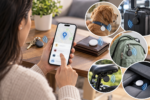
Keys buried under couch cushions, a wallet left on a train seat, a backpack forgotten at a coffee shop, these small disasters cost people hours every month.
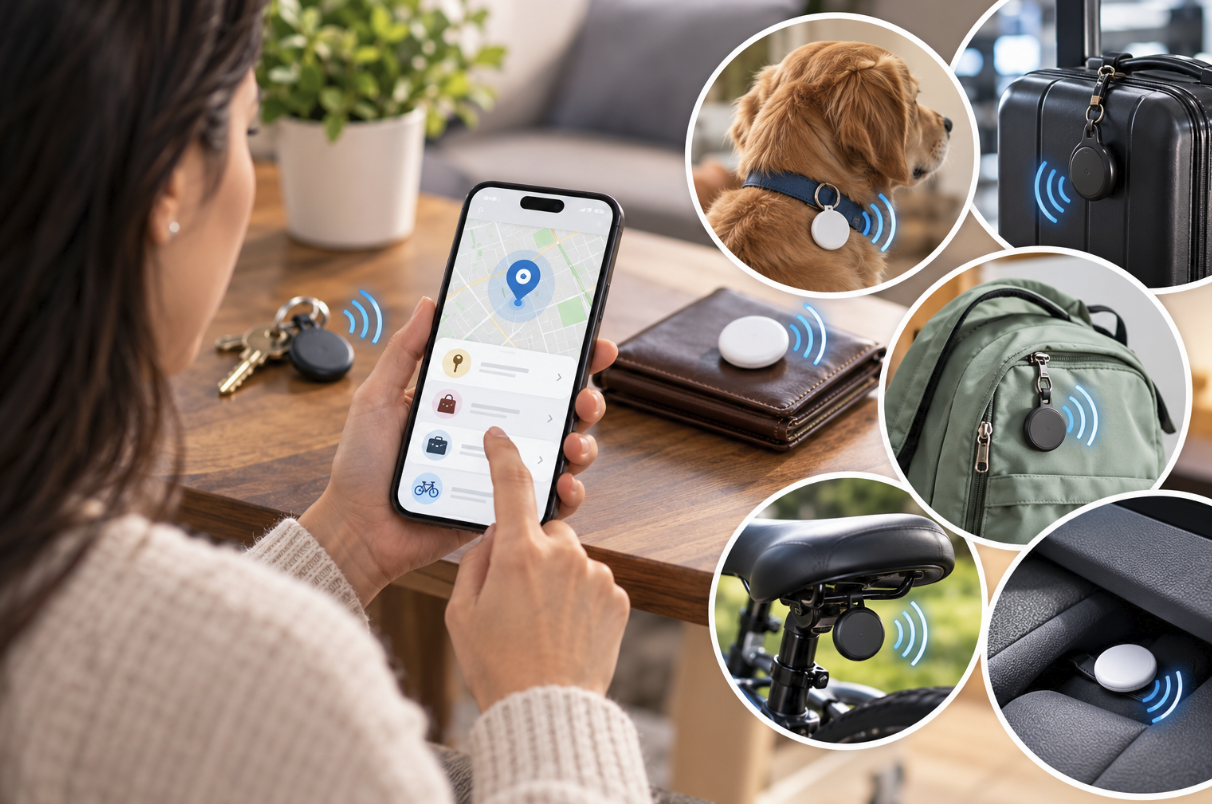
Bluetooth trackers are coin-sized gadgets that clip onto, slide into, or stick on the things you misplace most often, then talk to an app on your phone so you can see roughly where they are. They are cheap, the batteries last a long time, and setup usually takes less than a minute.
This guide walks through how the trackers work, which network matters most, how to attach and configure one, and how to keep your own location private from other people’s trackers.
How Bluetooth Trackers Find Your Things
A Bluetooth tracker does not have GPS or cellular service of its own. Instead, it broadcasts a quiet Bluetooth signal that nearby phones can detect. When your own phone is close enough, the tracker’s app shows you a distance estimate and lets you play a sound so you can hunt by ear.
When the tracker is farther away, the magic comes from crowdsourcing: other people’s phones running the same tracker network silently notice your tag and report its rough position back to you, all without that stranger ever knowing it happened. This is why the size of a tracker’s network matters more than almost any other spec.
A tag with a huge installed base of compatible phones around it will get spotted in a crowded mall parking lot or a busy airport within minutes. The same tag in a rural area with few compatible phones nearby might sit quiet for days. Before buying, it helps to think about where your lost items are most likely to end up and whether that environment has plenty of phones passing through.
Bluetooth Range Versus Real-World Range
Manufacturers advertise Bluetooth ranges of 100 to 400 feet, but that number assumes clear line of sight with no walls, cars, or crowds in the way. Indoors, in a house with multiple floors, real range often drops to 30 or 40 feet. That is still plenty for finding a tracker clipped to a jacket in a closet, but it is worth setting expectations before assuming a tag will ping across an entire building.
Concrete walls, metal appliances, and even a crowded room full of other electronics can chip away at that range further. If you plan to rely on a tracker inside a large home, a basement workshop, or a garage packed with tools, test it in that specific spot rather than trusting the number printed on the box. Walking a lap around the area while watching the signal strength indicator in the app gives a far more honest picture than any marketing claim.
Choosing Between Tracker Networks
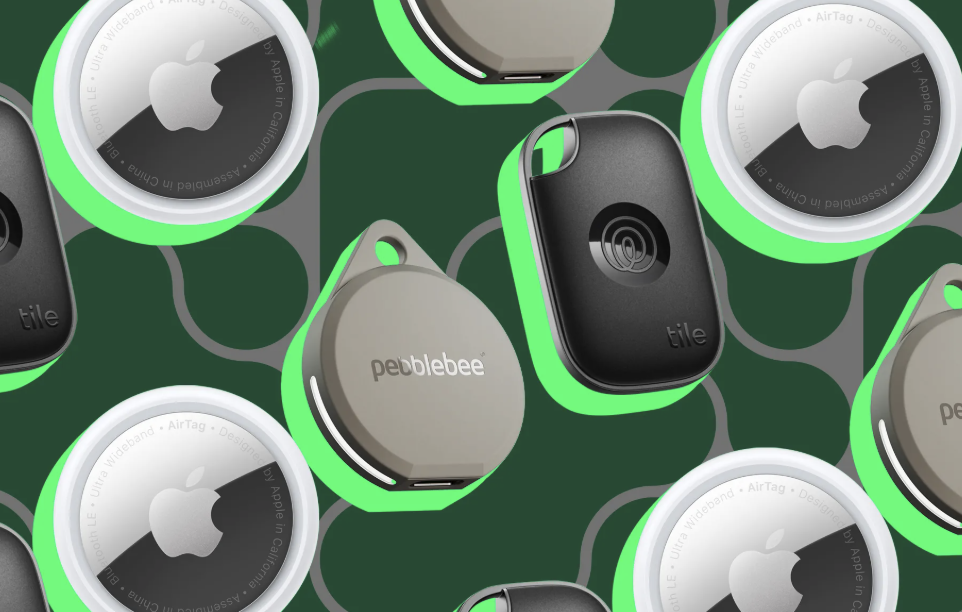
The two dominant ecosystems are built around the two major phone operating systems, and each has pros and cons depending on which phone you and the people around you carry.
- Apple’s network: Works with Find My and benefits from an enormous base of iPhones acting as anonymous relays, making it extremely fast at locating lost items in cities and suburbs.
- Android’s network: Built into Google’s Find My Device system, this network has grown quickly and now covers a similar density of phones in most populated areas.
- Cross-platform tags: Some third-party brands maintain their own independent network and app, which works on both iOS and Android but typically has a smaller pool of phones to rely on.
- Hybrid approach: A few households keep one tracker from each major network on their most valuable items, since this hedges against gaps in either system’s coverage.
Matching the tracker to the phone operating system your household relies on day to day is the single most important purchasing decision. A tag built for one ecosystem will often still pair with a different phone for basic alerts, but it will not benefit from the crowdsourced location network, which defeats much of the purpose.
Setting Up a Tracker for Daily Use
Most trackers pair with a few taps: open the matching app, select add a new item, hold the tracker near the phone, and give the tag a name that matches what it is attached to. From there, the app usually asks for notification permissions and location access, both of which are necessary for the crowdsourced finding feature to work in the background.
- Name it specifically: Call it “Blue Backpack” rather than just “Tracker 1” so alerts are instantly clear.
- Enable separation alerts: Many apps can buzz your phone when you walk away from a tagged item, catching a forgotten wallet before you leave a restaurant.
- Attach it securely: Use the included adhesive, a keyring loop, or a slim case rather than loose tape, since a tracker that falls off is useless.
- Test the range at home: Walk to the far end of your house or yard to see how the signal behaves in your specific environment.
- Sync regularly: Open the app every so often even when nothing is lost, since this keeps the tracker’s firmware current and its battery status accurate.
Attaching Trackers to Common Items
Keys and backpacks are the obvious candidates, but trackers also work well slipped into a wallet’s card slot, zipped into a camera bag’s inner pocket, or tucked into a pet’s collar pouch for a nervous dog that bolts at the dog park.
Luggage is another popular spot, since a flat tracker slipped into an outer pocket can confirm a suitcase made it onto the plane rather than sitting on a tarmac in another city. Card-style trackers, which are roughly the thickness and width of a credit card, slide into a wallet’s cash pocket without adding bulk, while a round or square tag fits better on a keyring or a zipper pull.
Some outdoor brands sell trackers built into carabiners, which double as a clip for a water bottle or climbing gear while still broadcasting a signal. Musicians sometimes tuck a slim tracker into an instrument case, since cases left in a venue’s green room or a tour van are notoriously easy to lose track of during a busy show night.
Troubleshooting Pairing Problems
Occasionally a tag refuses to pair on the first attempt, usually because Bluetooth is turned off, the phone’s operating system needs an update, or the app has not been granted the right permissions. Restarting the phone, toggling Bluetooth off and back on, and confirming the tracker still has battery life solve the vast majority of pairing issues.
If a tag was previously linked to another phone or account, it may need to be factory reset, which is typically done by holding down a small button for several seconds until it beeps or flashes.
Battery Life and Replacement Considerations
Battery life varies widely between models, and it is one of the more overlooked factors when shopping.
- Replaceable coin cells: Many tags use a standard CR2032 battery that lasts about a year and can be swapped at home for a couple of dollars.
- Built-in rechargeable cells: Some premium tags charge over a cable and last several months per charge, trading convenience for an extra step.
- Low-battery alerts: A good app will warn you weeks ahead of a dead battery rather than leaving you to discover it the day you need the tracker most.
- Water resistance and battery health: Tags rated for splashes or submersion tend to seal the battery compartment tightly, which can make swaps slightly trickier but protects against corrosion.
A dead tracker is invisible to the network, so it is worth checking battery status in the app every month or two, especially for tags attached to items you rarely use, like a seasonal suitcase or a winter coat.
Pricing Tiers and Subscription Add-Ons
Most trackers cost somewhere between fifteen and forty dollars apiece, and buying a multi-pack for keys, a backpack, and a wallet usually brings the per-unit price down noticeably.
- Basic tags: Budget options skip extra sensors and rely purely on the core finding network, which covers the needs of most households.
- Premium tags: Pricier models add precision finding with directional arrows, louder speakers, or swappable straps and cases.
- Optional subscriptions: A handful of brands sell a paid tier that adds features like extended loss alerts, insurance reimbursement for a tag that never turns up, or family sharing across more members.
- Multi-packs: Buying four or six at once almost always beats buying single units over time, since nearly every household ends up wanting more than one.
Before paying for a subscription, check whether the free tier already covers separation alerts and crowdsourced finding, since many people never need the paid extras at all.
Privacy and Anti-Stalking Protections
Because trackers are designed to be hidden and silent, the same feature that helps you find a lost bag could, in theory, let someone else track a person without consent. Manufacturers have built in safeguards, and it helps to know how they work on both ends.
- Unknown tracker alerts: Modern phones scan for trackers that have been traveling with you for an extended period and are not yours, then notify you so you can locate and remove the tag.
- Audible chirps: Many tags will play a sound on their own after a period of separation from their paired phone, making a hidden tag easier to notice.
- Serial number lookup: If you find a suspicious tracker, apps let you scan it to see partial contact information tied to the registered owner, useful for reporting to authorities.
- Disabling a found tag: Removing the battery or holding a magnet near certain models stops the signal immediately if you suspect you are being tracked without consent.
If you ever get an unexpected alert that an unknown tracker has been moving with you, do not ignore it. Walk through your bags, coat pockets, and car for anything unfamiliar, and contact local authorities if you cannot identify or safely remove it yourself. It also helps to know that these protections are not perfect.
A tag hidden inside a lined jacket pocket or sewn into a bag’s seam can be harder to notice than one clipped to an obvious spot, and alerts generally take a certain amount of travel time before they trigger. Being aware that the feature exists, and checking your phone’s dedicated tracker-detection screen occasionally, adds a layer of caution that costs nothing and takes only a minute.
Common Places People Lose Items
Knowing where losses happen most often can help you decide which items deserve a tracker first. Car keys top most surveys, followed by wallets, phones, remote controls, and glasses. Trackers do not help much with phones, since the phone is usually the device running the app, but a secondary tracker clipped to a secondary device like an older tablet used for travel can still make sense.
Public transit is another common loss point, where bags get left on seats or overhead racks during a distracted moment. A tracker on a commuter bag means that even if you do not notice the item missing until you are home, you can see its last known location and decide whether backtracking is worthwhile. Similarly, shared spaces like gyms, libraries, and coworking offices see frequent misplaced items, and a tag can narrow a search from an entire building down to a single shelf or locker.
Restaurants and bars round out the list, where coats draped over chairs and bags tucked under tables are easy to forget once a conversation runs long. Families with young children often find that strollers, diaper bags, and favorite stuffed animals disappear at playgrounds or relatives’ houses, making those items strong candidates for a tag as well.
Thinking through your own routine for a week and noting every moment you set something down is a practical way to decide which three or four items deserve a tracker first, rather than buying a large pack and guessing where to put them.
Final Thoughts
Bluetooth trackers solve a small but constant frustration: the minutes lost hunting for keys, wallets, and bags that seem to vanish right when you need them. Picking a tag that matches the phone network your household already uses, attaching it securely, and keeping its battery charged will cover most everyday scenarios.
The crowdsourced finding feature is clever engineering in its own right, turning millions of anonymous phones into a quiet search party, but it works best in places with plenty of foot traffic.
Pair that convenience with awareness of the privacy protections built into modern phones, and a handful of inexpensive trackers can quietly save you from a surprising number of bad days, turning a frantic search into a quick glance at an app instead.
Read more about TechNewWeb
Frequently Asked Questions
Do Bluetooth trackers work without an internet connection?
The tracker itself needs no internet connection since it communicates over Bluetooth alone. However, the phone that detects it, whether yours or a stranger’s, needs a working data connection to report that location back to the network, so a tag lost somewhere with no cellular coverage may not update until a connected phone passes by. This is worth remembering if you travel to remote areas, cabins, or campsites, where a tag might sit silent for a day or two simply because no connected phone happened to pass within range.
Can a Bluetooth tracker replace a GPS tracker for a car?
Not for continuous tracking. Bluetooth trackers rely on nearby phones for location updates, so they work well for a parked car in a crowded lot but cannot provide a live route if the vehicle is driving away, which is where a dedicated GPS tracker with cellular service becomes necessary. A Bluetooth tag is still useful as a backup for locating a car within a large parking structure or finding keys left inside the vehicle, but it should not be the only safeguard against theft.
How long does it typically take to find a lost item?
In a busy urban area with many compatible phones nearby, updates can arrive within minutes. In a sparse rural setting, it might take hours or even days for a passing phone to detect the tag, which is a limitation worth weighing against where you are most likely to lose things. Checking the app’s last-seen timestamp rather than assuming a fresh location is always available will help set realistic expectations during a search.
Will a tracker still work if the item is inside a bag or pocket?
Yes, Bluetooth signals pass through fabric and soft materials without much trouble. Dense metal, like a thick metal lockbox, can block or weaken the signal more noticeably than cloth or leather.
Are trackers waterproof enough for outdoor gear?
Many models carry an IP rating that allows brief submersion or exposure to rain, which suits hiking packs, bike panniers, or boat bags. Always check the specific rating before clipping a tag onto gear that will face regular water exposure, since not every model is built for repeated soaking, and a tag rated only for light splashes can fail after a dunk in a lake or a long rainstorm on a trail.
Can someone track me without my knowledge using one of these tags?
It is possible in theory, which is exactly why phone makers added unknown tracker alerts. If an unfamiliar tag travels with your phone for a sustained period, most modern phones will notify you automatically, giving you a chance to locate and remove it before it becomes a real privacy problem. Manufacturers have also added audible chirps that trigger after a set period of separation from the paired phone, which makes a hidden tag far less practical for anyone trying to track a person secretly over a long stretch of time.