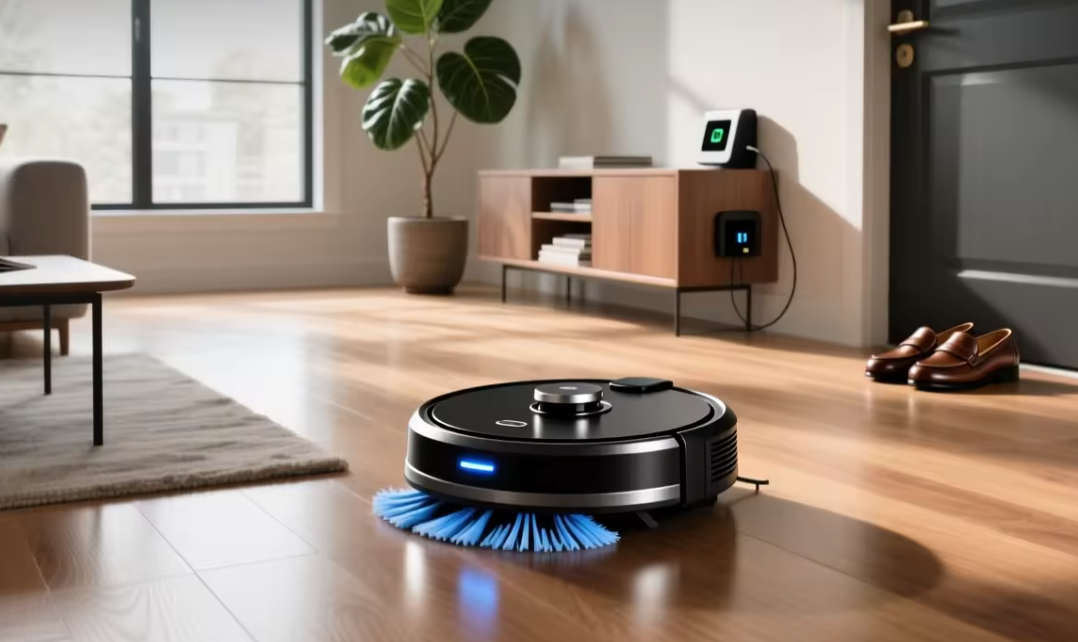
A robot vacuum can quietly change the rhythm of a household, picking up crumbs, pet hair, and dust while everyone is at work or asleep. The category has grown far beyond the simple bump-and-turn machines of a decade ago, and today’s models range from budget helpers that handle one small apartment to premium systems that map, mop, and empty themselves.
Choosing the right one means looking past marketing claims and focusing on how a machine behaves in practice in your specific layout, with your specific flooring, pets, and daily mess.
Navigation Technology Shapes Cleaning Performance
The single biggest difference between a frustrating robot vacuum and a reliable one is how it finds its way around a room. Early models relied on random bouncing, changing direction whenever they hit an obstacle, which left obvious gaps in coverage. Most current machines instead use one of a few established navigation methods, each with tradeoffs in cost, accuracy, and how well they cope with clutter.
Camera-based visual navigation, used by many iRobot Roomba models, builds a picture of the room using an upward-facing lens combined with sensors. Lidar-based navigation, common in Roborock and many Eufy flagship models, spins a small laser sensor to measure distances and build a precise floor plan almost immediately. Lidar tends to perform more consistently in low light and produces sharper maps, while camera systems can struggle in a dark room but often cost less to manufacture.
- Lidar mapping: Uses a spinning laser sensor to measure room dimensions accurately, even with lights off, and typically produces the most reliable floor plans.
- Camera-based mapping: Relies on visual landmarks and ambient light, working well in bright rooms but less reliably at night or in dim hallways.
- Gyroscope-only navigation: A budget-tier approach that estimates position through movement tracking alone, prone to drift and repeated passes over the same spot.
- Hybrid sensor arrays: Combine multiple sensor types with obstacle-avoidance cameras to detect cords, shoes, and pet waste before running over them.
Obstacle avoidance has become its own selling point, with brands like Roborock and Ecovacs adding small forward-facing cameras trained to recognize common household objects. This matters most in homes with children or pets, where cables and toys are a daily reality rather than an occasional inconvenience.
The practical effect of good navigation shows up less in a single cleaning session and more over weeks of use. A robot that maps efficiently completes a run faster, uses less battery per square foot, and leaves fewer missed patches near walls and furniture legs. Homes with open floor plans tend to see the biggest benefit from lidar-equipped models, since a precise map lets the robot plan long, efficient rows rather than backtracking through the same open space repeatedly. Narrow, segmented homes with many small rooms sometimes narrow the gap between navigation tiers, since even a simpler system can complete a small room without much room for error to accumulate.
Firmware updates also play a quiet but steady role in how well a machine performs over its lifespan. Manufacturers periodically refine the software that interprets sensor data, occasionally improving obstacle recognition or docking accuracy months after a purchase. Buyers who plan to keep a robot for several years should favor brands with a track record of ongoing software support rather than treating the out-of-box experience as the final word on performance.
Battery Life and Charging Habits
Battery capacity determines how much a robot vacuum can accomplish in a single run, and it interacts directly with the size of your home. A one-bedroom apartment rarely challenges even a modest battery, while a sprawling multi-level house can push a machine to its limits and force multiple charging cycles to finish one cleaning job.
Most mid-range and premium robots now support automatic recharge-and-resume behavior, where the unit returns to its dock, tops up its charge, and continues from where it left off rather than restarting the whole job. This feature has quietly become one of the more useful upgrades in the category, since it removes the need to babysit a long cleaning session.
Runtime also depends heavily on suction mode. A robot set to a maximum suction setting for deep carpet cleaning will drain its battery faster than one running a light daily maintenance pass on hardwood. Buyers with large homes or thick carpeting should weigh advertised runtime figures against their real floor plan rather than assuming the marketing number applies to every scenario.
Battery chemistry has shifted over the past several product generations, with most current models using lithium-ion cells that tolerate partial charging better than older nickel-based batteries did. This means owners no longer need to worry about draining a battery fully before recharging, and can let a robot dock and top off between short cleaning sessions without shortening its overall lifespan. Battery degradation still happens gradually over a few years of daily use, and a noticeable drop in runtime is usually the first sign that a replacement battery, rather than a whole new robot, might be the more sensible fix.
Charging dock placement affects reliability more than most buyers expect before setup. A dock tucked into a tight corner or blocked by furniture can cause a robot to miss its docking approach repeatedly, leading to a dead battery mid-floor rather than a completed cleaning cycle. Manufacturers generally recommend clearing a few feet of open space in front of and beside the dock, along with a flat, unobstructed floor, to keep the infrared or visual docking signal working consistently.
Mapping and Room Recognition Features
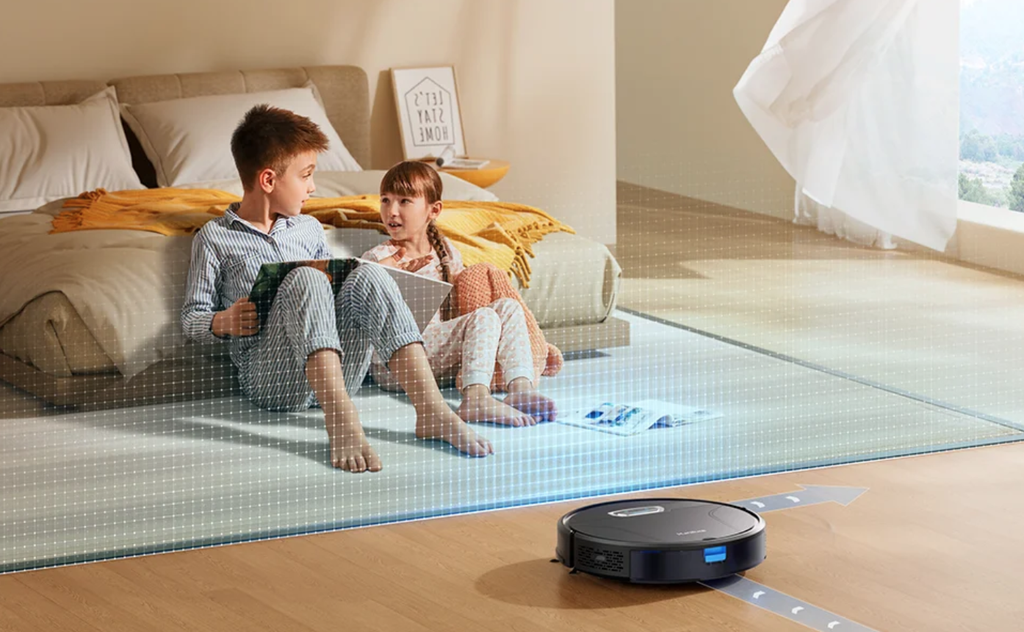
Once a robot vacuum can reliably navigate, the next question is how well it remembers and organizes that information. Room recognition allows an app to divide a floor plan into named zones such as kitchen, living room, or bedroom, which in turn enables targeted cleaning commands like sending the robot to clean only the kitchen after a spill.
Multi-floor mapping has become standard on higher-tier models from Roborock, Eufy, and iRobot, letting a single robot remember separate maps for each level of a house it’s carried between. No-go zones and no-mop zones let owners keep a robot away from a pet’s water bowl or a rug that shouldn’t get wet, which is a small feature that prevents a surprising number of daily annoyances.
- Zone cleaning: Lets you direct the robot to a single labeled room without triggering a full-house cleaning cycle.
- No-go zones: Digital boundaries drawn in an app that keep the robot away from delicate rugs, cables, or pet feeding areas.
- Multi-floor memory: Stores separate maps for each level of a home so the robot recognizes its surroundings after being carried upstairs.
- Furniture recognition: Identifies common obstacles like table legs and chairs to plan smoother, more efficient routes.
Some premium models add object labeling that improves over time as the robot encounters the same furniture repeatedly, refining its map with each cleaning session rather than starting from scratch.
Voice assistant integration has become a near-standard feature on mid-range and premium robots, allowing owners to trigger a specific room cleaning through a smart speaker rather than opening a phone app. This kind of hands-free control matters most for quick, spontaneous cleaning requests, such as asking a robot to tidy the kitchen right before guests arrive, where reaching for a phone feels like an unnecessary extra step. Scheduling tools built into companion apps let owners set recurring cleaning windows tailored to a household’s routine, running a full cleaning cycle overnight or during work hours so the machine is never underfoot.
Maintenance Tasks You Should Expect
No robot vacuum is maintenance-free, and buyers who expect a fully hands-off appliance are usually disappointed within the first month. Brushes tangle with hair, filters clog with fine dust, and wheels pick up debris that affects tracking. The frequency of upkeep scales with how much hair and dust a household produces, so homes with long-haired pets should budget more time for cleaning the robot itself.
Self-emptying base stations, a feature popularized by iRobot and now offered across many brands, reduce the frequency of manual bin emptying from every session to roughly once every few weeks, depending on dust bag capacity. This convenience comes at a cost, both in upfront price and in the ongoing expense of replacement dust bags, so it’s worth weighing against how much you value not touching the machine directly.
- Brush maintenance: Hair and string wrap around the main roller brush and need to be cut away regularly to avoid motor strain.
- Filter replacement: HEPA-style filters lose effectiveness over time and typically need swapping every few months depending on usage.
- Sensor cleaning: Dust buildup on cliff sensors and cameras can cause erratic navigation if left unaddressed.
- Wheel and bin care: Debris caught in wheel wells or bin seals can reduce suction efficiency and should be checked periodically.
Choosing Between Budget and Premium Models
Price differences in this category are large, and the gap reflects real functional differences rather than pure brand markup. Entry-level machines, often priced well under premium flagships, typically skip lidar navigation in favor of simpler sensors, offer smaller dustbins, and lack self-emptying docks. They can still handle daily maintenance cleaning on hard floors reasonably well, which makes them a sensible pick for a small apartment or a household without pets.
Mid-range models add precise mapping, app-based room control, and often a basic mopping function using a water tank attached to the bottom of the unit. Premium flagships, frequently released by Roborock, Ecovacs, and Dreame, combine self-emptying bases, self-washing mop pads, hot-water mop cleaning cycles, and advanced obstacle avoidance into a single system that requires the least ongoing attention.
An important consideration many buyers overlook is total cost of ownership. A cheaper robot might need replacement brushes and filters more frequently, or lack the mapping precision to avoid repeated collisions with furniture, which shortens its usable lifespan. Reading owner reviews specifically about long-term reliability, not just first-week impressions, gives a clearer picture than spec sheets alone.
- Entry-level machines: Skip lidar and self-emptying bases, favoring simple sensors and smaller bins suited to compact homes.
- Mid-range models: Add precise room mapping, app-based zone control, and a basic mopping attachment for light hard-floor maintenance.
- Premium flagships: Combine self-emptying docks, self-washing mop pads, and advanced obstacle avoidance for the least hands-on ownership experience.
- Refurbished or previous-generation units: Can offer strong value from established brands, though warranty coverage and firmware support may be more limited.
Retail sales events throughout the year often bring flagship models down close to what a mid-range unit costs at full price, so timing a purchase around a seasonal sale can noticeably change which tier fits a given budget. It’s also worth checking whether a manufacturer sells replacement parts directly, since a robot with no available spare brushes or filters becomes disposable the moment a part wears out.
Compatibility with Pets and Allergies
Households with pets face a distinct set of practical concerns that go beyond general navigation and battery questions. Pet hair clogs standard brushes faster than short human hair, so many manufacturers now offer specialized rubber or tangle-resistant brush rolls designed specifically to reduce wrapping. Models marketed toward pet owners, including several Eufy and Roborock lines, often pair these brushes with stronger suction settings tuned for carpet fibers loaded with hair.
Allergy sufferers benefit most from models with sealed HEPA filtration systems, which trap fine particles like dander and pollen rather than recirculating them into the air. Combined with a self-emptying base, this filtration reduces the number of times a person needs to open the dustbin and disturb trapped allergens, which is a small but real quality-of-life improvement for sensitive households.
- Tangle-resistant brushes: Rubber-finned rollers reduce hair wrapping compared to traditional bristle brushes, cutting down on manual detangling.
- HEPA-grade filtration: Traps fine dust and dander rather than releasing it back into the room during operation.
- Pet-waste avoidance cameras: AI-trained obstacle detection identifies and steers around solid waste, a feature increasingly common in premium models.
- Odor management in self-empty bases: Sealed dust bags reduce the smell buildup that can occur with open bins in pet households.
Cats and small dogs sometimes react to a robot vacuum with curiosity or mild alarm the first few times it runs, and most manufacturers include a “quiet mode” or scheduled operation during hours when pets are less likely to be startled, which can ease the adjustment period. Introducing the machine gradually, running it in a single room at a lower suction setting for the first few sessions, tends to help nervous pets adjust faster than switching straight to a full-house cleaning schedule at maximum power.
Final Thoughts
Picking the right robot vacuum comes down to matching its navigation, battery life, and maintenance demands to the realities of your home rather than chasing the longest feature list. A small apartment without pets rarely needs a flagship model with a self-washing mop base, while a large multi-level house with shedding pets benefits enormously from stronger suction, tangle-resistant brushes, and dependable mapping.
Budget for ongoing maintenance costs like filters and brushes alongside the sticker price, since those recurring expenses shape the real cost of ownership. With the right match between machine and household, a robot vacuum becomes one of the more reliably useful pieces of home technology rather than a novelty that ends up gathering dust in a closet.
Frequently Asked Questions
How much floor space can a typical robot vacuum clean in one cycle?
Most modern robots can comfortably cover a few thousand square feet on a single charge when running standard suction, with larger homes sometimes requiring a recharge-and-resume cycle to finish. Runtime shrinks noticeably on maximum suction or thick carpet, and homes with multiple rooms full of furniture tend to see slower coverage than open layouts of the same size.
Do robot vacuums work well on both carpet and hardwood?
Yes, though performance varies by model. Machines with adjustable suction and brush height sensors handle transitions between hardwood and low-pile carpet smoothly, while thick shag carpet remains a challenge for most units regardless of price tier.
Is a mopping robot vacuum worth the extra cost?
For households with mostly hard flooring, a combination vacuum-mop can reduce a separate chore, though the mopping function is generally better suited to light maintenance than deep scrubbing of stuck-on stains.
How loud are robot vacuums during operation?
Noise levels vary by suction setting and brush design, with most units comfortable to run while working in another room, though top suction modes on some models are loud enough to interrupt a phone call in the same space.
Can a robot vacuum replace a full-size vacuum entirely?
For daily maintenance and light dust, most households find a robot sufficient, but a full-size vacuum still handles deep cleaning tasks like stairs, upholstery, and stubborn ground-in dirt more thoroughly. Many owners keep both, using the robot for frequent light passes and a corded or cordless stick vacuum for occasional deep cleaning sessions.
What happens if a robot vacuum gets stuck?
Most models send an app notification when stuck against furniture, cords, or thresholds, and many now include enough obstacle recognition to avoid the most common stuck scenarios before they happen.