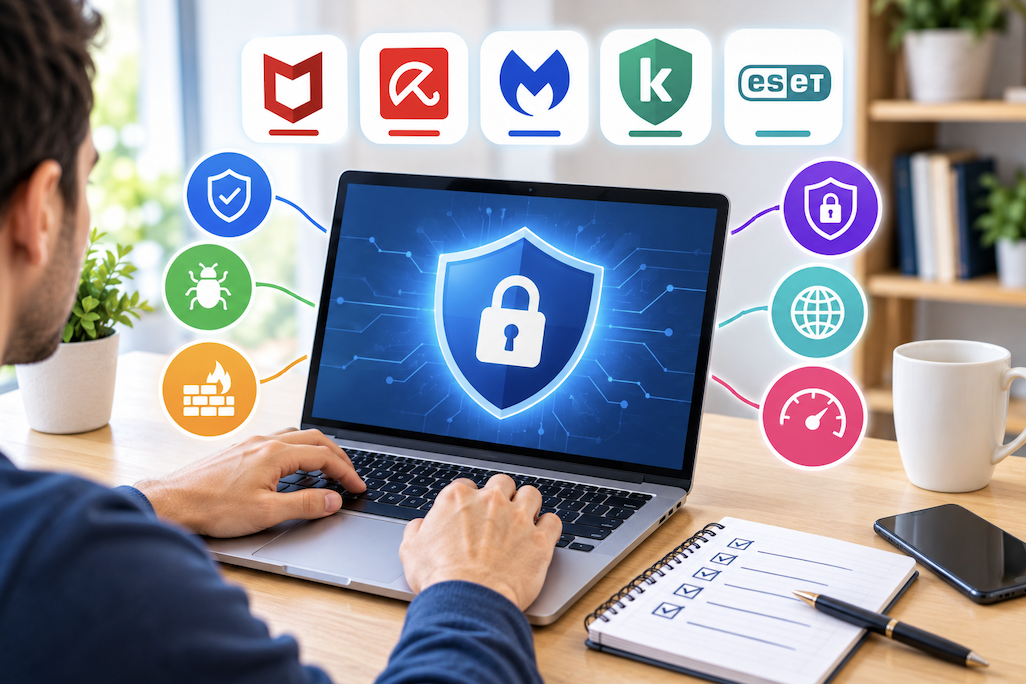
Antivirus software remains an important layer of protection, but the landscape has shifted considerably as built-in operating system protection has improved, making the choice between built-in and third-party options less obvious than it once was. Here’s how to think through the decision.
Heuristic and Behavior-Based Detection
Beyond matching known threat signatures, modern antivirus software increasingly uses heuristic and behavior-based detection to identify new, previously unseen threats based on suspicious behavior patterns rather than exact matches to a known database. This is particularly important for catching newly emerging malware that hasn’t yet been formally cataloged, though it also somewhat increases the false positive risk discussed elsewhere in this guide, since legitimate but unusual software behavior can occasionally trigger this type of detection incorrectly.
Do You Still Need Dedicated Antivirus Software?
Built-in protection included with modern operating systems has become considerably more capable than in years past, providing solid baseline protection for many typical users without needing a separate, third-party product. Whether additional dedicated antivirus software provides meaningful additional benefit depends on your specific risk profile, browsing habits, and comfort with the built-in protection’s feature set.
Considering Email Protection Specifically
Some antivirus products include dedicated email scanning that checks attachments and links before they’re opened, adding a layer of protection beyond what a standard email provider’s own spam and phishing filtering already provides. This is worth checking for anyone who receives a high volume of email from varied, less familiar sources as part of regular work or personal use.
Built-In Protection vs Third-Party Software
Built-in operating system protection generally offers solid core malware detection with minimal system resource impact and no additional cost, while third-party antivirus software sometimes adds extra features like more granular scanning controls, additional browser protection, or bundled tools like a password manager or VPN, discussed in the earlier VPN guide. Deciding whether these additional features justify the cost and potential system resource impact of a third-party product depends on whether you’d actually use those bundled extras.
Real-Time vs On-Demand Scanning
Real-time scanning continuously monitors files and activity as they occur, catching threats as they attempt to execute, while on-demand scanning only checks files when manually initiated. Real-time protection is generally the more important of the two for everyday protection, since it catches threats proactively rather than only after the fact, though periodic full on-demand scans still catch anything that might have slipped through real-time protection under specific circumstances.
False Positives
Occasionally, antivirus software flags a legitimate file or program as a threat, particularly with certain system utilities, developer tools, or less common software. Checking a flagged file through a second, independent scanning tool or a reputable online file-checking service before assuming it’s malicious avoids unnecessarily deleting a file your system actually needs, similar to the false-positive guidance covered in the earlier malware removal guide.
Considering Antivirus for Older or Lower-Powered Computers
For an aging computer already struggling with general performance, discussed in the earlier laptop lifespan guide, choosing a specifically lightweight antivirus option, rather than a full-featured suite with many bundled extras running in the background, helps avoid compounding an already resource-constrained system’s performance issues further.
System Performance Impact
Antivirus software, particularly with real-time scanning enabled, does consume some system resources, and this impact varies noticeably between products, with some optimized for minimal performance impact and others noticeably slowing down file operations or application launches. Reading reviews that specifically measure performance impact, rather than assuming all antivirus products affect system speed equally, helps choose an option that won’t meaningfully slow down your specific system.
Considering Bundled Features
Many paid antivirus suites bundle additional features like a firewall, VPN, password manager, or parental controls, discussed in various earlier guides, into a single product. Evaluating whether these bundled tools are well-implemented, rather than simply present as a marketing checkbox, matters more than the sheer number of included features, since a mediocre bundled VPN, for example, may be worth less than simply choosing a dedicated, well-reviewed VPN service separately.
Firewall Considerations
Most modern operating systems include a capable built-in firewall, and a third-party antivirus product’s bundled firewall needs to improve on this baseline to add real value, rather than simply duplicating protection the operating system already provides adequately on its own.
Mobile Antivirus Considerations
Mobile operating systems have more restrictive app sandboxing built into their fundamental design, generally reducing the practical malware risk compared to traditional computers, which is part of why dedicated mobile antivirus apps are less universally necessary than desktop antivirus software, though they can still add value for anyone who frequently installs apps from outside official app stores or clicks on suspicious links.
Considering Family or Multi-Device Licensing
Similar to the multi-device VPN licensing considerations discussed in the companion VPN guide, checking how many devices a specific antivirus subscription covers, and whether it includes both computers and phones under one plan, affects the true per-device cost and convenience for a household with several devices needing protection.
Enterprise vs Consumer Antivirus Needs
Business environments generally require centralized management, deployment across many devices, and compliance-related reporting features that consumer-focused antivirus products don’t provide, making enterprise-specific security solutions the appropriate choice for business use rather than simply purchasing multiple consumer licenses. Home users generally don’t need this level of centralized management complexity.
Free vs Paid Antivirus Software
Reputable free antivirus options can provide solid baseline protection, though paid versions typically add features like more comprehensive real-time protection, technical support, and the bundled extras discussed earlier. Similar to the free VPN considerations discussed in the earlier VPN guide, checking how a free antivirus product actually funds its operation helps determine whether there are less obvious tradeoffs, like data collection, behind the free offering.
Avoiding Running Multiple Antivirus Programs Simultaneously
Running two full antivirus products simultaneously often causes conflicts, performance issues, and can actually reduce overall protection rather than doubling it, since both programs may compete for the same system resources and file access rights. Choosing one primary antivirus solution, whether built-in or third-party, and using a separate on-demand scanner only occasionally as a secondary check, similar to the second-opinion scanning approach discussed in the earlier malware removal guide, avoids this conflict.
Considering Browser-Level Protection
Modern web browsers include their own built-in protections against known malicious websites and downloads, working alongside rather than replacing antivirus software. Keeping browsers updated, as covered in earlier guides, ensures this browser-level protection layer stays current alongside whatever antivirus solution is chosen.
Evaluating Independent Test Results
Independent testing labs regularly evaluate antivirus products for detection rates, false positive frequency, and performance impact, and checking these third-party test results, rather than relying solely on a manufacturer’s own marketing claims, gives a more objective basis for comparing different antivirus options against each other.
Sandboxing as an Advanced Feature
Some more advanced antivirus products offer sandboxing, running suspicious or unfamiliar programs in an isolated environment separate from the main system before allowing them full access, catching potentially harmful behavior before it can affect real files or settings. This is a more advanced feature generally found in premium tiers rather than basic antivirus products, worth considering for anyone who frequently tests unfamiliar software.
Considering Cloud-Based Scanning
Some modern antivirus products offload part of the scanning and analysis process to cloud servers rather than relying entirely on local device processing, which can reduce the local performance impact discussed earlier while still maintaining strong detection capability, provided the device has a reasonably stable internet connection for this cloud communication to function effectively.
Considering Ransomware-Specific Protection
Some antivirus products include specific features aimed at detecting and blocking ransomware behavior patterns, beyond general malware signature detection, which is worth checking for specifically given how disruptive and difficult to reverse a ransomware infection can be, tying back to the ransomware discussion in the earlier malware removal guide.
Considering Identity Theft Protection Add-Ons
Some antivirus suites bundle identity theft monitoring, watching for your personal information appearing in known data breaches. This overlaps somewhat with free breach-monitoring services available independently, so it’s worth comparing whether a bundled version offers additional value over separately available free alternatives before treating it as a key deciding factor for the overall antivirus purchase.
Updating Antivirus Software and Definitions
Antivirus effectiveness depends heavily on regularly updated threat definitions, and confirming automatic updates are enabled, rather than assuming they’re active by default, ensures protection stays current against newly emerging threats rather than relying on outdated detection data.
Considering Antivirus History and Track Record
Choosing a provider with a long, established track record in the security industry, rather than a newer, less proven product, offers some additional confidence, since detection engine quality and threat intelligence generally improve with years of accumulated data and refinement, though this shouldn’t be the only factor considered given how much independent test results, discussed earlier, can reveal about current, actual performance regardless of company age.
Considering Antivirus Alongside a VPN Subscription
As discussed in the companion VPN guide, some providers bundle both antivirus and VPN protection into a single subscription, which can offer cost savings if both are well-implemented, though it’s worth independently evaluating each component’s quality rather than assuming a bundled package is automatically better value than choosing a dedicated, well-reviewed product in each category separately.
Considering How Antivirus Handles Removable Media
For anyone regularly using USB drives or external storage between different computers, checking that an antivirus product automatically scans removable media upon connection adds a layer of protection against malware that spreads specifically through this transfer method, a less common but still relevant infection vector worth confirming is covered by your chosen solution.
Considering Uninstallation and Switching Between Products
When switching from one antivirus product to another, fully uninstalling the previous product before installing a new one, sometimes using the manufacturer’s dedicated removal tool rather than the standard uninstaller, avoids leftover components that could conflict with the new software, similar to the complete uninstall guidance discussed in the earlier printer troubleshooting guide.
Common Antivirus Selection Mistakes
Assuming more expensive automatically means better protection, without checking independent test results, is a common mistake given how much marketing influences perceived quality versus actual measured performance. Neglecting basic security habits like strong passwords, 2FA, and cautious email and download behavior, covered in earlier guides, while relying entirely on antivirus software to catch every possible threat, is another common and risky overreliance on a single layer of protection.
Building an Overall Layered Security Approach
Antivirus software works best as one layer within a broader security approach that also includes two-factor authentication, careful password practices, and cautious browsing habits covered throughout earlier guides, rather than being treated as a single, standalone solution expected to compensate for weaker practices elsewhere in your overall digital security routine.
Reassessing Your Antivirus Choice Periodically
Since both built-in protection and third-party antivirus products continue to evolve, revisiting your current choice every year or two, checking recent independent test results rather than assuming last year’s evaluation still holds, ensures your protection stays competitive rather than settling permanently on a decision made under outdated circumstances.
Considering Antivirus for Shared or Family Computers
For a computer used by multiple household members with varying levels of caution around downloads and email links, a more robust real-time protection setting, even at some performance cost, is generally worth prioritizing over the lighter-weight option that might suit a single, security-conscious user working alone.
Final Thoughts
For many typical users, built-in operating system protection provides a solid baseline, with third-party antivirus software adding value primarily through well-implemented bundled features or specific additional protection needs. Whichever option you choose, keeping it updated and pairing it with the broader security fundamentals covered throughout earlier guides matters more than the specific antivirus product alone.