VPN marketing often overstates what these services actually accomplish, making it worth understanding the capabilities and limitations before choosing one specifically suited to your actual needs, rather than assuming broad, universal protection from every online risk.
What a VPN Actually Does
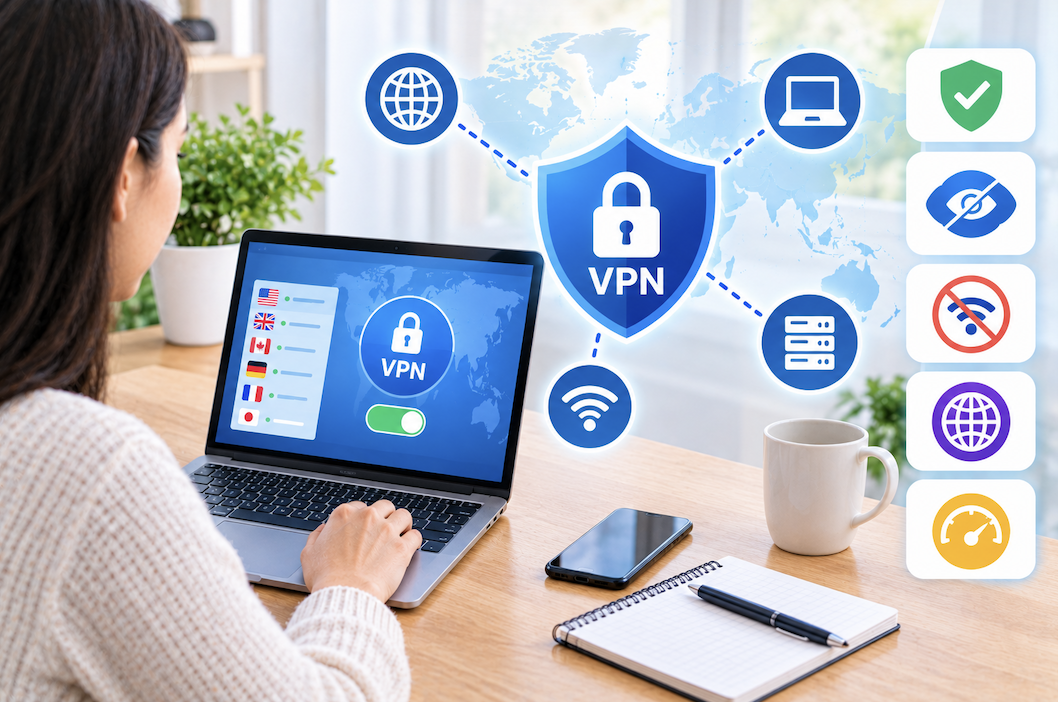
A VPN encrypts your internet traffic between your device and the VPN provider’s server, and masks your actual IP address from websites you visit, replacing it with the VPN server’s address instead. This protects against certain types of surveillance on unsecured networks, like public Wi-Fi, and can obscure your general location from websites and services you interact with online.
VPNs on Public Wi-Fi: A Practical Use Case
Using a VPN specifically when connecting to public Wi-Fi at a coffee shop, airport, or hotel remains one of the most valuable everyday VPN use cases, since these unsecured networks make it easier for others on the same network to potentially intercept unencrypted traffic. This is arguably the clearest, most universally applicable reason to use a VPN regardless of your other specific privacy priorities discussed throughout this guide.
What a VPN Doesn’t Do
A VPN doesn’t make you anonymous in any absolute sense, doesn’t protect against malware or phishing attempts, and doesn’t hide your identity from the VPN provider itself, which can technically see your traffic unless further protected by end-to-end encryption from other services you use. these limitations helps set realistic expectations rather than treating a VPN as a complete privacy or security solution on its own.
IP Leaks
Even with a VPN active, certain technical issues can occasionally cause your real IP address or DNS requests to leak outside the encrypted tunnel, partially undermining the privacy protection a VPN is meant to provide. Reputable VPN providers include leak protection features specifically designed to prevent this, and testing for leaks using a dedicated online leak-testing tool periodically confirms this protection is functioning as intended.
Encryption and Protocol Basics
Modern VPN protocols use strong, well-established encryption standards to protect data in transit, and checking that a provider uses a current, reputable protocol rather than an outdated one gives a reasonable baseline confidence in the actual security being provided, though the specific protocol matters less for most everyday users than the provider’s overall trustworthiness and policies discussed throughout the rest of this guide.
No-Logs Policies
A “no-logs” policy means a VPN provider claims not to record your browsing activity or connection details, which matters significantly since the provider technically has the same visibility into your traffic that your internet service provider would have without the VPN in place. This makes the provider’s actual trustworthiness and policy enforcement just as important as the VPN technology itself.
The Challenge of Verifying No-Logs Claims
Since a no-logs policy is essentially a claim rather than something a typical consumer can independently verify, looking for providers that have undergone independent third-party security audits specifically confirming their no-logs practices, and checking whether a provider has ever actually been tested through a real legal request where they demonstrably had no logs to provide, gives more concrete evidence than marketing claims alone.
Considering a Provider’s Jurisdiction
The country where a VPN provider is legally based affects what data retention laws and government data requests it may be subject to, making a provider’s jurisdiction a relevant factor for anyone with specific privacy concerns, though this is a more nuanced consideration than a simple good-country versus bad-country framing, and worth researching for your specific priorities rather than assuming any particular jurisdiction guarantees complete protection.
VPNs for Remote Work Specifically
Beyond personal privacy use, many employers require a VPN connection for accessing internal company resources remotely, functioning somewhat differently from a consumer privacy VPN since it typically connects to the employer’s own private network infrastructure rather than a commercial VPN provider’s servers. Using both a work-mandated VPN and a personal VPN service simultaneously is generally unnecessary and can sometimes cause connectivity conflicts, so checking your employer’s specific policy before adding a personal VPN on a work device is worth doing.
Server Locations and Speed Tradeoffs
A VPN with a wide selection of server locations offers more flexibility for changing your apparent location, but connecting to a server geographically far from your actual location generally increases latency and reduces speed compared to a nearer server. Choosing a server as close as reasonably possible to your actual location, unless a specific different location is needed for a particular purpose, generally provides the best balance of privacy benefit and usable speed.
Split Tunneling
Split tunneling allows routing only specific apps or traffic through the VPN while other traffic uses your normal, unencrypted connection directly, useful for maintaining full speed on latency-sensitive activities like gaming while still protecting more sensitive traffic through the VPN. Checking whether a provider supports this feature is worth doing for anyone who wants this kind of selective control rather than an all-or-nothing VPN connection.
The Importance of a Kill Switch
A kill switch automatically blocks internet access if the VPN connection unexpectedly drops, preventing traffic from reverting to an unprotected, direct connection without your knowledge. This is a important safety feature for anyone relying on a VPN for meaningful privacy protection, since a VPN that silently disconnects without a kill switch defeats much of the purpose of using one in situations where continuous protection matters.
Streaming and Geo-Restriction Use Cases
Using a VPN to access streaming content restricted to a different region is a common use case, though many streaming services actively detect and block known VPN server IP addresses, meaning effectiveness for this specific purpose varies considerably between providers and changes over time as both sides adjust their approaches. This is worth as a unpredictable use case rather than a guaranteed feature of any specific VPN service.
Obfuscated Servers
Some VPN providers offer obfuscated server options specifically designed to disguise VPN traffic as regular internet traffic, useful in situations or regions where VPN use itself might be blocked or restricted at the network level. This is a more specialized feature relevant mainly to users in specific restrictive network environments rather than a necessary feature for typical everyday use.
Considerations for Torrenting
For anyone using a VPN specifically to protect torrenting activity, confirming a provider explicitly allows and supports peer-to-peer traffic on its network, rather than assuming universal support, avoids choosing a service that either blocks this traffic type or provides notably reduced performance for it specifically.
Considering Browser Extension VPNs vs Full Apps
Some VPN providers offer a lightweight browser extension in addition to a full device-level app, and it’s worth that a browser extension typically only protects traffic within that specific browser, not the entire device’s internet connection, which matters if full-device protection, rather than just browser-based protection, is the actual goal.
Mobile vs Desktop App Quality
VPN provider app quality can vary noticeably between platforms, with some providers offering a polished, reliable desktop app but a less consistent mobile experience, or vice versa. Checking reviews specifically for the platform you’ll primarily use, rather than assuming consistent quality across every platform a provider supports, gives a more accurate sense of the actual day-to-day experience on your specific devices.
Free vs Paid VPN Services
Free VPN services often fund their operation through less transparent means, including selling user data or displaying advertisements, which can undermine the very privacy benefit someone is seeking by using a VPN in the first place. A reputable paid service, funded transparently through subscription fees, generally aligns provider incentives more closely with actually protecting user privacy compared to a free service needing to monetize user data or attention in some other way.
Considering Router-Level VPN Configuration
For anyone wanting to protect every device on a home network without installing individual apps on each one, configuring a VPN directly at the router level, where supported, extends protection automatically to every connected device, similar in concept to the router-level parental controls discussed in an earlier guide, though this generally requires more technical setup than a standard device-level app installation.
Considering Simultaneous Device Connections
Checking how many devices a specific subscription allows connecting simultaneously matters for households wanting to protect multiple phones, computers, and other devices under one subscription, since this limit varies considerably between providers and affects the practical value of a specific plan for a multi-device household.
Considering Customer Support Quality
For anyone less technically confident, checking a VPN provider’s available support channels and response quality, through reviews or a pre-purchase test question, matters more than it might seem, since VPN connection issues can be confusing to troubleshoot independently without responsive support available when something doesn’t work as expected.
Common VPN Misconceptions
A common misconception is that a VPN alone makes online activity completely untraceable, when in reality it shifts trust from your internet provider to the VPN provider rather than eliminating the need for trust entirely. Another common misconception is that VPN use is somehow illegal or inherently suspicious, when in most countries VPN use itself is entirely legal, though what someone does while using one is still subject to the same laws as without one.
Considering a VPN’s Impact on Gaming and Latency-Sensitive Use
For online gaming specifically, VPN use can introduce additional latency depending on server distance, discussed earlier, though some VPN providers offer servers specifically optimized for gaming traffic, and split tunneling, also discussed earlier, allows excluding gaming traffic from the VPN entirely while still protecting other, less latency-sensitive activity.
Testing a VPN Before Committing Long-Term
Many reputable VPN providers offer either a free trial or a money-back guarantee period, and testing actual speed, connection reliability, and app usability on your specific devices during this period before committing to a longer subscription avoids being locked into a service that doesn’t perform well for your specific internet connection and typical use patterns.
Reviewing Ownership and Corporate Transparency
Checking who actually owns and operates a VPN provider, including any parent company relationships, adds another layer of due diligence beyond the jurisdiction and audit considerations discussed earlier, since a provider’s broader corporate structure and business model can reveal potential conflicts of interest not obvious from the marketing website alone.
Common VPN Selection Mistakes
Choosing a VPN based purely on price without checking for independent security audits or a verifiable no-logs track record is a common mistake, particularly given how much a VPN’s actual privacy benefit depends on provider trustworthiness rather than the underlying technology alone. Assuming a VPN provides complete anonymity and skipping other basic security practices like strong passwords and two-factor authentication, covered in earlier guides, as a result, is another common and risky of what a VPN actually protects against.
A Simple Framework for the Final Decision
Weighing independent audit history, jurisdiction, kill switch and leak protection availability, server network size relative to your actual location needs, and realistic pricing against the free alternatives discussed earlier gives a structured way to compare providers beyond marketing claims alone, ultimately prioritizing verified trustworthiness over flashy feature lists.
Considering VPN Use for Sensitive Professional Activity
Journalists, researchers, or anyone handling sensitive information as part of their work should treat VPN selection with particular care, prioritizing independently audited no-logs providers with a demonstrated track record over convenience or price, given the meaningfully higher stakes involved compared to general everyday privacy-conscious browsing.
Weighing VPN Cost Against Actual Usage Patterns
For anyone who would only use a VPN occasionally, such as during travel or public Wi-Fi use specifically, a lower-cost or pay-as-needed plan may represent better value than a full annual subscription designed for continuous daily use, making it worth honestly assessing realistic usage frequency before committing to a longer-term plan sized for more intensive use than actually needed.
Conclusion
A VPN protects traffic on unsecured networks and can mask your location from websites, but its actual privacy benefit depends heavily on choosing a provider with a verifiable, independently audited no-logs practice rather than marketing claims alone. What a VPN doesn’t protect against, and continuing to follow other security fundamentals like strong passwords and 2FA, matters just as much as the VPN choice itself for overall online security.
You May Want to Know: What is a VPN Kill Switch and Why Does It Matter?