
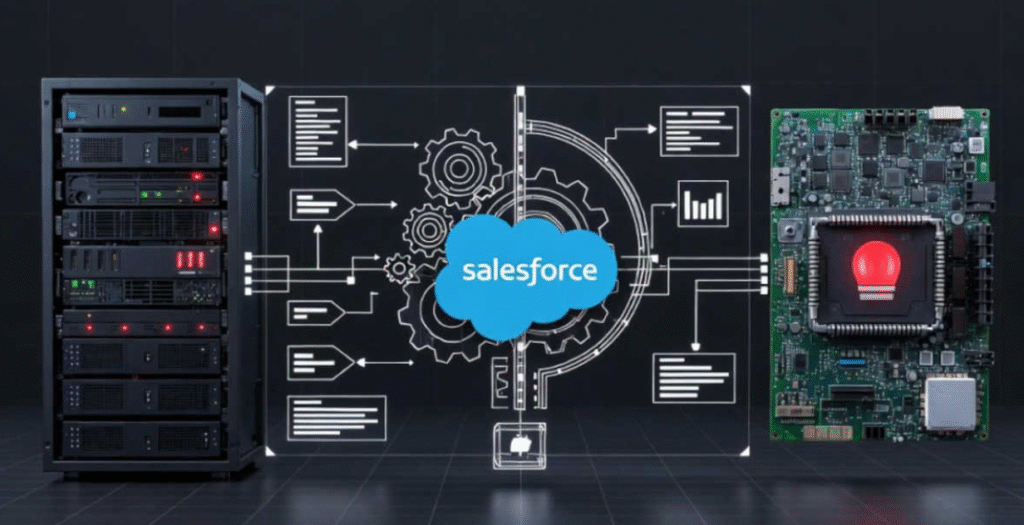
Uncover the dual meaning of “platform event trap” Salesforce automation pitfalls and IPMI hardware alerts. Get practical fixes, code examples, and checklists to build reliable systems.
Have you ever searched for platform event trap and ended up down a rabbit hole, unsure if it’s about Salesforce bugs or server hardware screaming for help? You’re not alone I’ve been there, wasting hours on the wrong fix because the term means two completely different things depending on your world.
This guide cuts through the confusion. I’ll show you both sides clearly, bust common myths, and give you real tools I’ve used in production setups to prevent disasters. Whether you’re a Salesforce dev chasing silent failures or a sysadmin monitoring racks, you’ll walk away with actionable steps to make your systems more reliable.
Decoding the Dual Meaning of “Platform Event Trap”
The phrase “platform event trap” confuses people because it refers to two unrelated concepts that both deal with “events” going wrong.
The Salesforce Interpretation: Anti-Patterns in Event-Driven Automation
In Salesforce, the platform event trap describes common design mistakes that lead to unreliable automations. Developers treat asynchronous Platform Events like synchronous triggers, ignoring key behaviors like at-least-once delivery. The result? Duplicates, out-of-order processing, or silent failures that only show up in production.
The Hardware Interpretation: IPMI Platform Event Traps (PET)
In server management, a Platform Event Trap (PET) is a standardized SNMP alert from the Intelligent Platform Management Interface (IPMI). Your server’s baseboard management controller (BMC) sends these when hardware hits trouble think overheating CPU, failing fan, or power supply glitch. It’s your early warning system for physical issues.
Why the Term Confusion Happens and How to Spot It Fast
Google mixes results because both use “platform event trap” exactly. If your search mentions Apex, Flows, governor limits, or idempotency, it’s Salesforce. If it talks SNMP, OIDs, BMC, or Cisco/UCS config, it’s hardware. Quick check: Does the page mention Salesforce.com? Yes → software pitfalls. No → hardware alerts.


Common Myths About Event Delivery and Alerts
Let’s clear up some beliefs that trip people up constantly.
Myth: Events Are Delivered Exactly Once and In Order
Salesforce uses at-least-once delivery no guarantees on order or single delivery. I’ve seen teams assume order and end up with messed-up sequences in order processing.
Myth: Platform Events Work Like Synchronous Triggers
They don’t. Publishing an event doesn’t mean instant processing or feedback. Treating them synchronously is the top reason flows fail quietly.
Myth: PET Alerts Are Just Like Regular Syslog Messages
No PETs follow IPMI format for critical hardware events, structured for SNMP managers to act fast. Syslog is more general logging.
Myth: Limits Only Matter in Production
Wrong. Test with volume early. Salesforce hourly publishing caps (250,000 for high-volume in Performance/Unlimited editions) hit sandboxes too if you push hard.
Key Pitfalls in Salesforce Platform Events
Here are the traps I see most in real orgs.
Assuming Synchronous Behavior and Immediate Feedback
Biggest killer. Flows wait for confirmation that never comes reliably.
Ignoring At Least-Once Delivery and Duplicates
Events can arrive multiple times. Without checks, you get duplicate records or actions.
Recursion and Infinite Loops from Self Publishing
An event triggers logic that publishes another event—boom, loop.

Governor Limits and Scale Surprises
Standard orgs get lower allocations; high-volume add-ons boost to 250,000 hourly publishes. Delivery limits vary by edition monitor closely.
Real-World Case Studies and Fixes
I’ve dealt with these firsthand (details anonymized).
Case: Data Corruption from Duplicate Processing
A retail client processed order events without idempotency. Retries created duplicate shipments. Fix: Added a unique external ID check before upsert.
Case: Production Outage from Out of Order Events
Financial firm relied on event sequence for transactions late events reversed processed ones. Switched to state-based logic over sequence.
Case: Missed Hardware Failure Due to Misconfigured PET
Datacenter team had PET enabled but wrong trap destination. Fan failed undetected overnight. Fixed by verifying SNMP config and testing traps.
Platform Events vs Alternatives: When to Use What
Choosing wrong amplifies traps.
Salesforce: Platform Events vs Change Data Capture vs Async Apex
| Option | Best For | Delivery Guarantee | Custom Payload | Limits Shared |
| Platform Events | Custom business events | At-least-once | Yes | Yes |
| Change Data Capture | Auto data change sync | At-least-once | No (record fields) | Yes |
| Async Apex (Queueable) | Heavy processing, chaining | N/A | N/A | Separate |
Hardware: PET vs Syslog vs Modern Webhooks
| Option | Real-Time | Structured for Hardware | Reliability |
| PET (SNMP) | Yes | Yes | High for critical |
| Syslog | Yes | No | General |
| Webhooks | Yes | Depends | Good for cloud |
Idempotency and Resilience Framework for Salesforce
Make subscribers safe.
Building Idempotent Subscribers
Use ReplayId or custom key:
apex
public class OrderEventHandler implements TriggerHandler {
public void handle(List<Order_Event__e> events) {
Set<String> processedIds = new Set<String>();
for (Order_Event__e evt : events) {
if (processedIds.contains(evt.ReplayId)) continue;
// Process safely
processedIds.add(evt.ReplayId);
}
}
}
Preventing Recursion Traps
Static variable guard:
apex
if (RecursionGuard.isProcessing) return;
RecursionGuard.isProcessing = true;
// Your logic
Error Handling and Monitoring Setup
Log to Event Monitoring or custom object; use Flow fault paths.
Actionable Checklist: 10-Step Resilience Audit
- Confirm async design no sync assumptions.
- Add idempotency key check.
- Implement recursion guard.
- Test with volume (use Apex replay).
- Monitor publish/delivery in Setup.
- Handle errors gracefully.
- Document event contracts.
- Test ordering/duplicates.
- Secure external subscribers.
- Review limits quarterly.
Configuring and Interpreting IPMI Platform Event Traps
Don’t stick to Cisco only.
Enabling PET Across Common Vendors
- Cisco UCS: Scope fault > set platform-event-enabled yes; configure SNMP traps.
- Intel-based servers: Use vendor BMC UI (e.g., iDRAC, iLO) to enable PEF and destinations.
- General IPMI: ipmitool event commands for testing.
Reading and Acting on Trap Data
Look for OIDs like temperature thresholds or fan status.
Integration with Monitoring Tools
Feed to Zabbix, Nagios, or Prometheus SNMP exporter.
Best Practices Checklist for Reliable Alerts
- Set multiple trap destinations.
- Test alerts monthly.
- Filter non-critical to avoid noise.
- Combine with syslog for context.
Monitoring and Prevention Strategies for Both Worlds
Tools and Metrics to Watch
Salesforce: Event Monitoring, Setup > Platform Events usage. Hardware: BMC logs, SNMP manager dashboards.
Proactive Testing and Recovery Plans
Simulate failures publish test events, trigger hardware sensors.
Scaling Safely: Limits and Add-Ons Explained
Salesforce high-volume add-ons unlock higher publishes/deliveries. Contact your AE early.
Frequently Asked Questions (FAQs)
What exactly is a “platform event trap” in Salesforce?
It’s the pattern of mistakes (like ignoring async nature) that cause unreliable event-driven flows.
How do I make my Platform Event subscribers idempotent?
Use ReplayId or custom unique key to detect and skip duplicates.
What’s the difference between PET and standard SNMP traps?
PET follows strict IPMI format for hardware events; standard SNMP is general.
Can Platform Events guarantee event order?
No design logic to handle out-of-order arrival.
How do I configure PET on non-Cisco hardware?
Use vendor BMC interface (e.g., Dell iDRAC, HPE iLO) to enable PEF and SNMP destinations.
What are current Salesforce Platform Event limits?
Performance/Unlimited: Up to 250,000 hourly publishes with high-volume; check Setup for your org.
Conclusion
Understanding the platform event trap whether Salesforce pitfalls or hardware PETs—saves massive headaches. Start by clarifying which context you’re in, then apply the checklists here.
Audit your setup today: Run a quick limit check in Salesforce, test a PET if you manage hardware, and add idempotency where needed. Your systems will thank you with fewer fires to fight.