Smartphone marketing is built around convincing you that this year’s model is a meaningful leap forward from last year’s, but for most people, the honest answer to “should I upgrade” comes down to a handful of practical factors that have nothing to do with marketing at all. Here’s how to actually decide.
Start With Battery Health
Battery degradation is one of the most common, and most fixable, reasons people feel like their phone has become unusable. Most phones let you check battery health directly in settings, showing maximum capacity as a percentage of the original. If your battery health has dropped significantly and that’s the main source of frustration, needing to charge multiple times a day, sudden shutdowns at moderate battery levels, a battery replacement is almost always cheaper than a full upgrade and can make an otherwise fine phone feel new again.
Check Your Software Support Timeline
Every phone has a limited window of software updates, including security patches, and once that window ends, continuing to use the device carries genuine security risk, not just a lack of new features. If your phone is approaching or has already passed its manufacturer’s stated support cutoff, that’s one of the more legitimate reasons to upgrade, separate from wanting new features.
Evaluate Whether You Actually Need the Storage
A phone that constantly warns about low storage, causing app crashes or preventing photo backups, is a genuine usability problem. Before assuming this requires a new phone, check whether cloud photo backup is enabled and whether unused apps and old media are taking up more space than expected, storage issues can often be resolved without buying new hardware at all.
Separate Real Improvements From Marketing Language
Each new phone generation is marketed with language suggesting dramatic improvement, but the practical, day-to-day difference between consecutive generations is often smaller than the marketing suggests. The more meaningful comparison is between your current phone and a model that’s two or three generations newer, where camera quality, processing speed, and battery efficiency improvements tend to be genuinely noticeable rather than incremental.
Reading independent reviews that specifically compare the new model to the phone you currently own, rather than reviews written in isolation, gives a much clearer sense of whether the upgrade is meaningful for your specific situation.
How Long Phones Realistically Last
With reasonable care, most modern smartphones remain functionally usable for several years beyond their initial release, even if they no longer feel cutting-edge. The gap between a phone’s technical lifespan and the point at which people psychologically feel ready to upgrade is often larger than people expect, and being aware of that gap can help separate a genuine need from simple upgrade fatigue.
The Role of Insurance and Protection Plans
If physical damage is a recurring reason your phones don’t last as long as they should, a protection plan or a quality case and screen protector combination is often more cost-effective over several years than repeatedly paying for full replacements after drops or cracks. It’s worth weighing the cost of a protection plan against your own history of damaging phones before dismissing it as an unnecessary expense.
Signs It’s Genuinely Time to Upgrade
A few signals suggest an upgrade is reasonably justified: your phone no longer receives security updates, the battery can’t reasonably get you through a normal day even after a replacement, physical damage affects daily use in a way that repair can’t fully resolve, or your phone struggles to run apps and updates that are now considered standard, not just cutting-edge.
Signs You Should Probably Wait
If your main motivation is a new camera feature you’d rarely use, a design refresh, or general boredom with your current phone, those are valid preferences but worth being honest with yourself about, they’re different from a functional need. Waiting for your phone’s natural end-of-life, or for a generation with genuinely significant improvements, tends to be the more cost-effective approach if your current phone is otherwise working fine.
Comparing New Phones Across Price Tiers
If an upgrade is genuinely justified, it’s worth comparing options across budget, mid-range, and flagship price tiers rather than defaulting to the flagship simply because it’s the most heavily advertised. Mid-range phones have improved considerably in recent years, and for many everyday uses, calls, messaging, browsing, moderate photography, the practical difference between a mid-range and flagship device is smaller than the price difference between them would suggest.
Weighing Repair Costs Against Replacement
Before assuming a full upgrade is necessary, get an actual repair quote for whatever issue is bothering you most, whether it’s a cracked screen, a failing battery, or a malfunctioning button. Repair costs are frequently far lower than the price difference between your current phone and a new one, and a single targeted repair can often extend a phone’s useful life by another year or two at a fraction of the upgrade cost.
How Long You Realistically Plan to Keep the Next Phone
It’s worth thinking beyond the immediate purchase and considering how long you actually intend to keep whatever phone you choose next. If you tend to upgrade every year regardless of need, a less expensive model may serve you just as well as a flagship device, since you won’t be relying on it long enough to benefit from its longer-term durability or extended software support advantages.
Trade-In and Resale Value Considerations
Phone resale and trade-in values drop fastest in the first year after release and then decline more gradually after that, which means upgrading right when a new model launches often results in the worst trade-in value for your current phone relative to its condition. If you’re planning to upgrade anyway, timing the trade-in for when your specific model still has reasonable resale demand, rather than waiting until it’s several generations outdated, generally nets more value.
Comparing Refurbished and Previous-Generation Options
If budget is a bigger concern than having the newest model, a certified refurbished phone or a previous-generation model still receiving software updates often delivers most of the practical benefits of upgrading at a meaningfully lower cost. These options sometimes carry a stigma that isn’t fully deserved, certified refurbished devices typically undergo testing and come with a warranty comparable to buying new, making them a reasonable middle ground for anyone upgrading primarily out of necessity rather than wanting the latest release specifically.
Environmental and E-Waste Considerations
Beyond cost, frequent upgrades contribute to electronic waste, and many manufacturers now offer trade-in or recycling programs specifically to reduce this impact. If you do decide to upgrade, trading in or properly recycling your old device, rather than letting it sit unused in a drawer indefinitely, is a small step that keeps working components out of landfills and, in the case of trade-in programs, can meaningfully offset the cost of the new device.
How Carrier Contracts and Installment Plans Affect the Decision
If your current phone is still being paid off through a carrier installment plan, upgrading before that plan is complete often means paying off the remaining balance in addition to the cost of the new device, which can make an upgrade considerably more expensive than it initially appears. Checking your remaining installment balance before shopping for a new phone avoids an unpleasant surprise at checkout.
Making the Switch Easier When You Do Upgrade
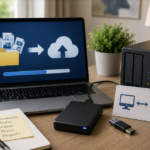
When it is time to upgrade, most phones now offer built-in tools to transfer data directly from your old device, including apps, photos, messages, and settings, significantly reducing the setup time compared to manual transfers. Backing up your old device fully before starting the transfer, even when using an automated tool, is worth doing as a safety step in case anything doesn’t transfer correctly the first time.
The True Cost-Benefit Calculation
A genuinely useful way to frame the decision is cost per year of expected use, rather than the sticker price alone. A phone that costs more upfront but reliably lasts an extra year or two before needing replacement can work out to a similar or lower annual cost than a cheaper phone replaced more frequently, particularly once you factor in resale or trade-in value at the point of replacement.
Cheaper Alternatives to a Full Upgrade
Beyond a battery replacement, a factory reset (after backing up your data) can resolve performance issues caused by accumulated background processes and app buildup over time, sometimes restoring a phone to something close to its original responsiveness. Replacing a cracked screen, upgrading available storage through cloud services rather than local storage, and simply removing unused apps are all lower-cost steps worth trying before assuming a new phone is the only solution.
The Bottom Line
An upgrade makes the most sense when it’s solving a genuine functional problem, security support ending, a battery that can’t be reasonably replaced, or performance that consistently can’t keep up with basic daily use. When the motivation is mostly marketing-driven excitement about new features, it’s worth pausing to separate that excitement from an actual need, since cheaper fixes often solve the real underlying problem just as effectively.
- You Might Be Curious About Flagship Features and Performance of Samsung Galaxy S26!